

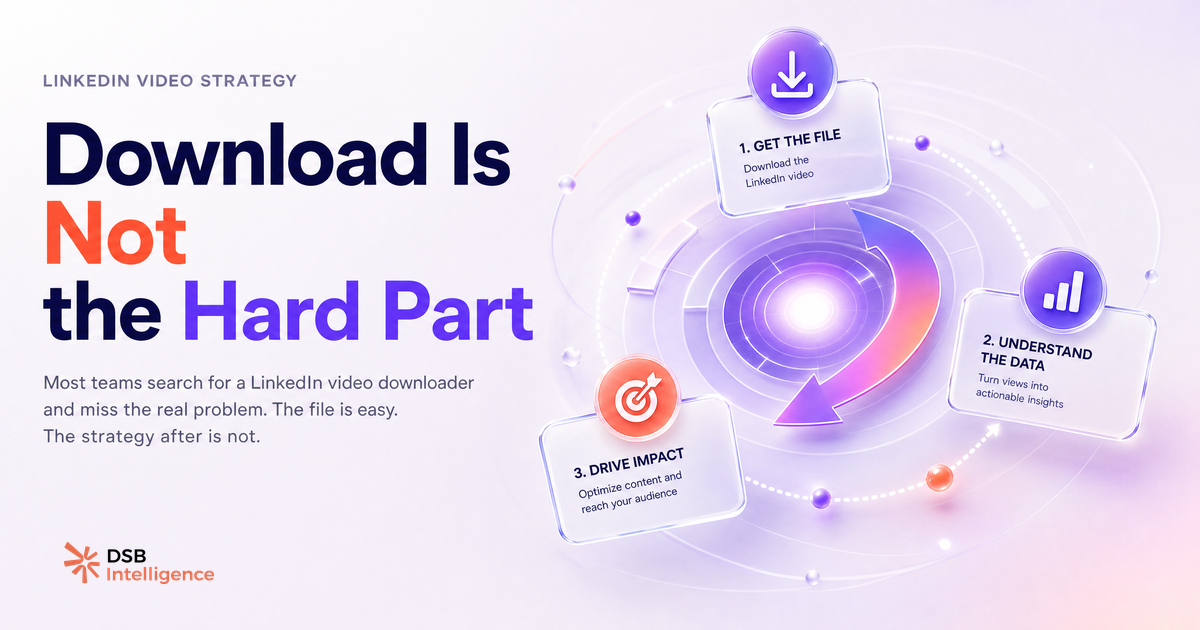
Downloading a LinkedIn video takes about 30 seconds. Figuring out what to do with it afterward is where most B2B teams lose weeks.
Why do people search for LinkedIn video downloaders, and what do they actually want?
The search query "taplio LinkedIn video downloader" bundles at least three different problems into one. Understanding which one you have changes everything.
Problem 1: You want to repurpose your own content. You posted a video three months ago, it performed well, and you want to recycle it for a new audience or a different format. This is legitimate and often underused.
Problem 2: You want to study a competitor's video. You saw a competitor's post rack up comments and you want to reverse-engineer the format, the hook, or the topic angle. Downloading the file is a detour — what you actually need is the behavioral data around the post.
Problem 3: You want to cross-post LinkedIn video to another platform. You filmed a native LinkedIn video and want to repurpose it on YouTube Shorts, Instagram Reels, or a client presentation. This is the cleanest use case for a downloader.
Tools like browser extensions and third-party services can technically save LinkedIn native video files. Taplio is primarily a LinkedIn scheduling and analytics platform — it doesn't function as a dedicated video downloader, which is why the search query often leads to confusion. If you're in camp 1 or 3, a simple browser extension or screen-record workflow gets you the file. The harder question is what you do next.
What is the repurposing trap, and why does distributing a downloaded video kill reach?
Saving the video file is the easy part. Re-uploading it without a strategy is where reach dies.
LinkedIn's feed rewards native uploads that generate strong engagement signals in the first hour or two after posting. A video that already circulated, even months ago, starts fresh when re-uploaded — which is neutral, not negative. The problem is that most teams re-upload the same file with the same caption, the same hook, and no updated context. That's not repurposing. That's copy-paste.
The feed doesn't penalize recycled content explicitly. What it does is surface content that earns engagement fast from the right people. If your re-uploaded video doesn't have a new reason for your current audience to stop scrolling, it won't earn those early signals. It competes with everything else in the feed on equal terms — and loses to posts that were written for today's context.
For a detailed breakdown of how LinkedIn's native video distribution actually works, Posting Video to LinkedIn: What Actually Drives Reach covers the mechanics without the fluff.
The fix is simple: treat every re-upload as a new post. Write a new caption. Change the hook. Trim the video if the original was too long. Update any references that have aged out. If you can't do that, the video isn't ready to be repurposed yet.
What makes a LinkedIn native video generate pipeline versus just views?
Views are the metric LinkedIn shows you. Pipeline is the metric your revenue team cares about. They are not the same thing, and optimizing for one often doesn't move the other.
A LinkedIn native video generates pipeline when it does three things: it attracts the right viewer profile, it gives them a reason to visit your page or profile, and it creates a natural opening for a conversation. Views from people outside your ICP are noise. A video with 400 views and 12 profile visits from target-account decision-makers outperforms a video with 4,000 views from a general audience.
The format and topic matter here. Educational videos that surface a specific problem your ICP recognizes tend to trigger profile visits. "Here's a problem you probably have, here's how we think about it" is a stronger pipeline driver than "here's our product demo." The demo has its place — but it belongs later in the funnel, not in the organic feed.
LinkedIn Video Size: Specs, Ratios & What Drives Reach goes deeper on format decisions. For the paid side of the equation, LinkedIn Advertising Video: Beyond the Spec Sheet covers how video fits into a full-funnel paid strategy.
How do you use video content as a pipeline signal, not just a vanity metric?
The insight is in the downstream behavior, not the view count.
After a video post, the signals that matter are: who visited your profile in the 48 hours after posting, whether any of those visitors match your ICP, whether you received connection requests or DMs that referenced the video, and whether any of those contacts entered your pipeline in the following two weeks.
Most teams don't track this because LinkedIn's native analytics don't surface it cleanly. You see total views, impressions, and a rough demographic breakdown. You don't see "this specific person from this target account watched your video and then visited your profile."
This is where the DSB Intelligence Recommendations Engine becomes relevant: it flags when a post is generating the right downstream signals (profile visits, connection patterns from ICP-adjacent accounts) versus when it's burning impressions on the wrong audience. The distinction between "this video is working" and "this video is getting views" is exactly the gap it's built to close.
For teams managing multiple LinkedIn accounts or scheduling content at scale, LinkedIn Scheduling Tools Ranked for B2B Accounts covers how scheduling decisions interact with reach.
When does downloading and repurposing LinkedIn video make sense, and when does it waste your time?
Repurposing your own video makes sense under three conditions: the topic is evergreen, the original post's reach has fully decayed (typically after several weeks), and you can write a genuinely new caption that gives the content fresh context. If all three are true, re-upload with a new hook and treat it as a new post.
Repurposing a competitor's video almost never makes sense as a content play. Copyright aside, copying a competitor's format without an original point of view produces content that your audience will recognize as derivative. The legitimate use case is analysis: watch the video, note what format they used, what problem they named in the hook, and what the engagement pattern looked like. Then build your own original version of that topic.
Cross-posting your own LinkedIn video to other platforms is the cleanest use case. A vertical video that performed on LinkedIn can be trimmed and reformatted for YouTube Shorts or Instagram Reels without any of the reach concerns — those are different algorithms, different audiences, different context. Just update the caption for each platform's native tone.
For the technical side of what happens after you upload a video to LinkedIn, How to Upload Video to LinkedIn: What Happens After covers the distribution mechanics post-upload.
Now what?
- Audit your last five video posts. For each, check profile visits in the 48 hours after posting — not just view counts. That's your real signal.
- If you want to repurpose a video, write the new caption first. If you can't write a genuinely new hook, the video isn't ready to be recycled.
- If you're analyzing a competitor's video, skip the download. Note the topic, the format length, and the engagement type (comments vs. reactions). Build your own original take on the same problem.
- If you're cross-posting to other platforms, download the file, reformat for the target platform's specs, and write a platform-native caption from scratch.
Ready to track which of your LinkedIn videos are actually generating pipeline signals? Start your free trial with DSB Intelligence and connect your LinkedIn account in under two minutes.