

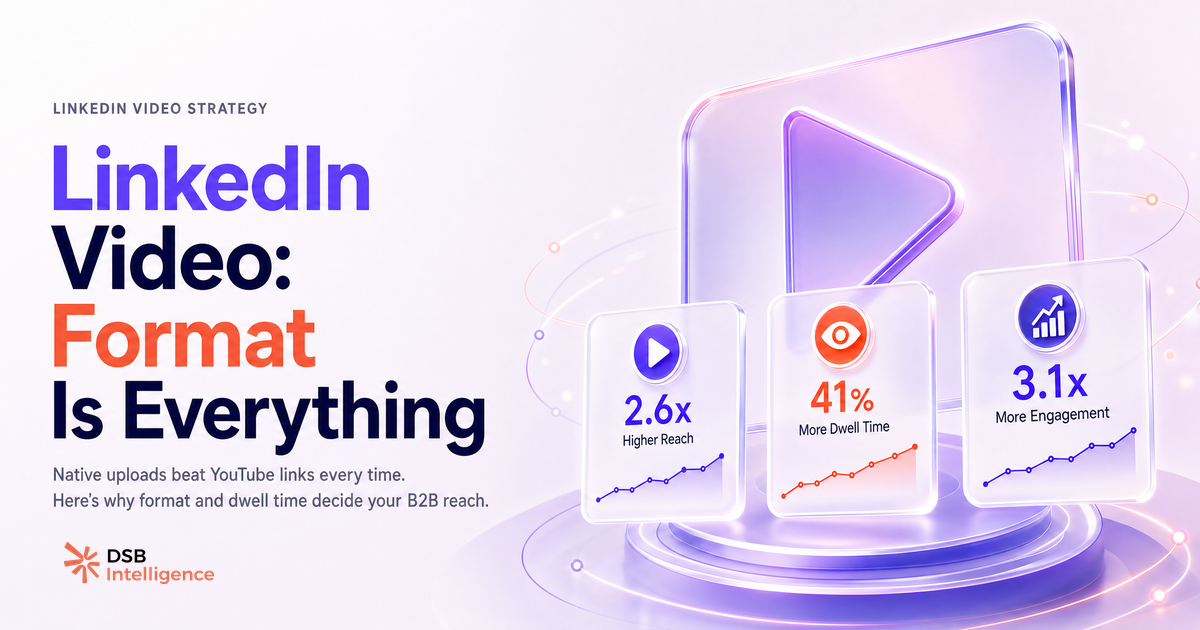
Most B2B teams ask "can you post video on LinkedIn?" and stop there. The real question is: which video format actually gets seen?
The answer changes your entire distribution strategy.
Yes, LinkedIn Supports Video — What Does the Platform Actually Accept?
LinkedIn accepts native video uploads directly in the post composer, on both desktop and mobile. The supported formats include MP4 (the recommended choice), plus ASF, AVI, FLV, MOV, MPEG-1, MPEG-4, MKV, and WebM. The file size ceiling is 5 GB, and the maximum duration for a personal profile post is 15 minutes.
For company pages, LinkedIn also supports video in ads, showcase pages, and the "Life" tab — each with its own spec constraints. But for organic feed posts, the personal profile composer is the most straightforward path.
One practical note: H.264 encoding with AAC audio is the combination that clears LinkedIn's processing pipeline most reliably. If you export from Premiere, Final Cut, or DaVinci Resolve, set H.264 as your codec and you will rarely hit a processing error.
For a full breakdown of ratios and resolution specs, see LinkedIn Video Size: Specs, Ratios & What Drives Reach.
Native Upload vs. External Link: What Is the Reach Gap B2B Teams Ignore?
Posting a YouTube or Vimeo link instead of uploading natively is not a neutral choice. It is a distribution penalty you opt into voluntarily.
LinkedIn's feed is built to keep users on-platform. A post that links to YouTube signals to the algorithm that the viewer is about to leave. That conflicts with LinkedIn's core engagement metric. The result: link posts — including video link posts — are distributed more narrowly than native uploads in the organic feed.
The practical consequence for a B2B team: the same video, uploaded natively versus shared as a YouTube link, will reach a different-sized audience from the same follower base. The native upload benefits from LinkedIn's in-feed autoplay, which generates view counts (3 seconds = 1 view) and dwell time signals that feed further distribution. A YouTube link generates none of that.
This does not mean YouTube has no role. Cross-posting to YouTube for SEO and long-term discoverability makes sense. But the LinkedIn post itself should always carry the native upload. See Posting Video to LinkedIn: What Actually Drives Reach for a deeper look at how distribution mechanics work post-upload.
Why Can't I Post a Video on LinkedIn? The Real Reasons Behind Upload Failures
Upload failures almost never mean LinkedIn has restricted your account. They trace to three root causes almost every time.
File size over 5 GB is the most common. A raw 4K export from a mirrorless camera can hit this ceiling quickly. Re-export at 1080p with H.264 and the file drops to a fraction of the original size with no visible quality loss in the LinkedIn feed.
Unsupported codec or container is the second cause. LinkedIn's processing pipeline handles H.264 well; it handles some HEVC (H.265) exports inconsistently. If your file is MOV with HEVC encoding, convert to MP4/H.264 before uploading.
Mobile app cache is the third. If the upload stalls at a specific percentage on mobile, clear the LinkedIn app cache (Settings > Apps > LinkedIn > Clear Cache on Android; delete and reinstall on iOS) and retry. This resolves a surprising share of mobile-specific failures.
For a step-by-step walkthrough of what happens after you hit "Post," How to Upload Video to LinkedIn: What Happens After covers the processing pipeline in detail.
How Does Reading Video Dwell Signals Differ From Static Post Signals?
Not all engagement signals carry the same weight in LinkedIn's feed ranking. A like on a static text post is a low-cost action — it takes one tap and zero attention. A video watched past its midpoint is a different category of signal entirely.
Dwell time on a native video post reflects genuine attention. A viewer who watches 60% of a 90-second clip has invested nearly a minute of focused time. That behavioral signal is harder to fake and, by most industry observations, weighted more heavily in feed distribution than a passive reaction.
This is where the measurement gap bites most B2B teams. They optimise for reaction counts and miss the dwell time pattern underneath. DSB Intelligence's Insight Narrator reads exactly this layer: it surfaces the dwell-to-view ratio on your video posts and flags when a video is generating watch time without generating the downstream actions (profile visits, connection requests, DMs) that indicate pipeline interest. The distinction matters because a video can look healthy on vanity metrics while contributing nothing to business outcomes.
For context on how profile-level visibility connects to video performance, Can You See Who Views Your LinkedIn Profile? explains what LinkedIn does and does not expose.
What Format Decision Actually Determines Whether Your Video Generates Pipeline or Just Views?
Views are not pipeline. This is the uncomfortable truth most LinkedIn video advice skips.
The format decision — native vs. link, vertical vs. horizontal, 30 seconds vs. 5 minutes — sets the ceiling on your distribution. But the floor is determined by what the video does in its first 3 to 5 seconds. If the hook does not earn the watch, no format choice rescues it.
For B2B specifically, the videos that convert attention into pipeline share a structural pattern: they open with a problem the target buyer recognises, not a logo or a "Hi, I'm [Name] from [Company]" intro. They reach a concrete, usable point within 60 seconds. And they close with a single, low-friction next step — not five CTAs.
Vertical format (9:16) performs well in the mobile feed for personal profiles. Horizontal (16:9) remains standard for company page posts and tends to feel more appropriate for product demos or webinar clips. Neither format is universally superior; the choice should follow where your audience primarily consumes content.
The repurposing angle is worth noting: if you are downloading competitor or partner videos to study format patterns, LinkedIn Video Downloaders: What You're Really Solving frames what that research actually tells you — and what it does not.
Now What?
- Audit your last five video posts. Were they native uploads or YouTube links? If any were links, re-upload the native file and compare reach over the following 72 hours.
- Check your codec before your next upload. Export in H.264 MP4 at 1080p. This eliminates the two most common upload failure causes before they happen.
- Measure dwell, not just reactions. Pull your video view duration data from LinkedIn Analytics. If completion rate drops below 40%, the hook needs work — not the format.
- Match format to placement. Personal feed post: vertical or square. Company page: horizontal. Paid promotion: follow LinkedIn's current campaign manager specs.
Ready to see which of your video posts actually moved the needle on pipeline? Start your free DSB Intelligence trial and let the Insight Narrator surface the signals your native analytics bury.