

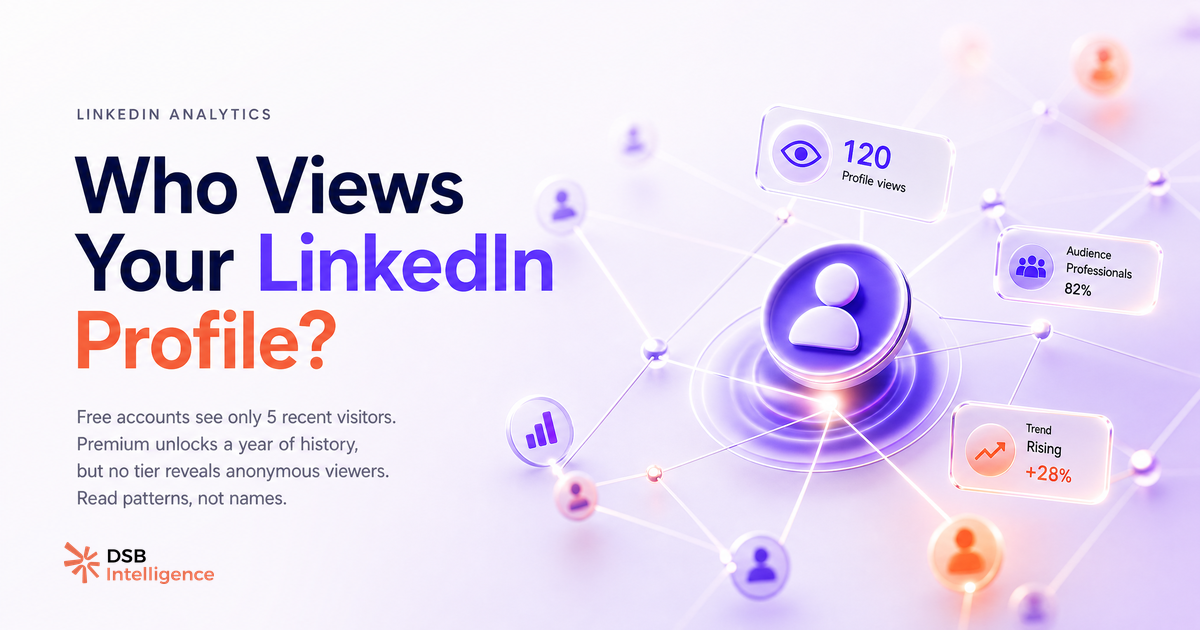
La réponse courte : oui, mais tu ne vois pas la moitié de la liste.
La plupart des praticiens LinkedIn traitent les vues de profil comme un compteur de vanité ou, à l'opposé, comme une liste de leads chauds à relancer. Les deux lectures sont fausses. La réalité est plus nuancée, et plus utile.
Oui, tu peux voir qui visite ton profil — mais LinkedIn ne te montre qu'une fraction de la liste
LinkedIn te donne accès à une liste de visiteurs identifiés, pas à la liste complète des personnes qui ont cliqué sur ton profil.
Deux filtres réduisent systématiquement ce que tu vois. Premier filtre : le mode de navigation privée. Tout utilisateur LinkedIn peut choisir de naviguer anonymement. Quand c'est le cas, tu vois une entrée générique du type « un recruteur dans le secteur tech » sans nom, sans lien. Deuxième filtre : ton abonnement. Avec un compte gratuit, tu accèdes aux 5 derniers visiteurs identifiés sur une fenêtre glissante. Premium élargit cette fenêtre, mais ne lève pas le masque sur les profils anonymes.
Résultat : la liste que tu consultes est un échantillon biaisé. Les visiteurs les plus prudents, souvent les acheteurs B2B qui comparent des fournisseurs en amont d'une décision, sont précisément ceux qui activent le mode privé.
Pourquoi LinkedIn retient cette donnée — et ce n'est pas un oubli
C'est un choix produit, pas une limitation technique.
LinkedIn maintient la navigation privée parce que c'est une promesse de confidentialité faite à ses utilisateurs. La supprimer ferait fuir les visiteurs prudents, ce qui appauvrirait la plateforme pour tout le monde. C'est un équilibre délibéré entre transparence pour le profil consulté et confidentialité pour le visiteur.
Il y a aussi une logique commerciale évidente : la frustration du compte gratuit face aux données masquées est un argument de conversion vers Premium. Ce n'est pas un complot, c'est du freemium classique.
Ce que cela signifie concrètement pour toi : tu ne sauras jamais combien de personnes ont réellement consulté ton profil. La donnée brute est structurellement incomplète. La question n'est donc pas « qui m'a vu ? » mais « que m'apprend ce que je vois ? »
Pour aller plus loin sur la façon dont LinkedIn construit ses métriques d'audience, l'article LinkedIn Impressions : combien c'est vraiment bon ? détaille comment lire ses propres données sans se faire piéger par les chiffres bruts.
Comment lire le signal que tu as : ce que les patterns de fonction révèlent vraiment
Un nom individuel dans ta liste de visiteurs ne vaut presque rien seul. Un pattern de visiteurs sur 30 à 90 jours, c'est une information stratégique.
Voici comment lire la donnée disponible de façon utile.
Regarde la fonction, pas le nom. Si tu publies du contenu sur la gestion de la data B2B et que tes visiteurs sont majoritairement des Head of Sales, tu as un désalignement entre ton contenu et ton audience réelle. Si ce sont des VP Data, tu es dans le bon couloir.
Regarde la séniorité. Un afflux de visiteurs junior après un post peut indiquer que ton contenu est partagé en interne par quelqu'un de plus senior qui, lui, reste en mode privé. C'est une hypothèse, pas une certitude, mais elle vaut la peine d'être testée.
Regarde la temporalité. Un pic de vues le lendemain d'un post est du bruit : c'est la curiosité déclenchée par la visibilité du contenu. Une hausse soutenue sur trois semaines sans post viral est un signal plus fort : quelqu'un ou quelque chose t'a mis sur le radar d'un segment.
C'est exactement ce type de lecture que l'Insight Narrator de DSB Intelligence est conçu pour faire : il détecte les anomalies de tendance dans tes données de visiteurs et te signale quand un pattern mérite attention, sans que tu aies à surveiller le tableau de bord chaque matin.
Pour comprendre comment l'automatisation peut compléter cette lecture sans risquer ton compte, l'article Automatisation LinkedIn : ce qui marche, ce qui restreint pose le cadre.
Quand les vues de profil sont du bruit, pas un signal
Tout pic de vues n'est pas une opportunité. Savoir quand ignorer la donnée est aussi important que savoir quand agir.
Trois cas où les vues de profil ne signifient rien d'exploitable :
Un post de toi ou d'un tiers t'a mentionné et a généré de la visibilité. Les vues qui suivent sont de la curiosité passagère. La grande majorité de ces visiteurs ne reviendront pas et n'ont aucune intention d'achat.
Tu viens de changer de poste ou d'ajouter une certification. LinkedIn notifie ton réseau, qui clique par réflexe social. Ce n'est pas de l'intérêt commercial.
Tu as commenté un post à fort engagement. Les lecteurs du post cliquent sur les profils des commentateurs. Ces visites sont contextuelles au post, pas à toi.
Dans ces trois cas, relancer chaque visiteur est une erreur de lecture du signal. Tu génères du bruit dans ta prospection et tu brûles de la crédibilité pour des contacts qui n'ont aucune raison de te répondre.
La règle pratique : traite les vues individuelles comme des données anecdotiques. Traite les tendances de segment sur plusieurs semaines comme des données stratégiques. La différence entre les deux, c'est la différence entre réagir et décider.
Pour calibrer ce que « bon » signifie sur tes métriques de visibilité globale, l'article LinkedIn Video Ads vs Organique : ce qui génère du pipeline donne des repères concrets sur ce qui convertit réellement en pipeline B2B.
Et si tu travailles sur ta stratégie de contenu pour attirer les bons visiteurs, LinkedIn Hashtags en 2026 : signal ou bruit ? et Best LinkedIn Automation Tools: a Framework to Compare complètent utilement la lecture.
Et maintenant ?
- Ouvre ta section « Qui a consulté votre profil » et note les trois fonctions les plus représentées sur les 30 derniers jours. Si elles ne correspondent pas à ta cible ICP, ton contenu attire la mauvaise audience.
- Identifie un pic de vues récent et cherche son déclencheur : post, mention, commentaire. Si tu trouves la cause, tu sais ce qui génère de la visibilité pour toi.
- Mets en place une revue mensuelle des patterns de visiteurs, pas une surveillance quotidienne. La tendance compte, le pic isolé non.
- Si tu veux que cette lecture soit automatisée et contextualisée, essaie DSB Intelligence gratuitement pour voir comment l'Insight Narrator transforme tes données de profil en signaux actionnables.