

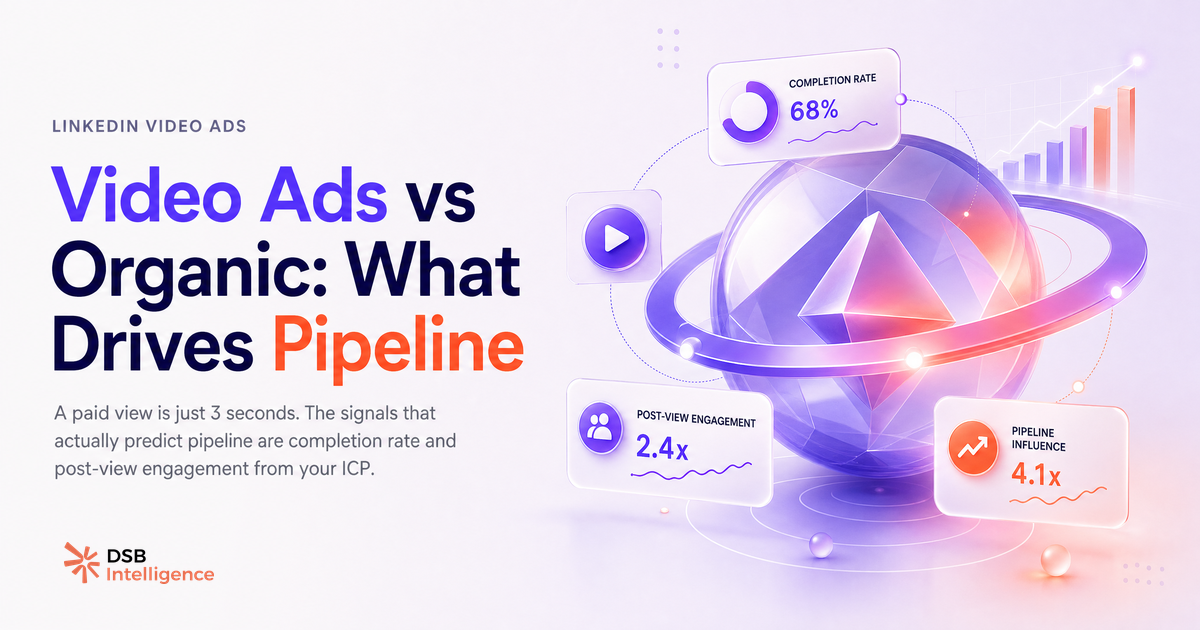
La plupart des équipes marketing B2B traitent les video linkedin ads et les posts vidéo organiques comme deux variantes du même outil. Ce n'est pas le cas. Ce sont deux leviers avec des mécaniques, des signaux et des objectifs radicalement différents.
La vue LinkedIn à 3 secondes : pourquoi tes métriques vidéo te mentent
LinkedIn considère qu'une vidéo a été vue dès que l'utilisateur l'a regardée pendant 2 à 3 secondes selon le format. C'est le seuil le plus bas de l'industrie publicitaire.
Concrètement : un utilisateur qui scrolle son feed, s'arrête une seconde sur ta vidéo parce que son pouce hésite, puis continue, peut être comptabilisé comme une vue. Ce comportement n'a aucune valeur commerciale.
Ce mécanisme affecte les deux formats. Les ads vidéo LinkedIn sont facturées à partir de ce seuil sur certains modèles d'achat. Les posts organiques affichent des compteurs de vues qui incluent ces micro-expositions.
Le résultat : une vidéo peut afficher 10 000 vues avec un taux de complétion de 4 %. Ce n'est pas un succès, c'est un signal d'alarme.
Pour aller plus loin sur la façon dont les métriques de surface masquent les signaux réels, lire LinkedIn Advertising B2B : pourquoi tes campagnes sous-performent.
Quels sont les deux signaux qui séparent le contenu vidéo pipeline du contenu vanité ?
Le premier signal est le taux de complétion. C'est le pourcentage de spectateurs qui ont regardé au moins 75 % de ta vidéo. Un taux de complétion élevé indique que le contenu a retenu l'attention d'un spectateur actif, pas d'un scroll passif.
Le second signal est le taux de clic post-vue. Une vidéo qui génère des clics vers une landing page, un formulaire ou un article après visionnage complet est une vidéo qui crée de l'intention. C'est ce qui distingue le video advertising on linkedin qui alimente un pipeline de celui qui alimente un rapport marketing.
Ces deux signaux sont rarement mis en avant par défaut dans le Campaign Manager de LinkedIn. Il faut les chercher, les extraire et les croiser avec les données CRM pour voir si les spectateurs qui complètent la vidéo finissent dans le pipeline.
La corrélation n'est pas automatique. Mais l'absence de complétion, elle, disqualifie presque toujours.
Comment l'Insight Narrator de DSB Intelligence lit le taux de complétion comme proxy pipeline
Le taux de complétion est un signal utile, mais il devient actionnable seulement quand il est comparé à une baseline et suivi dans le temps.
L'Insight Narrator de DSB Intelligence lit ce pattern ainsi : si le taux de complétion d'un post vidéo organique chute sous 20 % sur une fenêtre de 7 jours, c'est le signe que l'accroche ne tient pas ou que le format ne correspond pas à l'audience actuelle. Si le taux de complétion dépasse 40 % sur une vidéo organique, c'est un signal de validation : le message résonne, et ce contenu est un candidat sérieux pour une amplification payante.
Cette lecture évite le piège classique : lancer des video linkedin ads sur un contenu qui n'a jamais prouvé sa capacité à retenir l'attention en organique. Payer pour distribuer un message que personne ne regarde jusqu'au bout, c'est accélérer un problème, pas le résoudre.
Pour comprendre comment les métriques de téléchargement et de complétion se lisent ensemble, voir Download LinkedIn Video : ce que ça révèle sur ta stratégie B2B.
Paid, organique ou les deux : comment décider selon le contexte
La décision n'est pas binaire. Elle dépend de trois variables : la maturité de l'audience, la validation du message et l'objectif de la campagne.
Organique en premier quand tu testes un angle de message, un format ou une accroche. Le posting vidéo organique sur LinkedIn est le meilleur environnement de test à coût quasi nul. Si la vidéo ne retient pas l'attention de tes abonnés actuels, elle ne retiendra pas celle d'une audience froide payante.
Paid en amplification quand un post vidéo organique a déjà démontré un taux de complétion solide et un engagement qualitatif (commentaires substantiels, partages par des profils pertinents). C'est le moment de passer en video advertising on linkedin pour étendre la distribution à un ICP ciblé.
Les deux simultanément dans une logique ABM : tu diffuses une video linkedin ad à une liste de comptes cibles pendant qu'un membre de l'équipe commerciale publie le même contenu en organique. L'effet de reconnaissance croisée augmente le taux d'ouverture des séquences outbound qui suivent.
Pour cadrer cette décision dans une stratégie de contenu plus large, lire LinkedIn Content Strategy B2B : arrête de planifier dans le vide.
Quand les video linkedin ads ne font genuinement pas sens
Il y a des contextes où lancer des ads vidéo LinkedIn est une mauvaise décision, indépendamment du budget disponible.
Le premier cas : le message n'est pas validé. Si tu n'as pas de données organiques sur l'accroche, tu paies pour une expérience. Ce n'est pas une stratégie, c'est un test coûteux.
Le second cas : le budget est insuffisant pour atteindre la fréquence nécessaire sur un ICP B2B. Sur LinkedIn, une audience froide a besoin de plusieurs expositions avant de réagir. Un budget trop faible dilué sur une audience trop large produit des vues sans mémorisation.
Le troisième cas : l'objectif est la construction d'audience long terme. Les ads vidéo LinkedIn ne construisent pas de following. Elles génèrent de la visibilité ponctuelle. Si l'objectif est de faire croître une audience organique engagée, le posting video on linkedin régulier est plus efficace sur 6 à 12 mois.
Dans ces trois cas, les alternatives à considérer sont les posts texte à fort taux d'engagement, les carrousels PDF ou les séquences de messages InMail ciblées. Voir aussi Automatisation LinkedIn : ce qui marche, ce qui restreint pour comprendre les limites des approches outbound complémentaires.
Un dernier point sur le format lui-même : une video linkedin ad de plus de 90 secondes sans sous-titres, sans accroche dans les 5 premières secondes et sans appel à l'action explicite ne performera pas, quel que soit le budget. Ce n'est pas une question de ciblage. C'est une question de mécanique d'attention. Et LinkedIn Hashtags en 2026 : signal ou bruit ? rappelle que la visibilité organique dépend de signaux bien plus profonds que les métadonnées de surface.
Et maintenant ?
- Ouvre tes 5 dernières vidéos LinkedIn (ads ou organiques) et regarde le taux de complétion, pas le volume de vues. Si tu n'as pas accès à cette métrique, c'est le premier problème à résoudre.
- Identifie la vidéo avec le meilleur taux de complétion. C'est ton seul candidat légitime à une amplification payante cette semaine.
- Avant de lancer une nouvelle video linkedin ad, publie le contenu en organique pendant 48 à 72 heures. Utilise ce délai pour valider l'accroche et le taux de rétention.
- Teste DSB Intelligence pour suivre ces signaux automatiquement et recevoir des recommandations d'amplification basées sur la complétion réelle, pas sur les vues. Essaie gratuitement.