

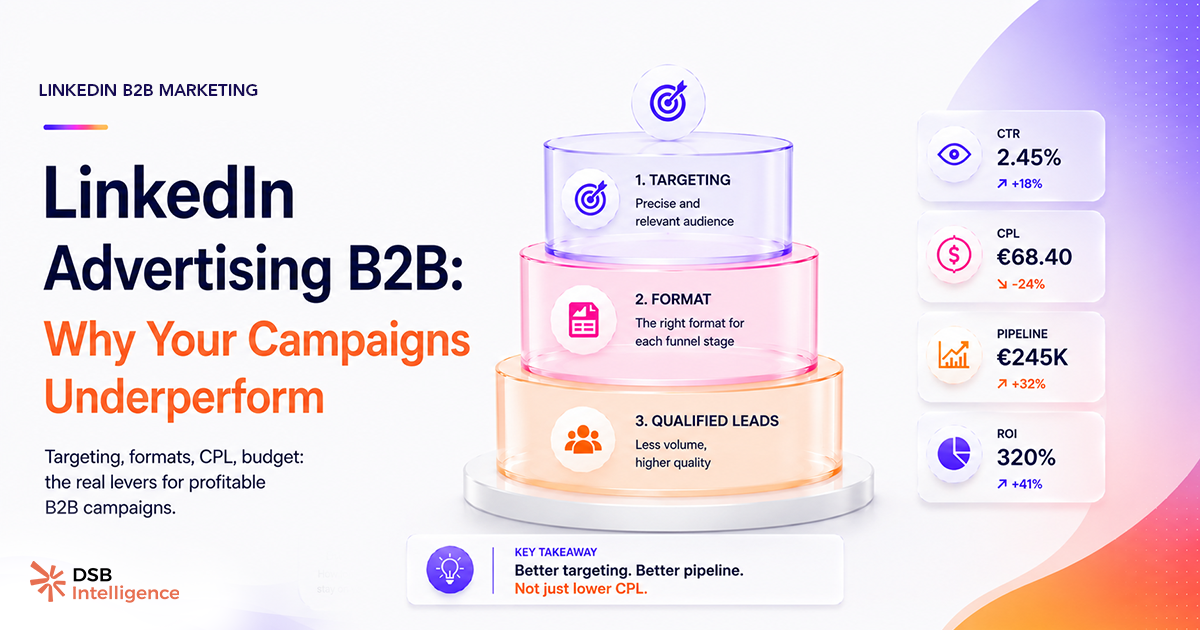
Most teams running LinkedIn ads for B2B assume the platform is broken. CPMs are high, leads are expensive, and the pipeline impact is murky at best. The platform isn't broken — the setup is.
Why does LinkedIn advertising B2B cost so much more than other channels?
LinkedIn's premium CPM is the price of precision. You're not buying impressions from a general audience — you're buying access to verified professional identities: job title, seniority, company size, industry, and skills, all self-reported and regularly updated.
That's a fundamentally different inventory than Meta or Google. On Meta, you infer professional attributes from behavioral signals. On LinkedIn, you select them directly. The cost reflects the data quality, not platform greed.
The mistake most B2B teams make is treating that premium as a problem to minimize rather than a lever to maximize. They broaden targeting to lower CPMs, which defeats the entire point of being on LinkedIn in the first place.
If your LinkedIn ads are performing like Meta ads with worse numbers, it's because you're running them like Meta ads.
What does effective LinkedIn audience targeting for B2B actually look like?
Effective LinkedIn audience targeting B2B starts with two or three criteria — not six. The most common failure mode is over-layering: job title + seniority + industry + company size + skills, all stacked simultaneously. The resulting audience drops below 50,000 members, the campaign never exits LinkedIn's learning phase, and CPMs spike.
The practical sweet spot for b2b linkedin ads is an audience between 50,000 and 300,000 members. Below that floor, delivery tends to become erratic — the algorithm doesn't have enough signal to optimize. Above 300,000, you're likely paying LinkedIn rates for a Meta-quality audience.
Start with job function and seniority. Those two criteria alone define buying authority better than any combination of inferred interests. Add company size only if your ICP is genuinely size-dependent — enterprise vs. SMB, for instance. Layer in industry as a third filter if you're selling something vertical-specific.
Then stop. Let the campaign run. Use performance data — not assumptions — to refine from there.
One underused tactic: upload your CRM's closed-won accounts as a matched audience and use LinkedIn's "lookalike" expansion. You're not guessing at your ICP anymore — you're cloning it.
How should creative and offer match buying-stage intent?
The single biggest creative mistake in linkedin advertising b2b is serving a "book a demo" CTA to a cold audience that has never heard of your company. That's a decision-stage ask directed at an awareness-stage buyer. It doesn't convert — and the wasted spend compounds daily.
Map your creative to the buying stage:
- Awareness: thought leadership content, data-backed insights, short video. Goal is recognition, not conversion.
- Consideration: case studies, comparison content, webinars. Goal is preference, not pipeline.
- Decision: free trial, demo request, ROI calculator. Goal is pipeline, and this is the only stage where a direct CTA makes sense.
Most B2B teams skip the first two stages entirely and wonder why their decision-stage ads underperform. Cold audiences need to trust you before they'll give you 30 minutes of calendar time.
Document ads (LinkedIn's native carousel format) tend to hold attention longer than single-image ads for consideration-stage content — the scroll mechanic keeps the reader engaged through multiple frames of an argument. Single-image ads work better for awareness, where the goal is a fast impression, not deep engagement.
This is also where organic LinkedIn data becomes a genuine asset. If a post about a specific pain point generates strong engagement from your target job titles, that's a validated creative hypothesis. Run a paid version of it. You've already de-risked the message — you're just amplifying what works. Tools like LinkedIn Analytics Tools: What B2B Teams Actually Need can surface exactly those signals before you commit budget. For a broader look at how organic and paid signals interact, LinkedIn Algorithm 2025: What It Actually Rewards is worth reading alongside this.
Why is conversion tracking the silent killer of LinkedIn campaign ROI?
Most linkedin campaign optimization efforts fail at the measurement layer before they fail at the creative or targeting layer. Teams track form fills as conversions. Form fills are not pipeline.
A form fill tells you someone clicked a button. It tells you nothing about whether that person matches your ICP, has budget authority, or will ever speak to a salesperson. Optimizing toward form fills trains LinkedIn's algorithm to find people who click buttons — not people who buy.
Wire your LinkedIn conversion events to CRM pipeline stages. Specifically: SQL creation or opportunity-created events. That means your LinkedIn Insight Tag fires not when the form is submitted, but when a sales rep marks the lead as qualified in your CRM.
This requires a CRM integration and a few hours of setup. It's the highest-ROI technical investment in your b2b paid social strategy. Once the algorithm optimizes toward qualified pipeline rather than raw leads, cost-per-qualified-lead drops — typically without increasing total spend.
DSB Intelligence's Recommendations Engine flags exactly this pattern when it detects a gap between your LinkedIn conversion events and downstream CRM pipeline data — it surfaces the disconnect before you've burned another quarter of budget on the wrong signal.
Frequency is the other undertracked variable. Monitor it in Campaign Manager. If frequency is below two after two weeks, your audience is likely too large. If it climbs above seven, you risk fatiguing the same segment — expand or rotate creative. There's no universally published threshold, but those are the practical guardrails worth watching.
For a grounded view of what realistic performance benchmarks look like across CPL, CTR, and CPC, LinkedIn Ads Benchmark: What the Averages Hide gives you a calibrated starting point. And if you're building a repeatable system around these campaigns rather than running one-off tests, B2B Marketing with LinkedIn: Fix the System First covers the workflow layer.
Retargeted audiences that have previously engaged with your organic content tend to convert at lower cost than cold audiences — in our view, the warm-up effect reduces friction at the decision stage. It's not a guarantee, but it's a structural advantage worth building into your funnel. Pair organic with paid deliberately, not as an afterthought.
For a complete view of how paid and organic metrics connect to pipeline, LinkedIn for B2B Marketing: Fix the Scoreboard First walks through the measurement architecture.
Now what?
- Audit your current LinkedIn campaigns for audience size. If any active audience is below 50,000 members, broaden it — start with job function and seniority only.
- Map every active ad to a buying stage. If you're running decision-stage CTAs to cold audiences, pause them and replace with awareness or consideration content first.
- Wire your LinkedIn Insight Tag to a CRM pipeline event — SQL creation or opportunity-created — not to form submission. This single change retrains the algorithm toward buyers.
- Check frequency in Campaign Manager weekly. Adjust audience size or rotate creative before fatigue sets in.
If you want a system that flags these issues automatically rather than catching them manually each week, start a free trial of DSB Intelligence.