

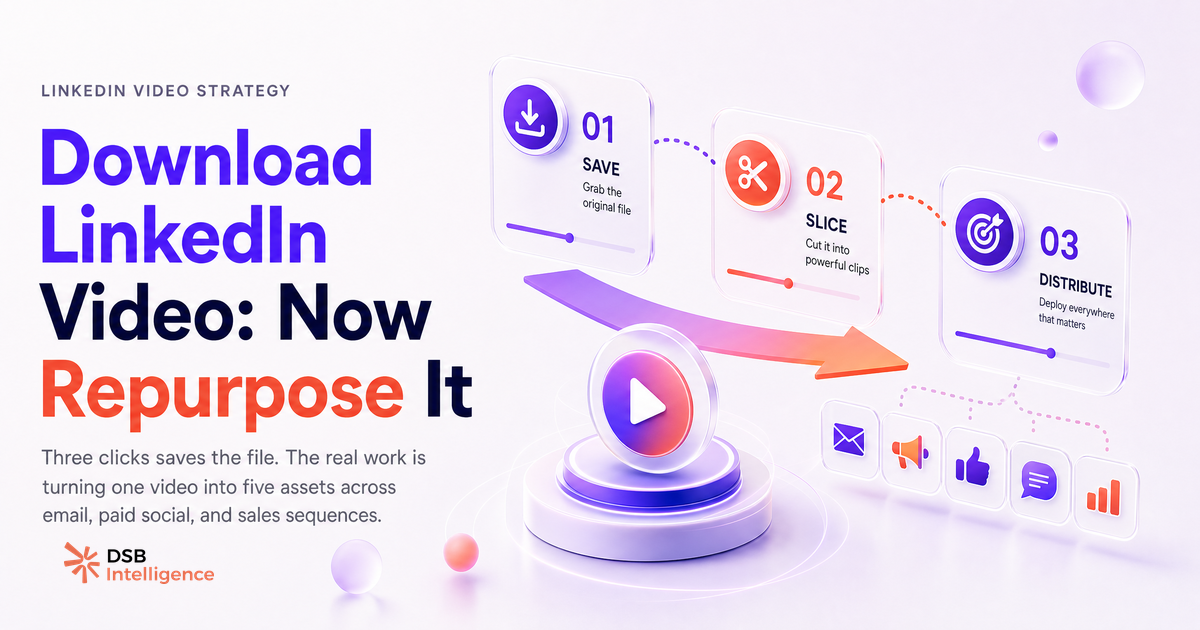
Most marketers who search "download LinkedIn video" are solving the wrong problem. The file is rarely the bottleneck.
Why do marketers download LinkedIn videos — and what does video reach actually look like?
Video on LinkedIn reaches audiences that text posts don't. The format holds attention longer, surfaces in the feed more prominently, and tends to generate profile visits at a higher rate than static content. That's not a secret: it's why every B2B content team has added video to their mix over the past two years.
The download impulse usually comes from one of three places. A founder records a sharp 90-second take, it performs well, and the team wants to preserve it before LinkedIn's native player buries it. A sales rep wants to embed a product walkthrough in an outreach email. Or a marketer wants to cut the video into clips for a newsletter or a paid ad creative.
All three are legitimate. The problem is that most teams stop at "I have the file" and never complete the repurposing loop.
For context on what's at stake: according to HubSpot State of Marketing 2024, short-form video ranks as the highest-ROI content format across B2B and B2C channels. Your existing LinkedIn video library is already a repurposing asset — it just needs a workflow.
What are the three legitimate use cases — and which one wastes the effort?
The three use cases that justify downloading your own LinkedIn video content are clear.
Archiving is the most underrated. LinkedIn does not guarantee permanent access to your own posts. If a video post gets deleted, reported, or the account is restricted, the file is gone. Downloading your best-performing videos to a shared drive is basic content hygiene.
Cross-channel repurposing is where the leverage sits. A 3-minute LinkedIn video can yield a 60-second email clip, a 30-second vertical cut for another platform, a transcript for a blog post, and a quote card for a static post. One recording, five assets. That's the math that makes video production worth the cost.
Sales asset embedding is underused by most B2B teams. A short product demo or customer story clip embedded directly in a sales sequence outperforms a link to a LinkedIn post — the prospect doesn't need to leave their inbox or log into LinkedIn.
The use case that wastes the effort: downloading a LinkedIn video to re-upload it on LinkedIn. The feed ranking system favours fresh content. Re-uploading an identical video to the same audience typically underperforms the original, sometimes significantly. If the goal is more LinkedIn reach, you're better off creating a new post that references the original, or repurposing the insight in a different format. See Video Format for LinkedIn in 2026: What Actually Matters for the format decisions that actually move distribution.
How do you actually download a LinkedIn video without a third-party tool?
For your own videos, the process is straightforward. On desktop: open the post, click the three-dot menu in the top-right corner, and select "Save video". LinkedIn downloads the file directly to your browser's default download folder. No extension, no third-party LinkedIn video downloader, no scraping.
On mobile, the same three-dot menu appears on your post. The option label may vary slightly by app version, but the functionality is native.
For videos posted by other users, LinkedIn does not provide a download option. Third-party tools that claim to extract these videos operate by parsing LinkedIn's internal media URLs — a method that violates LinkedIn's User Agreement (Section 8.2 prohibits scraping and automated data collection). Beyond the ToS risk, downloading and reusing someone else's video without explicit permission is a copyright issue, regardless of the platform.
The practical rule: if it's your video, download it natively. If it's someone else's, ask them directly for the file. Most creators will share it if you explain the use case.
What should you do with the file once you have it?
The file is the starting point, not the deliverable. Here's a repurposing sequence that works for most B2B teams.
First, generate a transcript. Most video editing tools and AI transcription services handle this in minutes. The transcript becomes the raw material for a LinkedIn article, a blog post, or a newsletter section. This is the fastest way to extract written content from a video without writing from scratch. For the broader content architecture question, LinkedIn Articles vs Posts: What Actually Builds Authority covers when each format earns distribution.
Second, cut clips by intent. A 3-minute video typically contains two or three distinct ideas. Each idea is a standalone clip. Clips under 90 seconds work for email embedding. Clips under 60 seconds work for paid social. Add captions — most viewers watch without sound in a professional context.
Third, track what the video actually drove. Views are a vanity metric. What matters is whether the video generated profile visits, connection requests, or inbound messages. If you're running paid campaigns alongside organic video, LinkedIn Conversion API: What It Tracks, Where It Breaks explains where attribution gaps appear and how to close them.
This is where most teams lose the thread. They produce the video, post it, check the view count, and move on. The repurposing loop never closes because no one is tracking which video content actually converts.
The Insight Narrator in DSB Intelligence is built for exactly this gap: it reads the engagement pattern on your video posts and surfaces which ones drove downstream actions — not just impressions — so you know which content is worth repurposing and which isn't.
When is downloading the wrong move entirely?
If a video performed poorly on LinkedIn, downloading and redistributing it won't fix the underlying problem. Poor performance on LinkedIn video usually comes from one of three causes: the hook didn't hold attention past the first three seconds, the topic didn't match the audience's current priorities, or the format was wrong for the feed at that moment.
Repurposing a weak video into five weak assets just spreads the problem. Before downloading anything, look at the actual engagement curve: did people watch past the halfway point? Did the post generate comments or only passive views? If the answer is no on both, the content needs reworking, not redistribution.
The same logic applies to your Company LinkedIn Page video strategy. Downloading and recycling old page videos to fill a content calendar is a short-term fix that trains your audience to disengage. Fresh angles on proven topics outperform recycled content every time.
One more case where downloading is the wrong move: when the video belongs to a partner, client, or speaker who appeared in your content. Even if you produced the event, the individuals in the video have rights over their likeness. Get written permission before repurposing. This is especially relevant under GDPR for EU-based audiences — consent for original publication doesn't automatically extend to repurposed distribution.
And on the topic of discoverability: if you're adding video to a broader content mix that includes hashtags and keyword signals, Hashtags on LinkedIn in 2026: Do They Still Matter? gives a current read on whether those signals still move the needle.
Now what?
- Audit your last 10 LinkedIn video posts. Identify the two or three that drove the most profile visits or inbound messages — those are your repurposing priorities.
- Download those videos natively (three-dot menu, "Save video") and store them in a shared team folder with a naming convention that includes the post date and topic.
- For each video, generate a transcript and identify the standalone clips. Build at least one non-LinkedIn asset from each: an email clip, a blog section, or a sales deck slide.
- Set a tracking baseline before you repurpose: note the original post's engagement metrics so you can compare downstream performance across channels.
Ready to see which of your LinkedIn videos actually drive pipeline, not just views? Start your free trial of DSB Intelligence and connect your analytics in under five minutes.