

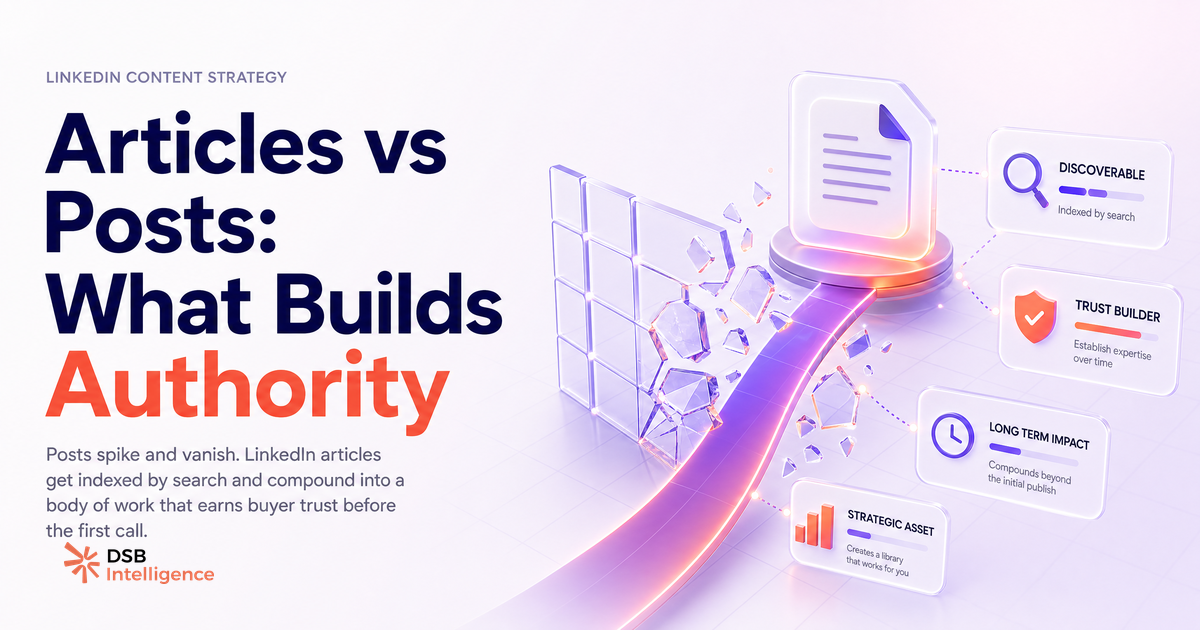
Most people treat LinkedIn articles like long posts. They write one, hit publish, and wonder why nobody saw it. The format isn't broken. The expectation is.
What does LinkedIn actually do with an article after you hit publish?
LinkedIn routes articles through a completely different pipeline than posts.
When you publish a standard post, it enters the feed algorithm immediately. Your first-degree connections and followers see it in their feed within minutes. Engagement in the first hour or two determines how far it spreads. The lifecycle is short and front-loaded.
Articles work differently. LinkedIn sends a notification to your connections (the "Notify connections" toggle is on by default at publish time — more on that below). But the article itself does not enter the feed the same way a post does. It lands on your profile's Articles tab, gets indexed by LinkedIn search, and gets crawled by Google.
The practical implication: an article published today may get its most meaningful traffic six months from now, when someone searches a topic you covered. That's not a bug. It's the format's actual value proposition, and most people miss it entirely because they measure articles on week-one impressions.
This is also why Profile Views on LinkedIn Tell You Almost Nothing Alone — the metric that matters for articles is not profile views in isolation, but whether those views convert to connection requests, DMs, or link clicks from readers who found you through search.
Post vs article: what's the distribution difference that actually changes your decision?
The gap in distribution mechanics is wider than most creators realize.
A post's reach is determined by your network size, your recent engagement history, and the algorithm's assessment of early reactions. It's volatile, time-sensitive, and resets with every new post. The How Often to Post on LinkedIn: Daily Is Backfiring dynamic applies here: posting too frequently can suppress individual post reach because your audience's attention is finite.
An article's reach is cumulative and search-driven. Each article you publish adds a permanent, indexed page to your LinkedIn presence. Over time, a library of ten well-titled articles on a specific topic creates a searchable body of work that no single post can replicate.
The decision framework is simpler than it sounds. Ask yourself: do I want visibility this week, or credibility over the next year? Posts answer the first question. Articles answer the second. The mistake is using articles when you need reach, or posts when you need depth.
One nuance worth noting: articles can be teased with posts. A short post summarizing the key insight of an article, with a link in the first comment, gives you feed distribution now and indexed depth later. This combination is the most efficient use of both formats.
Is publishing articles on LinkedIn worth it in 2025?
Yes, with a clear-eyed understanding of what "worth it" means.
If you measure success by impressions and reactions in the first 48 hours, articles will disappoint you almost every time. The feed distribution is limited. The notification push at publish is the only immediate lever, and its reach depends on how engaged your connections already are.
If you measure success by search visibility, profile authority, and long-term pipeline influence, articles are underused. A B2B buyer researching a vendor will often visit the founder's or salesperson's LinkedIn profile before a call. A profile with a dozen well-written articles on a relevant topic signals expertise in a way that a feed history of short posts cannot.
The honest answer for 2025: articles are worth it for founders, consultants, and sales leaders who want their profile to do work between conversations. They are less worth it for content marketers chasing weekly reach metrics. Know which game you're playing.
For context on how LinkedIn tracks downstream behavior from content, LinkedIn Conversion API: What It Tracks, Where It Breaks is worth reading before you build any attribution model around article traffic.
How do you publish an article on LinkedIn, and which settings do most people skip?
The mechanics are straightforward. From your LinkedIn homepage, click the "Write article" option in the post composer area. This opens the full Pulse editor: a headline field at the top, a cover image upload, and a rich-text body editor that supports headers, bold, italic, bullet lists, embedded images, and video.
Write your article, add a cover image (it shows up in search results and on your profile tab, so it matters more than people think), and click Publish when ready.
The settings most people skip:
The "Notify connections" toggle. It appears at the publish step. It's on by default. Leaving it on sends a notification to your first-degree connections that you published something. This is the closest thing articles get to feed distribution. Turn it off only if you're publishing a draft you want to refine later without alerting your network.
The headline. LinkedIn and Google both use it as the primary signal for search indexing. A vague headline like "Thoughts on leadership" will never surface in search. A specific one like "How B2B sales teams use LinkedIn articles to shorten the buying cycle" will. Treat the headline like an SEO title, not a blog post title.
The cover image alt text. Rarely filled in. It contributes to accessibility and, marginally, to search indexing. Takes 10 seconds.
For video content specifically, note that embedding video in an article is possible but serves a different purpose than native video posts in the feed. The Video Format for LinkedIn in 2026: What Actually Matters breakdown covers why native video and embedded video follow different distribution paths.
How does article performance get read differently from post performance?
Post performance is legible through standard feed metrics: impressions, reactions, comments, shares, and click-through rate. These are available natively in LinkedIn analytics and reset with each post.
Article performance requires a different lens. The relevant signals are: total views over time (not just week one), the ratio of views that come from search versus from your network, return visits to the same article, and profile actions taken after reading (connection requests, follows, DMs).
This is where the DSB Intelligence Insight Narrator does its actual job: it reads article view trends differently from post impression curves. A post that peaks on day one and flatters out is normal. An article that shows a flat week-one curve but a rising trend in weeks three through eight is performing exactly as the format intends. Treating both with the same decay model would lead you to kill your best long-term content.
LinkedIn Search Appearances: What the Number Actually Tells You is directly relevant here: search appearances and article views often move together when your content covers a topic with genuine search demand.
Where do articles show up on LinkedIn, and how do you make that work for pipeline?
Articles surface in three places: your profile's Articles tab, LinkedIn internal search, and Google search results.
Your profile's Articles tab is the most underestimated. Anyone who visits your profile after a cold outreach, a referral mention, or a conference encounter will see your articles listed there. A well-curated set of articles on a specific topic functions as a permanent pitch for your expertise. It answers the question "does this person actually know what they're talking about?" before the first call happens.
LinkedIn internal search indexes article headlines and body text. If you write an article titled "How SaaS founders use LinkedIn to close enterprise deals," that article can surface when someone searches those terms on LinkedIn. This is a low-competition channel: most creators ignore it entirely.
Google indexing is the longest-range play. LinkedIn's domain authority is high enough that well-titled articles can rank for specific long-tail queries. This is not guaranteed, and it takes time, but it's a realistic outcome for articles that cover specific, searchable topics with clear headlines.
To make this work for pipeline: write articles that answer the questions your buyers ask before they talk to you. Not thought leadership for its own sake, but specific, useful answers to real pre-sales questions. Then make sure your profile and contact information are easy to find from the article page.
Now what?
- Audit your last three months of LinkedIn content. If you've published only posts, identify one topic you've covered repeatedly and turn it into a permanent article with a search-optimized headline.
- At your next article publish, leave "Notify connections" on, write a short post teasing the key insight, and drop the article link in the first comment. You get feed reach and indexed depth from the same piece of content.
- Check your article views in LinkedIn analytics after 30, 60, and 90 days, not just after 7. The trend line tells you more than the week-one number.
- If you want to track whether your articles are actually moving pipeline metrics, start a free trial of DSB Intelligence to see how article performance connects to profile visits, search appearances, and downstream engagement over time.