

Most teams add the LinkedIn Insight Tag, run a campaign, and trust the conversion numbers in Campaign Manager. That trust is misplaced.
Browser-side pixels miss a growing share of B2B buyers: consent banners, corporate firewalls, and ad blockers all create gaps. The LinkedIn Conversion API exists to close those gaps. Whether it actually does depends entirely on how you set it up.
What does LinkedIn CAPI actually do, and why is the Insight Tag alone no longer enough?
The Insight Tag is a JavaScript snippet that fires in the visitor's browser. When the browser blocks it, the conversion disappears from your reports. No error, no warning: just a silent undercount.
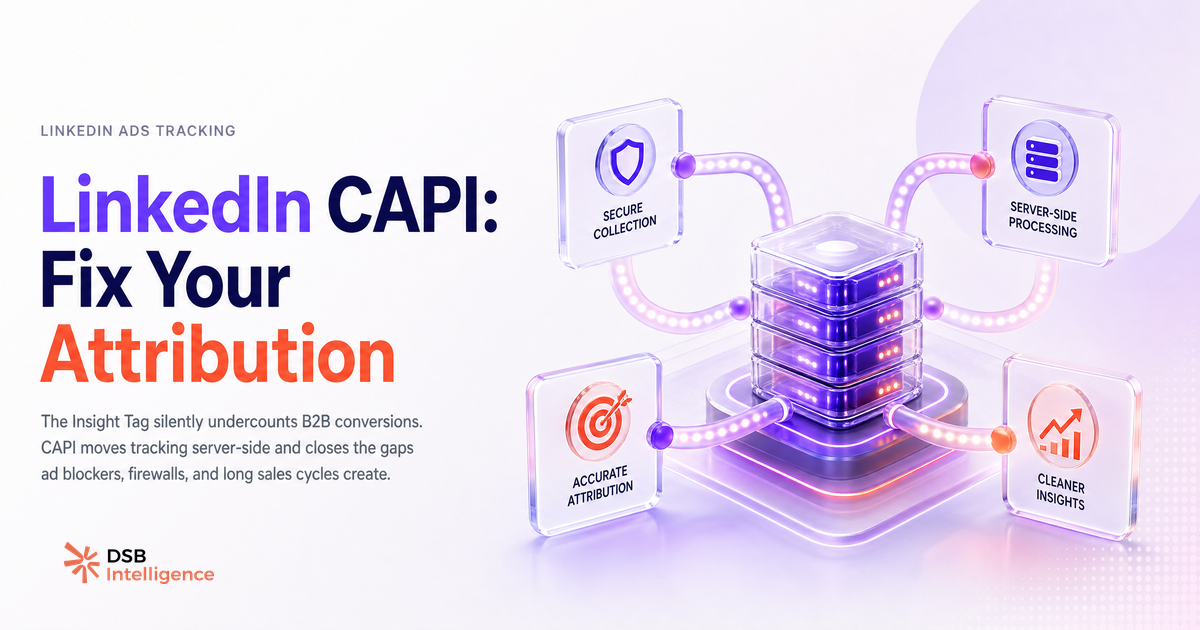
CAPI moves the event to your server. Your backend sends the conversion signal directly to LinkedIn's endpoint, independent of what happens in the user's browser. The signal survives ad blockers, ITP restrictions, and consent opt-outs.
The second capability matters more in B2B: offline conversions. A prospect clicks your ad on a Tuesday, enters your CRM as a lead, goes through a six-week sales cycle, and signs on a Friday six weeks later. The Insight Tag cannot connect those two moments. CAPI can, because you push the "deal closed" event from your CRM with the contact's hashed email, and LinkedIn matches it back to the original campaign exposure.
Running both in parallel is the right architecture. The Insight Tag handles real-time page-level events. CAPI handles downstream pipeline events. Deduplication logic prevents double-counting. Without that deduplication, your reported conversion volume inflates and your cost-per-conversion looks artificially low.
For a broader look at what LinkedIn's data exports actually give you and where the gaps are, see Export LinkedIn Data: What You Get and What's Missing.
Where does CAPI break in a typical B2B stack?
Most B2B teams hit the same three failure points, usually in this order.
First: missing or improperly hashed email fields. CAPI matches conversions to LinkedIn members primarily via hashed email. If your CRM records are missing emails for a significant share of contacts, or if your hashing implementation is inconsistent (SHA-256 with trailing spaces, mixed case before hashing), your match rate collapses. A low match rate means most of your server-side events go unattributed. You are sending data to LinkedIn and getting nothing back.
Second: event timing mismatches. LinkedIn's attribution window has limits. If your CRM updates a deal stage days after the actual conversation that closed it, the event timestamp you send is wrong. The further the event timestamp drifts from the actual conversion moment, the more likely it falls outside the attribution window and gets dropped.
Third: no deduplication between CAPI and the Insight Tag. Both fire for the same conversion. Campaign Manager counts two events. Your cost-per-conversion drops, your conversion volume doubles, and your optimization decisions are built on noise. LinkedIn provides a deduplication key field for exactly this reason. Most teams do not use it on day one.
These are not edge cases. They are the default outcome when CAPI is bolted onto an existing stack without a data audit first.
What does a good LinkedIn ads conversion rate look like in B2B, and why is the benchmark misleading?
The benchmarks you find for LinkedIn conversion rates are built on Insight Tag data: structurally undercounted, browser-dependent, and skewed toward short-cycle events like form fills.
A Lead Gen Form submission and a "qualified opportunity created" event are both "conversions" in Campaign Manager. They are not the same thing. Comparing your cost-per-conversion to an industry benchmark without knowing which event that benchmark used is meaningless.
The more useful frame: once CAPI is in place and your match rate is stable, track your own trend line. Did cost-per-pipeline-opportunity improve quarter over quarter? Did the campaigns that drove the most CAPI-attributed closed deals share a targeting pattern you can replicate?
That internal trend line is more actionable than any external benchmark. The benchmark tells you where you stand relative to a noisy average. Your trend line tells you whether your own setup is improving.
LinkedIn Thought Leadership Ads: the Organic-to-Paid Bridge covers how organic signal can inform paid targeting decisions, which becomes more relevant once your attribution is clean enough to trust.
How should you read CAPI signal quality before scaling spend?
Scaling budget before validating signal quality is the most expensive mistake in LinkedIn ads. You are amplifying a noisy input.
The signal quality check has three components. Match rate: what share of your CAPI events are being matched to a LinkedIn member? A match rate below roughly half your sent events suggests a data quality problem upstream in your CRM or hashing logic. Event volume consistency: are your CAPI events arriving at a stable rate, or do you see spikes and gaps that do not correspond to actual business activity? Deduplication ratio: what share of your total reported conversions are CAPI-only versus Insight Tag-only versus both? A healthy setup shows a predictable split.
DSB Intelligence's Insight Narrator reads these signal patterns across your campaign data and flags when the CAPI-to-Insight-Tag ratio shifts in a way that suggests a pipeline issue rather than a genuine change in conversion volume. That distinction matters before you move budget.
For context on how page-level strategy affects the audience you are ultimately retargeting, Company LinkedIn Page: Setup Is 20 Min, Strategy Is Forever is worth reading alongside your CAPI setup.
When is CAPI worth the engineering cost, and when is it not?
CAPI requires engineering time. Someone needs to build the server-side event pipeline, handle hashing correctly, implement deduplication, and maintain the integration when your CRM or CDP schema changes. That is not a one-afternoon project.
The investment makes sense when three conditions are true. Your sales cycle is longer than two weeks, meaning the Insight Tag's real-time attribution window will miss a material share of your actual conversions. Your CRM reliably captures contact emails tied to pipeline stages, meaning you have the raw data to send meaningful events. And your LinkedIn ad spend is large enough that attribution accuracy changes your budget allocation decisions in a measurable way.
It does not make sense for short-cycle, low-ticket offers where the Insight Tag captures most conversions anyway, or for teams whose CRM hygiene is poor enough that the hashed email match rate will be too low to be useful.
A middle path exists: LinkedIn's offline conversion upload tool lets you manually upload a CSV of converted contacts without a full server-side integration. It is slower and less real-time, but it is a valid way to test whether offline attribution changes your campaign performance picture before committing to the engineering work.
For teams evaluating their broader LinkedIn tooling alongside CAPI, LinkedIn Sales Navigator vs Premium: B2B Verdict and LinkedIn Rockwell Automation: What Industrial B2B Can Learn offer useful context on how data and targeting decisions compound across the stack.
Now what?
- Audit your CRM for email field completeness before touching any CAPI configuration. If your match rate will be low, fix the data first.
- Map the conversion events that actually matter to your pipeline (opportunity created, demo booked, deal closed) and build your CAPI payload around those, not just page-load events.
- Implement deduplication keys from day one. Check your Campaign Manager event breakdown weekly for the first month to catch double-counting early.
- If a full server-side integration is not feasible now, run a manual offline conversion upload for your last 90 days of closed deals and see whether it changes your campaign attribution picture.
Ready to read your CAPI signal quality before your next budget decision? Start your free trial of DSB Intelligence and connect your LinkedIn Ads account in under five minutes.