
Blog

Content Patterns Pipeline

LinkedIn Newsletter Is Not Email Marketing

LinkedIn newsletters grow subscribers fast but rarely generate pipeline. Here's the strategic framework to change that — with concrete setup steps and signal logic.

Youness Elouargui

Youness Elouargui

Data & AI Expert, CEO of Data Scale Business

LinkedIn Newsletter Is Not Email Marketing

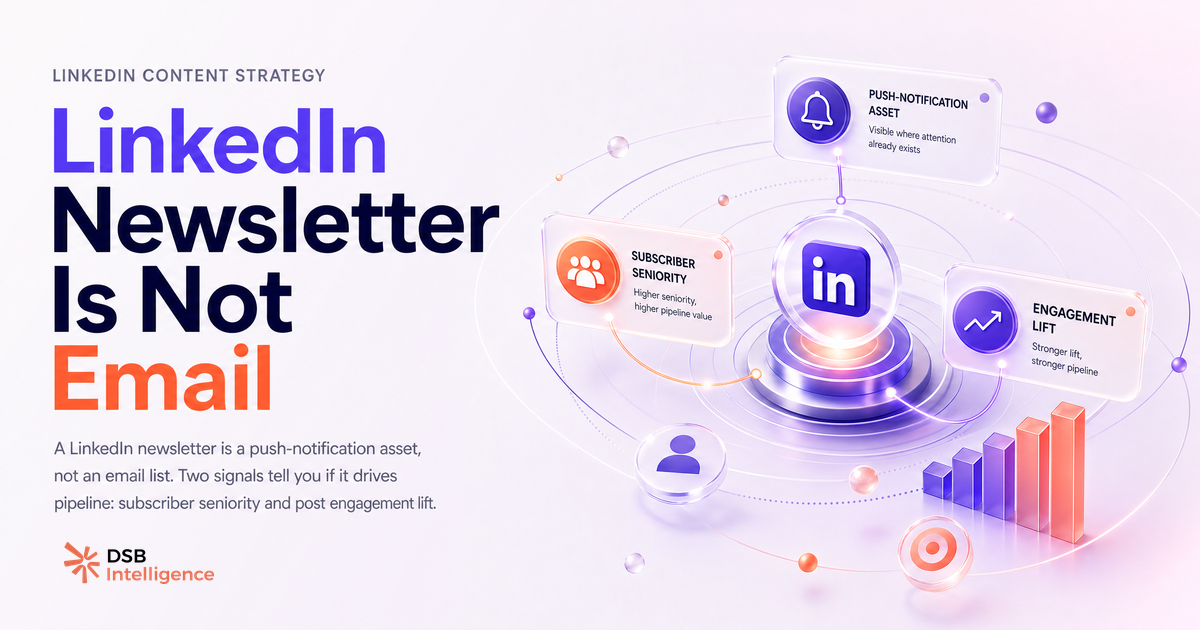
A LinkedIn newsletter builds pipeline only when treated as a reach amplifier, not an email list substitute. The push notification each issue triggers is a guaranteed delivery event on a platform where organic reach is compressed — but it is a one-time reach event, not a relationship signal. Two metrics determine whether your newsletter is a pipeline asset: the subscriber-to-engagement ratio on your regular posts (not on newsletter issues), and the seniority and function distribution of your subscriber base. If 40% of your subscribers are directors and VPs in your target vertical, you have a pipeline asset. If the distribution skews junior, you have a content hobby. Pair each newsletter issue with a high-signal post published within 24 to 48 hours to convert notification clicks into algorit

Key takeaways

  • A LinkedIn newsletter subscriber has clicked one button once — they have not signaled buying intent, shared an email address, or agreed to a sequence.
  • The subscriber-to-engagement ratio on your regular posts, not on newsletter issues, is the real health metric for a LinkedIn newsletter.
  • A newsletter with 800 subscribers where 40% are directors and VPs in your target vertical is a pipeline asset; the same count skewed toward junior roles is a content hobby.
  • Each newsletter issue triggers a push notification — the strategic move is to publish a high-signal post within 24 to 48 hours so returning subscribers have a reason to engage and feed the algorithm.
  • LinkedIn does not give newsletter creators link-level click data or subscriber email addresses — if your strategy depends on either, the format is the wrong tool.
  • If your newsletter topic and your highest-engagement posts cover different subjects, you have a positioning problem that subscriber growth will not fix.
  • The only step that converts newsletter subscribers into pipeline is a direct, non-salesy DM to subscribers who engage with multiple posts in the same week they received a newsletter notification.

Most LinkedIn newsletter advice focuses on one metric: subscriber count. That framing is the problem.

Subscribers without engagement are an audience that opted in once and forgot you exist. The newsletter format is genuinely useful — but only if you understand what it actually does inside LinkedIn's ecosystem.

Why do most LinkedIn newsletters get subscribers but zero pipeline?

The core misunderstanding is treating a LinkedIn newsletter like an email list.

When someone subscribes to your newsletter, LinkedIn sends them a push notification each time you publish an issue. That is the mechanism. It is a reach event, not a relationship. The subscriber has not given you their email address, has not agreed to a sequence, and has not signaled buying intent. They clicked a button once.

The result: creators celebrate subscriber milestones while their actual post engagement stays flat and their DMs stay empty. The newsletter becomes a vanity dashboard.

The structural reason this happens is that most newsletters are disconnected from the creator's regular post strategy. They publish an issue every two weeks, get a notification spike, and then go back to their normal content calendar as if the two things were unrelated. They are not. Your newsletter subscribers are a subset of your broader LinkedIn audience. If your regular posts do not resonate with them, the newsletter issue is just noise.

There is also a format mismatch problem. Many creators import their email newsletter habits directly into LinkedIn: long-form essays, curated link roundups, editorial commentary. Those formats work in an inbox. On LinkedIn, they compete with a feed optimized for short, high-signal content. The subscriber clicks the notification, skims the first paragraph, and leaves. No dwell time, no engagement, no algorithmic reward.

The fix is not to write shorter newsletters. It is to understand what the format is actually good for.

What are the two signals that separate a newsletter that builds authority from one that dies quietly?

The first signal is your subscriber-to-engagement ratio on regular posts, not on newsletter issues.

A healthy newsletter builds a concentrated audience around a specific topic. Those subscribers should be more likely to engage with your regular posts than your average follower — because they opted in for exactly that topic. If your engagement rate on regular posts does not improve after your subscriber base grows, your newsletter is attracting the wrong audience or covering too broad a topic.

Watch the overlap. If your newsletter is about B2B sales strategy and your most-engaged posts are about productivity tips, you have a positioning problem. The newsletter is not reinforcing your authority — it is diluting it.

The second signal is the seniority and function distribution of your subscriber base.

LinkedIn gives newsletter creators a breakdown of subscriber demographics: job titles, seniority levels, industries. This is the most underused data point in the format. A newsletter with 800 subscribers where 40% are directors and VPs in your target vertical is a pipeline asset. The same subscriber count skewed toward students and junior roles is a content hobby.

Check this breakdown after your first 10 issues. If the seniority distribution does not match your ICP, adjust your topic angle before you invest more publishing hours.

How does reading newsletter engagement as a reach amplifier change your strategy?

The notification mechanism is the real leverage point — and most creators use it backwards.

Each newsletter issue triggers a push notification to every subscriber. On a platform where organic reach is increasingly compressed, that is a guaranteed delivery event. The strategic move is to treat each issue as the top of a mini-funnel: the notification brings subscribers back to your profile, and your recent posts are what they see next.

This is where DSB Intelligence's Insight Narrator becomes relevant. It reads the engagement pattern across your posts in the days following a newsletter publication — flagging which content types retain that returning audience versus which ones lose them immediately. That signal tells you whether your newsletter is actually building a warm re-engagement loop or just generating one-time notification clicks.

The practical implication: publish a high-signal regular post within 24 to 48 hours of each newsletter issue. The notification brings subscribers to your profile. The post gives them a reason to engage. That engagement feeds LinkedIn's algorithm and extends reach to non-subscribers. The newsletter issue and the post work as a pair, not as separate content events.

For a deeper look at how reach and cadence interact on LinkedIn, see LinkedIn Content Strategy B2B: Stop Planning in the Dark.

What is the 4-step setup that turns your first 200 subscribers into a warm audience?

This setup works whether you are launching a new newsletter or resetting one that has stalled.

Step 1: Lock a narrow topic anchor. Your newsletter title and description should name a specific problem for a specific audience. "B2B Sales Strategy" is too broad. "Pipeline generation for SaaS AEs in EMEA" is a topic anchor. LinkedIn's recommendation engine surfaces newsletters in search results and "newsletters you might like" prompts — a precise topic anchor is what gets you in front of the right subscribers organically.

Step 2: Establish a cadence and hold it. Bi-weekly is the most sustainable frequency for a solo creator. Monthly is acceptable if each issue is genuinely substantive. Weekly is viable only if you have a content system behind it. The cadence matters less than the consistency. LinkedIn's algorithm treats irregular publishers as lower-priority in recommendations.

Step 3: Build the CTA-to-post loop. End each newsletter issue with a direct question and a call to comment on a specific post you published that week. This is not a soft "let me know what you think." It is a concrete prompt: "I posted the three criteria I use to qualify an outbound lead on Tuesday — drop your own criteria in the comments." This drives subscribers back to your regular content and creates the engagement signal that amplifies reach.

Step 4: Set a DM trigger for high-engagement subscribers. When someone comments on multiple posts in the same week they received a newsletter notification, that is a warm signal. It is worth a direct, non-salesy message: acknowledge the engagement, ask a relevant question, open a conversation. This is the step that converts newsletter subscribers into actual pipeline. It requires manual effort — but it is the only step that does.

For context on how impressions translate into actual reach signals, How Many LinkedIn Impressions Is Good? Read Yours breaks down what the numbers actually mean.

One note on data: LinkedIn does not share subscriber email addresses with creators. If you are building a newsletter strategy with the expectation of exporting a contact list, that expectation needs to be reset now. For a clear-eyed look at what LinkedIn data is and is not extractable, Email Finder for LinkedIn: What They Extract and Where They Fail covers the landscape and the GDPR constraints.

When is LinkedIn Newsletter the wrong format entirely?

Three situations where you should not use the newsletter format.

First, when your audience is not active on LinkedIn. The notification mechanism only works if subscribers open the app. If your ICP is field operations, retail management, or any function with low LinkedIn usage, the format is structurally broken for your use case. A proper email sequence with a tool that gives you open rates and click attribution will serve you better.

Second, when your content strategy requires segmentation. LinkedIn newsletters are all-or-nothing. Every subscriber gets the same issue. If you need to send different content to prospects at different funnel stages, or to different verticals, you need an email marketing tool with list segmentation. The newsletter format cannot do this.

Third, when you need reliable click-through attribution. LinkedIn does not give newsletter creators link-level click data. You can see that an issue was opened, but you cannot track which links drove traffic to your site or landing page without UTM parameters — and even then, LinkedIn's in-app browser behavior makes attribution noisy. If your campaign reporting depends on clean click attribution, build your funnel on email.

For teams managing content across both personal profiles and a company page, the distribution logic is different at the page level. LinkedIn Company Page: Fix Your Organic Reach Strategy covers how to align the two without cannibalizing reach.

And if you are considering LinkedIn InMail as a complement to your newsletter outreach, InMail Credits on LinkedIn: What You Actually Get gives you the unvarnished breakdown before you spend credits on a cold sequence.

Now what?

  1. Pull your newsletter subscriber demographics today. Check seniority and function distribution against your ICP. If the match is below 30%, rewrite your newsletter description before your next issue.
  2. Schedule your next regular post to go live within 48 hours of your next newsletter publication. Treat them as a paired event, not separate calendar items.
  3. Identify the last three subscribers who engaged with two or more of your posts in the same week. Send them a direct, non-salesy message this week.
  4. If you are not yet tracking which post types retain your returning newsletter audience, start a free trial of DSB Intelligence — the Insight Narrator flags exactly that pattern so you stop guessing which content earns the re-engagement loop.

Frequently asked questions

Why do LinkedIn newsletters get subscribers but generate no pipeline?
Because a LinkedIn newsletter subscription is a reach event, not a relationship. The subscriber clicked once, shared no email address, and signaled no buying intent. Without a connected post strategy and the right audience demographics, the newsletter stays a vanity metric.
What subscriber demographics actually matter for a LinkedIn newsletter?
Seniority and function distribution. LinkedIn gives newsletter creators a breakdown of subscriber job titles, seniority levels, and industries. A list of 800 subscribers where 40% are directors and VPs in your target vertical is a pipeline asset. The same count skewed toward junior roles is a content hobby.
How should you use a LinkedIn newsletter notification to drive engagement?
Treat each issue as the top of a mini-funnel. The push notification brings subscribers back to your profile — so publish a high-signal regular post within 24 to 48 hours of each issue. The notification drives the visit; the post gives subscribers a reason to engage and feeds LinkedIn's algorithm.
When is the LinkedIn newsletter format the wrong choice?
Three situations: your ICP has low LinkedIn usage (the notification mechanism breaks down), your strategy requires audience segmentation (every subscriber gets the same issue), or you need reliable click-through attribution (LinkedIn does not provide link-level click data inside newsletters).
How do you convert LinkedIn newsletter subscribers into actual conversations?
When a subscriber comments on multiple posts in the same week they received a newsletter notification, that is a warm signal. Send a direct, non-salesy message: acknowledge the engagement, ask a relevant question, open a conversation. This is the only step in the newsletter funnel that requires manual effort — and the only one that produces real pipeline.
Share

Want this analysis on your own LinkedIn account?

Free to start, EU-hosted, no credit card required. 3 minutes to onboard.

Start now