

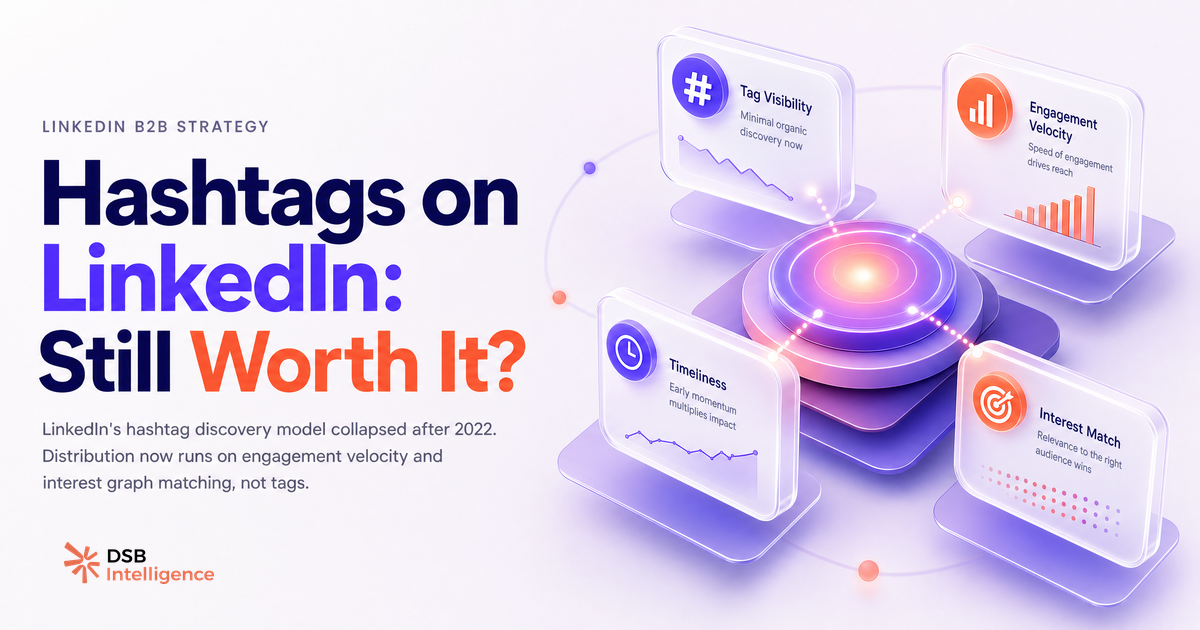
Most LinkedIn guides still open with "use 3-5 relevant hashtags." That advice is three algorithm updates behind.
Did LinkedIn quietly move away from hashtag-based discovery?
Yes. LinkedIn's content distribution model shifted significantly after 2022, and most third-party guides haven't caught up.
For years, hashtags functioned as routing signals: a post tagged #B2Bmarketing would be pushed into the feeds of users who followed that hashtag. LinkedIn even let users explicitly follow hashtags and displayed follower counts on each tag page. That mechanic created a real incentive to tag aggressively.
LinkedIn has since deprioritised hashtag-following as a primary feed signal. The hashtag follower counts disappeared from the interface. The dedicated hashtag feed pages became harder to find. These are product decisions, not bugs.
The practical consequence: a post tagged #SaaS is no longer reliably surfaced to everyone who once clicked "Follow" on that hashtag. The routing layer that made hashtags valuable has been quietly dismantled.
This doesn't mean hashtags are dead. It means the job they were doing has been reassigned to other signals.
What does the algorithm actually use now to surface content to non-followers?
LinkedIn's distribution logic now leans on three signals that have nothing to do with your tags.
The first is engagement velocity: how quickly a post accumulates reactions and comments in the first hour after publishing. A post that earns genuine engagement fast gets pushed to a wider audience. A post that sits flat does not, regardless of how many hashtags it carries.
The second is dwell time: how long a reader's thumb stops on your post before scrolling. LinkedIn has publicly acknowledged that time spent on content influences its visibility. A carousel that takes 40 seconds to swipe through scores differently than a three-line text post that's gone in two seconds. (For a deeper look at how format affects this signal, see Can You Post Video on LinkedIn? Format Changes Everything.)
The third is audience interest graph matching. LinkedIn builds a professional identity model for each user based on their job title, industry, skills, and past engagement. When your post resonates with your existing audience, LinkedIn infers which non-followers share a similar professional profile and extends distribution to them. That inference is built on content semantics, not hashtag strings.
Hashtags sit below all three of these signals in the hierarchy. They're a weak confirmation layer, not a distribution engine.
Are hashtags still relevant in 2026? The honest answer depends on one thing.
The one thing: whether your post text is topically ambiguous on its own.
If you write a post about pipeline forecasting for enterprise SaaS sales teams, the topic is self-evident. LinkedIn's natural language processing reads the post body and categorises it without needing a tag. Adding #SalesOps changes nothing for distribution.
If you write a short, punchy opinion post ("The best demos don't answer questions, they create them"), the topic is less obvious from the text alone. A tag like #B2BSales or #SalesEnablement gives LinkedIn's system a nudge in the right direction. That's a legitimate use.
The second legitimate use is branded hashtags. If your company or personal brand has built a community around a specific tag, maintaining it is worthwhile. It's a searchable archive, a community aggregation tool, and a light signal of editorial consistency. It won't drive algorithmic reach, but it serves a real purpose for your existing audience.
What never works: stacking five or more broad tags (#marketing #business #leadership #growth #success). These add no specificity, they signal low editorial intent to human readers, and they don't expand reach. They're the LinkedIn equivalent of keyword stuffing.
How does reading hashtag signal vs. content signal in your post data actually work?
This is where the gap between intuition and data becomes visible.
Most creators look at their top posts and notice some had hashtags, some didn't, and draw no clean conclusion. The signal is buried in the noise of post type, topic, timing, and audience composition.
A more useful frame: compare impression-to-engagement ratio across posts where the only meaningful variable is the presence or absence of hashtags. That requires holding format, topic, and posting time roughly constant, which is harder than it sounds but not impossible over a 60-to-90-day window.
DSB Intelligence's Insight Narrator does exactly this kind of disaggregation: it separates the contribution of structural choices (like tagging) from content quality signals (like dwell time and comment depth) so you can see which variable is actually moving your numbers, rather than attributing everything to the last thing you changed.
The pattern that tends to emerge: untagged posts from creators with a strong, engaged existing audience perform comparably to tagged ones. Tagged posts show a marginal lift only when the tag is niche enough to have a coherent, active follower base and when the post would otherwise be topically ambiguous.
The practical rule: when to tag, when to skip, and what never to do?
Here's the decision tree, compressed.
Tag when:
- Your post topic isn't obvious from the text alone.
- You're building or maintaining a branded community hashtag.
- The hashtag is niche and specific (think
#RevOpsover#Sales,#PLGover#SaaS).
Skip when:
- Your post body already makes the topic unmistakably clear.
- You're writing a personal narrative, a contrarian take, or a short opinion piece where tags would feel bolted on.
- The only available hashtags are broad enough to be meaningless (
#Business,#Leadership,#Success).
Never do:
- Stack more than two or three tags on a single post.
- Use hashtags as a substitute for a clear, specific post topic.
- Treat hashtag volume as a proxy for reach potential.
The underlying principle: hashtags are a categorisation tool, not a megaphone. Treat them accordingly.
If you're setting up or auditing the content infrastructure behind your LinkedIn presence, the fundamentals matter more than any tagging decision. LinkedIn Company Page Setup: What Most Teams Get Wrong and How to Set Up a LinkedIn Company Page That Doesn't Flatline cover the structural layer that hashtags can't fix.
One more thing worth knowing: your profile's visibility settings interact with how your content is attributed and discovered. How to Turn Off Profile Views on LinkedIn explains the trade-offs if you're managing that setting. And if you're managing a page with a team, How to Add an Admin to a LinkedIn Page (The Right Way) is worth a read before you hand over access.
Now what?
- Audit your last 20 posts. Note which had hashtags and which didn't. Compare impression-to-engagement ratio across both groups, holding format constant where possible.
- Drop any hashtag broader than your actual niche. If the tag has tens of millions of posts under it, it's not helping you get found.
- Pick one branded hashtag if you don't have one, and use it consistently. It won't spike your reach, but it builds a searchable archive over time.
- Stop optimising hashtags and start optimising for early engagement. The first-hour signal is what moves the needle now.
Ready to see which signals are actually driving your LinkedIn reach? Start your free trial of DSB Intelligence and let the data tell you what the guides won't.