

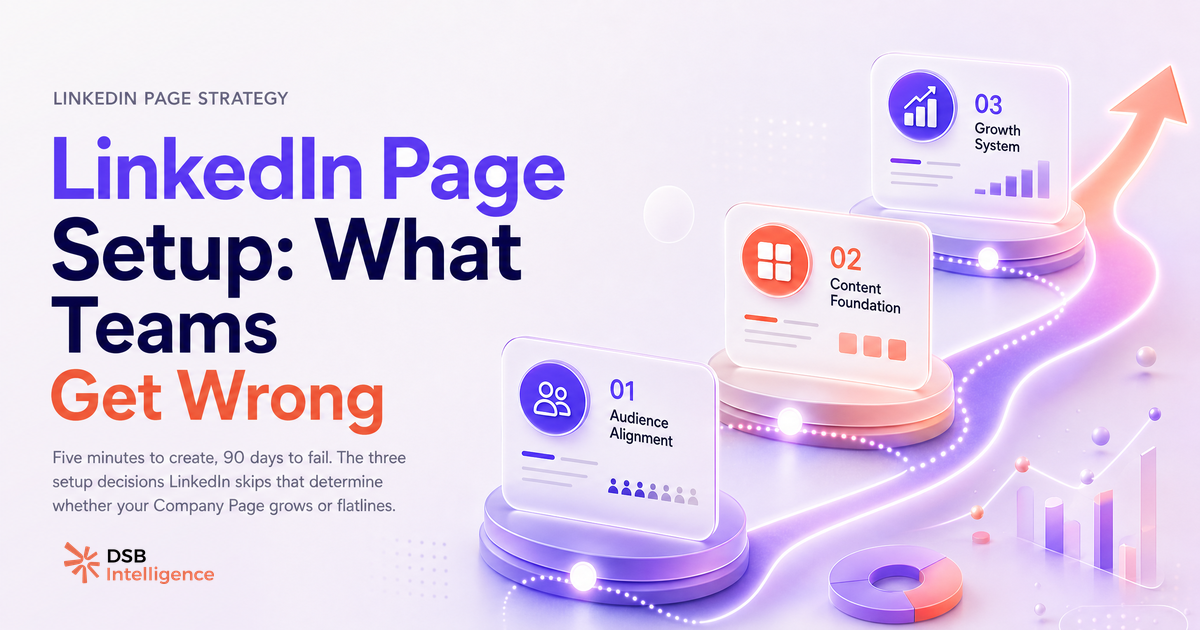
Most teams treat the LinkedIn Company Page setup as a one-time admin task. Fill in the fields, upload the logo, move on. That framing is exactly why so many Pages stagnate within 90 days.
The setup itself is trivial. The decisions around it are not.
The 5-minute setup LinkedIn walks you through — and the 3 decisions it skips
The guided flow answers the question "how do I create a company page in LinkedIn" completely. Navigate to linkedin.com/company/setup/new while logged into your personal account. Enter your company name, public URL, industry, company size, and logo. Add a tagline if you have one. Hit Publish.
LinkedIn validates your company email domain during setup to confirm the Page is legitimate. Use a domain email address, not a personal Gmail, or the verification step will stall.
That part is done in five minutes. Here is what LinkedIn does not prompt you to do.
First, it does not ask you to assign a second Super Admin. The account that creates the Page holds all administrative power by default. If that person is a founder who later steps back, or an agency contact managing the setup on your behalf, you have a governance problem baked in from day one.
Second, it does not ask you to read your analytics before you post. Most teams publish their first piece of content within hours of setup, with no baseline to measure against. The numbers become meaningless because there is no starting point.
Third, it does not prompt you to connect the Page to a personal profile strategy. The Page and the people behind it are treated as separate objects. In practice, they are not.
Does a LinkedIn Page have to be linked to a personal account? Yes — and here is why that matters for teams
Every LinkedIn Company Page is anchored to a personal profile. There is no way around this. The person who creates the Page becomes its Super Admin automatically, and all Page management flows through personal accounts.
This matters operationally for two reasons.
If the Super Admin's personal account is deactivated, suspended, or simply leaves the company without transferring the role, the Page does not disappear — but it becomes extremely difficult to manage. LinkedIn's support process for recovering admin access to an orphaned Page is slow and not guaranteed.
It also matters for reach. LinkedIn's algorithm surfaces content from personal profiles more aggressively than content from Company Pages. When a team member shares a Page post from their personal account, or publishes original content that references the company, the Page benefits from that signal. The personal profile is not a separate channel — it is the primary amplification layer for the Page.
For a deeper look at how personal profile visibility decisions affect your Page's organic reach, How to Turn Off Profile Views on LinkedIn covers the trade-offs worth understanding before you configure your team's settings.
The admin structure most companies configure wrong on day one
LinkedIn offers four distinct admin roles for Company Pages. Most companies use one.
The four roles are: Super Admin (full control over the Page, including admin management and settings), Content Admin (can post, edit, and view analytics), Analyst (analytics access only, no publishing), and Sponsored Content Poster (can run paid campaigns only).
The typical mistake is assigning Super Admin to whoever set up the Page and leaving it there. No redundancy, no separation of responsibilities.
A more resilient structure looks like this: two Super Admins (one internal, one backup), Content Admin access for whoever manages editorial, and Analyst access for anyone in marketing or leadership who needs to pull numbers without touching the content calendar.
How to Add an Admin to a LinkedIn Page (The Right Way) walks through the exact steps for each role assignment, including the common error where the invitation goes to the wrong email address.
One structural decision that often comes up at this stage: if your company serves distinct audiences — different product lines, different regional markets — a Showcase Page may be worth setting up alongside your main Page rather than trying to serve everyone from a single feed. Showcase Pages LinkedIn: The B2B Team System explains when the split makes sense and when it fragments your authority unnecessarily.
How to read your Page analytics before you post a single piece of content
Open the Analytics tab on your Page immediately after setup, before your first post goes live. You will not have content metrics yet — that is the point.
What you will have is follower data. Even a brand-new Page with a handful of followers carries demographic information: industry, job function, seniority level, company size, geography. Cross-reference that against your ideal customer profile. If your Page is already attracting the wrong audience (common when the company name is ambiguous or the tagline is too generic), that is a signal to fix the positioning before you start publishing.
Note your starting follower count and the composition of that initial audience. This is your baseline. Every metric you track from here — follower growth rate, content reach, engagement rate — only becomes meaningful relative to where you started.
This is where a tool like DSB Intelligence's Insight Narrator becomes useful: it reads the pattern in your early Page data and surfaces what the numbers actually mean for your specific audience composition, rather than leaving you to interpret raw counts in isolation.
The analytics tab also shows you how visitors found your Page (direct search, LinkedIn feed, external links). In the first weeks, that source breakdown tells you whether your SEO setup is working — specifically, whether your Page URL, tagline, and About section contain the terms your target audience actually searches.
For a full walkthrough of what to configure before you start publishing, How to Set Up a LinkedIn Company Page That Doesn't Flatline covers the positioning and content decisions that the LinkedIn setup wizard ignores.
When a Company Page alone is not enough: the personal profile layer
A Company Page is a credibility anchor. It is not, on its own, a reach engine.
The organic distribution mechanics on LinkedIn favour personal profiles. A post from a founder or a sales rep consistently reaches a larger percentage of their network than a Page post reaches its followers. This is not a bug in the system — it reflects how LinkedIn is designed. The platform is built around professional identity, and professional identity lives in personal profiles.
The implication for B2B teams is structural: the Company Page and the personal profiles of key team members need to operate as a system, not as parallel channels.
In practice, this means founders and executives should be posting from their personal accounts on topics adjacent to the company's positioning. Sales reps should be engaging with Page content and publishing their own perspectives. The Page becomes the hub that gives those individual voices institutional credibility — a place to point to, a consistent brand signal in the background.
This also affects how you think about LinkedIn's paid and outreach tools. If your team is using InMail as part of an outbound sequence, the credibility of the sender's personal profile and the existence of a well-maintained Company Page both influence response rates. How Many InMail Credits Per Month on LinkedIn? covers the credit mechanics, but the underlying point is that the Page and the profile are always read together by the recipient.
Now what?
- Create your Page at
linkedin.com/company/setup/newusing a company domain email. Publish, then immediately assign a second Super Admin before you do anything else. - Open the Analytics tab before your first post. Screenshot your follower demographics and note the starting count. This is your baseline — you will need it in 30 days.
- Map your admin roles to actual job functions: Content Admin for your editorial owner, Analyst for leadership, Sponsored Content Poster only if you are running paid campaigns.
- Identify two or three people on your team whose personal profiles will actively amplify the Page. Brief them on the connection between their posting cadence and the Page's organic reach.
If you want to track what is actually working as your Page grows, start your DSB Intelligence trial and connect your Page analytics from day one.