

Downloading a LinkedIn video is a solved problem. The taplio LinkedIn video downloader, the publer LinkedIn video downloader, a handful of browser extensions — they all spit out the same MP4 in under 60 seconds. That's not where B2B content teams lose time. They lose it in the three hours after the download.
Downloading a LinkedIn video is the easy part — so why do most repurposing attempts fail?
The failure mode is predictable: a team downloads a high-performing clip, re-uploads it as a new post, and wonders why it gets a fraction of the original reach. The clip is identical. The context is gone.
What made the original post work was not the video file itself. It was the timing, the caption framing, the first-comment thread, the audience who engaged in the first six hours. None of that travels with the MP4.
Repurposing without adapting is just reposting. And LinkedIn's feed treats a repost as a low-signal event — it has no engagement history, no network momentum, no reason to prioritize it. The download tool is not the problem. The workflow around it is.
This is why the LinkedIn Video Editor Jobs: What B2B Hiring Reveals trend matters: companies are not hiring editors to download clips. They are hiring them to rebuild context around raw footage so it performs in a new format.
Why does native LinkedIn video behave differently from repurposed clips?
Native LinkedIn video gets a distribution advantage because it keeps users on the platform. LinkedIn's feed is designed to minimize outbound clicks. A natively hosted video plays inline, holds attention, and generates dwell time — the time a user spends watching before scrolling. That dwell time is a ranking signal.
A re-uploaded file from a downloaded clip starts from zero. It has no watch history, no completion rate data, no engagement velocity from a prior audience. The algorithm treats it as a brand-new post from an account with no prior signal on that content.
There is a second, subtler issue: format. LinkedIn Video Aspect Ratio: Ranked by Pipeline Impact shows that the ratio you choose at upload time affects how much screen real estate the post occupies in the feed. A downloaded clip that was originally 16:9 and re-uploaded without cropping will render smaller on mobile than a native 4:5 or 1:1 upload. Smaller frame, less attention, lower completion rate.
The practical implication: when you repurpose a downloaded clip, treat it as raw material, not a finished asset. Re-edit for the target format. Rewrite the caption from scratch. Post at a time when your audience is active, not when the original was published.
For paid distribution, the format constraints are even stricter — LinkedIn Video Ad Specs: What Actually Drives Results covers the technical requirements that determine whether a repurposed clip qualifies for campaign use at all.
How do you track which LinkedIn video posts actually drive profile visits and pipeline signals?
View counts are the wrong metric. A video post can accumulate thousands of views from passive scrollers who will never visit your profile or enter your pipeline. The signals that matter are profile visits, connection requests, and direct messages in the 48-72 hours after publishing.
Those three actions require intent. Someone who watches a clip and then navigates to your profile is actively qualifying you. That is a pipeline signal, not an engagement metric.
The problem is that most LinkedIn analytics surfaces stop at impressions and reactions. They do not connect content performance to the downstream actions that indicate commercial intent. You end up optimizing for views when you should be optimizing for the profile-visit-to-DM conversion rate.
This is where DSB Intelligence's Insight Narrator becomes useful: it reads the pattern across your video posts and surfaces which content types correlate with profile visits and connection requests — not just which ones got the most reactions. The distinction changes what you decide to produce next.
For a full breakdown of how video content maps to pipeline activity, Can You Post Video on LinkedIn? Format Changes Everything and LinkedIn Advertising Video: What Actually Drives Pipeline both cover the format-to-outcome relationship in detail.
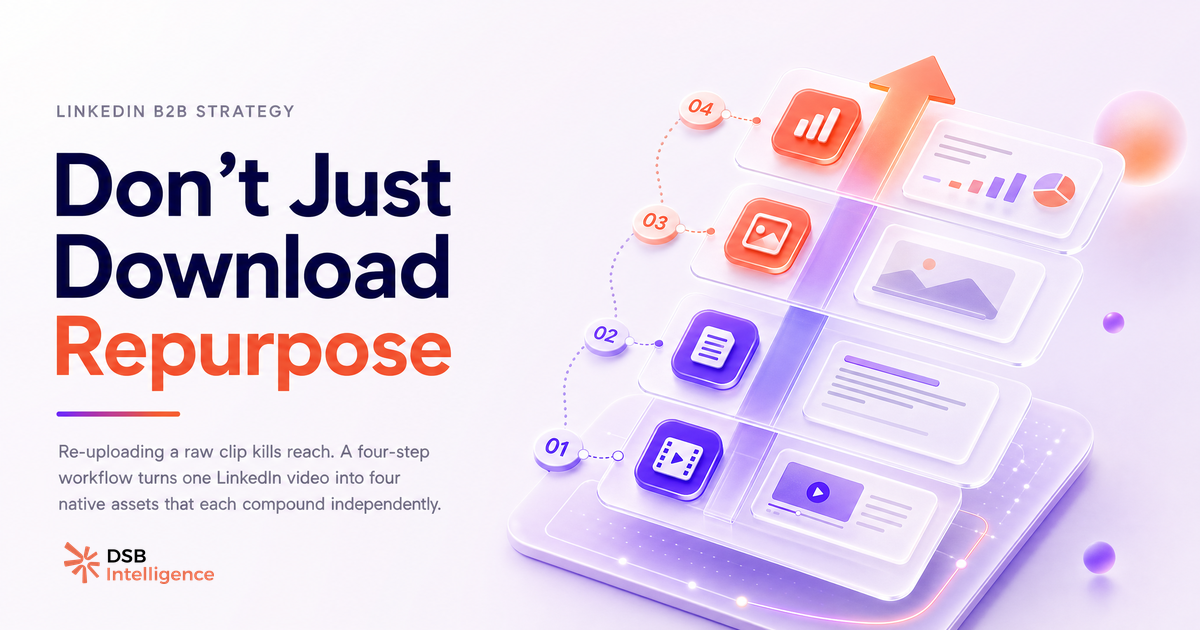
What is the four-step workflow to turn one LinkedIn video into content that compounds?
One high-performing LinkedIn video contains at least four distinct content assets. Most teams extract one and stop.
Step 1: Transcript first. Pull the full transcript from the video — manually or via a transcription tool. This is your raw material for every derivative asset. The words that worked in video often work harder in text because they were already optimized for clarity.
Step 2: Text post from the core argument. Identify the single strongest claim in the video. Write a standalone text post built around that claim, with no reference to the original video. Text posts reach a different segment of your network than video posts. You are not duplicating — you are distributing to a different feed behavior.
Step 3: Short-form clip from the hook. The first 20-30 seconds of a well-structured video usually contains the sharpest hook. Clip it, re-export at the correct aspect ratio for LinkedIn's current feed (check the format specs before uploading), and post it as a separate native video with a new caption. This is not a repost — it is a different asset with a different entry point.
Step 4: Carousel from the visual logic. If the video walked through a framework, a process, or a comparison, that structure maps directly to a carousel. Each slide = one step. The carousel format generates dwell time through scrolling rather than watching, which means it reaches the segment of your audience that skips video but reads slides.
Four assets from one source. Each one native. Each one adapted for a different feed behavior. None of them a raw re-upload of the downloaded file.
Now what?
- Audit your last five LinkedIn video posts. Check profile visits and connection requests in the 72 hours after each one — not just view counts. That ratio tells you which content type is actually generating pipeline signals.
- Pick your best-performing video. Run the four-step workflow above. Publish each asset at least five days apart to avoid audience overlap and feed saturation.
- Before re-uploading any downloaded clip, re-edit for the correct aspect ratio and rewrite the caption from scratch. Never post a raw re-upload.
- Connect your content calendar to your CRM signals. If you cannot draw a line from a video post to a profile visit to a conversation, you are optimizing for the wrong metric.
Ready to see which of your LinkedIn video posts actually move pipeline? Start your free DSB Intelligence trial and connect your content performance to the signals that matter.