

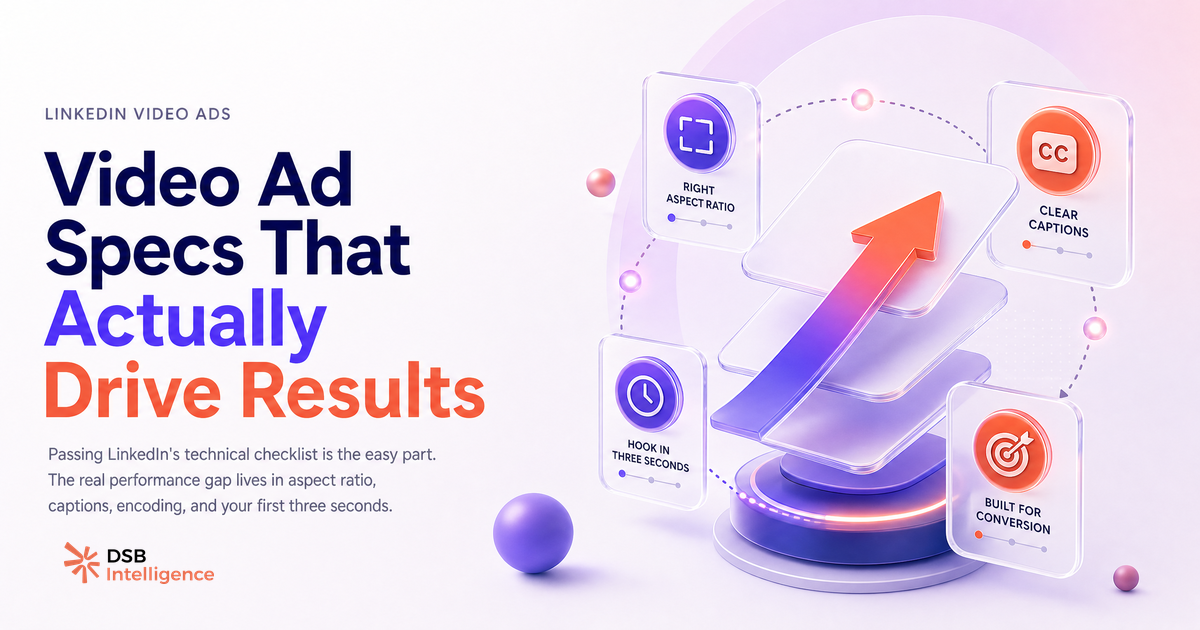
Passing the LinkedIn video ad specs check takes about ten minutes. Producing a video ad that actually moves pipeline takes a different kind of thinking entirely.
Most B2B teams conflate the two. They audit their file size, confirm their resolution, and ship. Then they wonder why view-through rates are flat and cost-per-lead keeps climbing.
Does the spec sheet explain why most LinkedIn video ads underperform?
No. The vast majority of rejected or underperforming LinkedIn video ads fail on strategy, not on format.
LinkedIn's technical requirements for Sponsored Video are genuinely permissive. The platform accepts MP4 and MOV files, resolutions from 360p to 1080p, file sizes up to 200 MB, and durations ranging from 3 seconds to 30 minutes. Aspect ratios supported for feed placements include 1:1, 16:9, and 4:5. Audio is optional. Subtitles can be uploaded as SRT files.
That list covers the spec sheet. A competent video editor can clear every item in a single export pass. The spec sheet is not where B2B campaigns stall.
Where they stall is in the creative and targeting decisions that happen after the file is technically valid. A 16:9 video that looks fine on YouTube looks narrow and easy-to-scroll-past in a vertical mobile feed. A video without captions loses the majority of its audience before the first value statement lands. A 90-second brand story that buries the problem it solves loses the viewer in the first five seconds.
These are not spec failures. They are judgment failures. And no file validator catches them.
For a broader look at how format choices affect organic reach before you even get to paid, Can You Post Video on LinkedIn? Format Changes Everything covers the mechanics in detail.
What are the 4 technical decisions that actually affect delivery and cost?
Four choices inside the spec envelope have measurable downstream effects on delivery efficiency and CPM.
Aspect ratio is the most consequential. A 16:9 video occupies roughly half the vertical screen space of a 1:1 or 4:5 video on a mobile feed. Less screen real estate means less visual interruption, which means lower stop-scroll probability. For the same budget, a square or near-square format typically earns more competitive placement in the auction because the predicted engagement rate is higher. The spec sheet permits 16:9 — but permitting it does not mean it is the right choice for feed placements.
File size and encoding affect buffering behavior, especially on mobile connections. A 190 MB file technically clears the 200 MB ceiling, but a well-encoded 40 MB file at the same resolution will buffer faster and lose fewer viewers in the first two seconds. Compression matters more than most creative teams acknowledge.
Captions are not decorative. Feed video on LinkedIn autoplays silently. A video ad without on-screen text or SRT captions is effectively a muted video — and a muted video that relies on voiceover to carry its message loses its argument before it starts. Uploading a caption file is a one-step fix with a disproportionate effect on completion rate.
Duration interacts with objective. For awareness campaigns, 15-30 seconds is the working range where completion rates remain competitive. For consideration or retargeting campaigns, longer formats (60-90 seconds) can work — but only if the hook in the first three seconds earns the next 57. The spec sheet allows up to 30 minutes. That does not mean 30 minutes is a viable creative choice for cold audiences.
The LinkedIn Video Size 2026: The Specs That Stop the Scroll article maps these format decisions against placement types if you want the full matrix.
What do high-performing LinkedIn video ad examples have in common?
The structural pattern that separates high-performing LinkedIn video ads from average ones is not production quality. It is problem-first sequencing.
The best-performing video ad examples on LinkedIn surface a recognizable tension or problem in the first three seconds — before any logo, before any product name, before any "we help companies" framing. The viewer identifies with the problem before they identify the brand. That sequence earns attention rather than demanding it.
A concrete pattern: open with a situation your ICP recognizes ("Your sales team is booking demos. Half of them don't show."), hold the brand reveal until second four or five, then spend the remaining time connecting the problem to a specific outcome. This structure works because it respects the viewer's mental state. They are in a professional feed, not a video platform. They did not opt in to watch an ad. The first job of the creative is to make the next three seconds feel worth staying for.
Production quality matters less than this sequencing. A well-lit talking-head video with sharp problem framing outperforms a polished animated brand film that opens with a logo animation and a tagline. The data pattern across B2B LinkedIn video ad examples consistently points in this direction — the hook is the variable, not the budget.
For teams hiring to build this capability in-house, LinkedIn Video Editor Jobs: What B2B Hiring Reveals shows what the market is actually paying for and what skills B2B orgs prioritize.
How do you track which video ad patterns correlate with pipeline signals?
View-through rate and video completion rate are the metrics LinkedIn Campaign Manager surfaces by default. Neither of them tells you whether a video ad contributed to a closed deal.
The gap between video engagement metrics and pipeline outcomes is where most B2B analytics stacks break down. A video ad can generate strong completion rates from an audience that never converts. A video ad with modest completion rates can consistently appear in the attribution path of high-value opportunities. Without connecting ad-level data to CRM signals, you are optimizing for the wrong variable.
The Insight Narrator in DSB Intelligence is built for exactly this reading problem: it takes the engagement signals from your LinkedIn video campaigns and surfaces which creative patterns and audience segments show up consistently upstream of pipeline activity — not just which ones generate views.
The practical implication is that your reporting stack needs to connect LinkedIn Insight Tag data (or the API equivalent) to opportunity-stage data in your CRM. That connection is not automatic. It requires deliberate instrumentation. Teams that skip it end up scaling the video formats that look good in Campaign Manager and cutting the ones that were quietly driving pipeline.
LinkedIn Advertising Video: What Actually Drives Pipeline goes deeper on the measurement architecture if you want to build this properly.
What are the 3 mistakes B2B teams make when they treat LinkedIn video like YouTube pre-roll?
LinkedIn Sponsored Video and YouTube pre-roll share a file format. They share almost nothing else.
Mistake one: designing for a captive audience. YouTube pre-roll plays before content the viewer actively chose. The viewer is already in a watching mindset. LinkedIn feed video interrupts a scrolling session. The viewer's default posture is to keep scrolling, not to watch. Creative designed for a captive audience — slow builds, brand-first intros, narrative arcs that pay off at the 20-second mark — does not survive the LinkedIn feed context.
Mistake two: ignoring professional context. YouTube audiences span every intent and demographic. LinkedIn audiences are in a professional headspace. The problems they care about, the language that resonates, and the outcomes they value are work-specific. A video ad that would perform on YouTube because it is entertaining will underperform on LinkedIn if it is not also professionally relevant. The context shapes what "good creative" means.
Mistake three: optimizing for views instead of next steps. YouTube pre-roll success is often measured by view-through rate and brand recall lift. LinkedIn Sponsored Video in a B2B context should be measured by what happens after the view: profile visits, content downloads, demo requests, and ultimately pipeline contribution. Teams that import YouTube KPIs into LinkedIn campaigns end up with a reporting framework that cannot tell them whether their video budget is working.
These three mistakes are structural. They do not show up in a spec audit. They show up in the gap between campaign spend and revenue attribution.
For the full picture on format decisions across LinkedIn content types, LinkedIn Newsletter Cover Image Size: the Exact Specs is a useful companion on how spec choices compound across your LinkedIn presence.
Now what?
- Run a format audit on your current LinkedIn video ads: check aspect ratio against placement type, confirm captions are uploaded as SRT files, and verify your file sizes are optimized for mobile buffering — not just under the 200 MB ceiling.
- Recut your next video ad with a problem-first hook. Write the first three seconds last, after you know exactly which ICP tension you are naming.
- Connect your LinkedIn Insight Tag to your CRM opportunity data before your next campaign launch. View-through rate without pipeline attribution is a vanity metric.
- Ready to see which video ad patterns are actually driving pipeline in your account? Start your free DSB Intelligence trial and connect your LinkedIn Campaign Manager data in under five minutes.