

Most LinkedIn video ad budgets do not fail at the targeting layer. They fail in the first two seconds of the creative.
That is the uncomfortable truth that no spec sheet, no LinkedIn Campaign Manager tutorial, and no agency deck will lead with. The format is sound. The execution is where the money disappears.
Why do most LinkedIn video ads get watched for three seconds and forgotten?
The answer is almost always the opening frame.
The default instinct for most marketing teams is to open with a logo, a brand claim ("We help companies grow faster"), or a product shot. None of those give the viewer a reason to stop scrolling. On LinkedIn, the feed is competitive and the viewer is in a professional context, often on mobile, often with sound off. The first frame has to earn the next five seconds, and the first five have to earn the rest.
The pattern that holds across well-performing B2B video campaigns is a problem-first opening. Not "here is what we do" but "here is the thing that is costing you." It can be a text overlay, a direct-to-camera statement, or a data point the viewer recognises from their own work. The format is less important than the specificity.
A generic pain ("scaling is hard") loses to a specific one ("your SDRs are spending 40% of their time on accounts that will never buy"). Specificity signals relevance. Relevance earns attention.
The other silent killer is sound-off viewing. LinkedIn reports that a large share of video plays happen without audio. If your hook depends on a voiceover to land the message, you have already lost the majority of your audience. Captions are not optional; they are the primary delivery mechanism for your message.
For a deeper look at how organic and paid video behave differently on the platform, see LinkedIn Video Ads vs Organic Video: What Drives Pipeline.
Which spec constraints actually shape your creative choices?
The ones that matter for delivery are fewer than the documentation implies.
Resolution, file size, and aspect ratio are the three that affect whether your ad renders cleanly across placements. LinkedIn requires a minimum of 360p, recommends 1080p, and caps file size at 200 MB. For aspect ratio, 16:9 works for desktop-dominant placements; 1:1 and 4:5 perform better in the mobile feed because they take up more vertical real estate.
The caption file format is the spec teams most often get wrong. LinkedIn only accepts .srt files for closed captions on video ads. Uploading a .vtt or burning captions into the video itself (rather than using the native caption layer) creates either a delivery error or a suboptimal viewing experience. Get the .srt right before launch.
What does not matter as much as people think: exact video length. The platform allows up to 30 minutes, but the relevant question is not "how long can it be" but "how long does it need to be to make the case." For most top-of-funnel and mid-funnel plays, 30 to 90 seconds is enough. Longer formats work for retargeting audiences who have already engaged with your brand and are willing to invest more time.
For the full technical breakdown, LinkedIn Video Size 2026: The Specs That Stop the Scroll covers every placement and its constraints.
How does the Recommendations Engine flag underperforming video spend before it compounds?
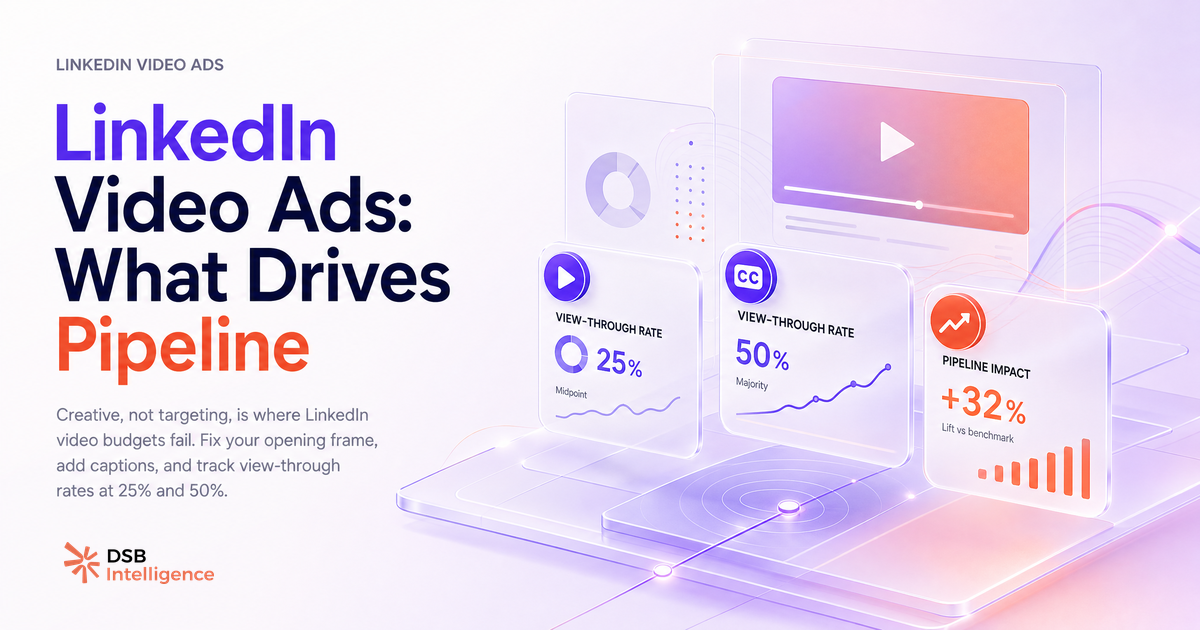
The metric to watch is not CTR. It is the view-through rate at the 25% and 50% completion marks.
A sharp drop at the 25% mark is a hook problem: the opening did not earn the next few seconds. A drop at the 50% mark is a proof or pacing problem: the viewer was interested enough to stay but lost confidence or patience before the CTA. These two drop-off points tell you exactly where the creative breaks down, and they tell you before the campaign has spent its full budget on impressions that will never convert.
The problem is that most teams check these metrics weekly, after the damage is done. Video ad spend compounds quietly: a campaign running at a low view-through rate keeps generating impressions, keeps spending, and keeps producing data that looks like "awareness" without producing pipeline signal.
DSB Intelligence's Recommendations Engine is built to catch this pattern early. It flags the gap between impression volume and meaningful engagement before the budget cycle closes, and surfaces the specific creative variable (hook, pacing, CTA placement) most likely to explain the drop. That is the difference between optimising a campaign and just reporting on it after the fact.
For context on how to structure the upload and initial campaign settings before the Recommendations Engine has data to work with, How to Upload a Video to LinkedIn (And Get It Seen) is the right starting point.
What content patterns actually move pipeline?
Three elements, in sequence: hook, proof, CTA.
The hook is a problem statement the viewer recognises. It does not have to be long. A single sentence or a text overlay that names a specific friction point is enough to signal "this is for you."
The proof is one concrete element that makes the claim credible. It can be a customer name and a result ("Acme reduced their sales cycle by six weeks"), a before/after scenario, or a data point from a recognisable source. One proof point lands harder than three vague ones. The instinct to stack social proof ("trusted by 500 companies, 4.8 stars, SOC 2 certified") in the first 20 seconds is understandable but counterproductive. Pick the one that is most specific to the pain you named in the hook.
The CTA is where most teams over-engineer. Asking the viewer to "learn more, book a demo, or download the guide" in the same video means they do none of those things. One action, stated clearly, with a reason to take it now. "Book a 20-minute call to see this applied to your pipeline" beats "visit our website to learn more" every time, not because of the wording but because of the specificity.
The sequence matters. Hook without proof is a claim. Proof without hook is a case study no one asked for. CTA without either is noise. The three work together or not at all.
For the organic equivalent of this framework and how reach signals differ between paid and unpaid video, Posting Video to LinkedIn: What Determines Reach is worth reading alongside this.
When are LinkedIn video ads the wrong call?
Video ads underperform in three specific situations, and recognising them early saves budget.
The first is cold audiences with zero brand awareness. A viewer who has never encountered your brand and has no context for your category will not invest 30 seconds in a video ad. Single-image ads or InMail Meaning on LinkedIn: Cost, Credits & Cold Outreach formats typically outperform video for cold outreach because they deliver the message in the first glance without requiring the viewer to opt into a viewing experience.
The second is very niche total addressable markets. If your ICP is 2,000 people globally, video ads will hit frequency caps fast. Repeated exposure to the same video creative does not build pipeline; it builds annoyance. At that TAM size, a sequenced content strategy with varied formats and organic touchpoints is more efficient than paid video.
The third is bottom-of-funnel decision makers who need detailed information to move forward. A CFO evaluating a six-figure contract does not need a 60-second brand video. They need a case study, a pricing page, or a conversation. Video is an awareness and consideration format. Pushing it into the decision stage is a format mismatch, not a creative problem.
Now what?
- Audit your current video ad creative against the hook-proof-CTA sequence. If the first frame is a logo or a brand claim, that is the first thing to fix.
- Pull your 25% and 50% view-through rates for every active video campaign. If either drops sharply, you have a specific creative problem to diagnose, not a targeting problem.
- Check your caption file: confirm you are using a
.srtfile uploaded natively, not burned-in text, for every active video ad. - Match your video format to your audience temperature. Warm retargeting lists and matched accounts are where video ads earn their CPM. Cold prospecting audiences usually need a different format first.
If you want to catch underperforming video spend before it compounds across your next campaign cycle, start a free trial of DSB Intelligence and let the Recommendations Engine surface the drop-off signals your weekly report misses.