

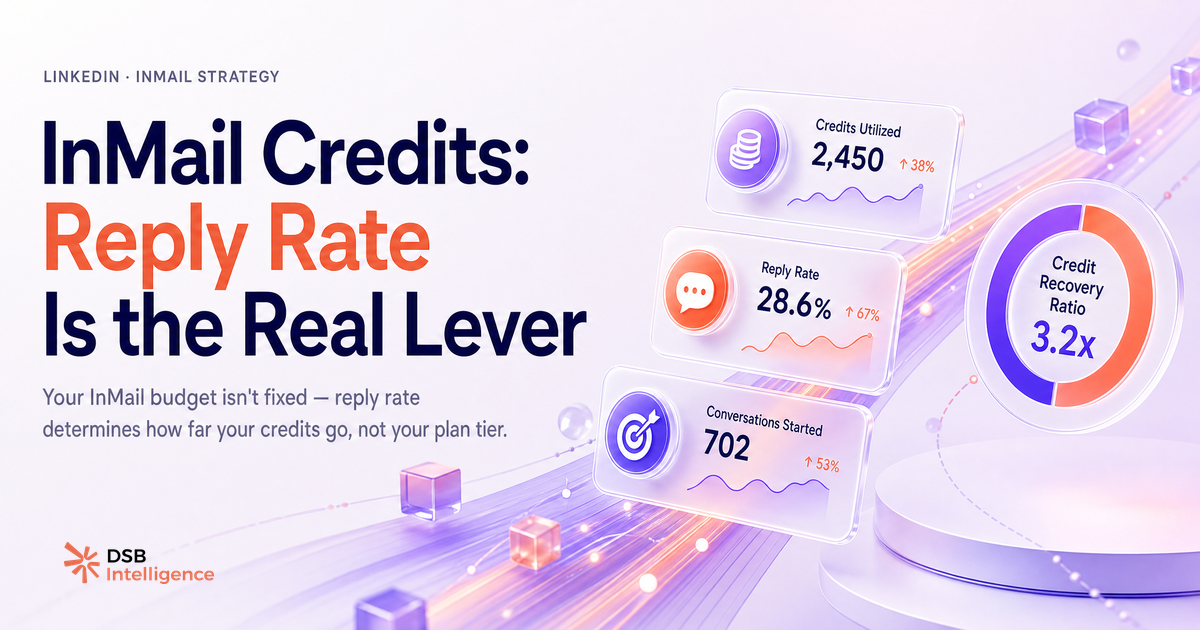
Le quota mensuel affiché sur ta page LinkedIn n'est pas ton vrai budget InMail. C'est juste le point de départ. La mécanique de remboursement et le rollover changent complètement l'équation.
Le tableau des crédits par plan (et le rollover que la plupart ratent)
Le nombre de crédits InMail par mois sur LinkedIn est fixé par plan. Voici les chiffres officiels, tels que documentés par LinkedIn :
| Plan | Crédits / mois | Cumul max (rollover 3 mois) | |---|---|---| | Premium Career | 5 | 15 | | Premium Business | 15 | 45 | | Sales Navigator Core | 50 | 150 | | Sales Navigator Advanced | 50 | 150 | | Recruiter Lite | 30 | 90 |
Le rollover fonctionne ainsi : les crédits non utilisés s'accumulent d'un mois sur l'autre, jusqu'à un maximum de trois mois de quota. Au-delà, LinkedIn supprime l'excédent. Si tu n'envoies aucun InMail pendant deux mois puis que tu veux prospecter massivement au troisième, tu pars avec ton cumul, pas plus.
C'est une mécanique simple, mais beaucoup d'utilisateurs la découvrent trop tard, après avoir laissé expirer des crédits sans le savoir.
Pour aller plus loin sur les mécanismes de crédits et leur impact réel sur ta stratégie de contact, consulte notre guide InMail Credits LinkedIn : ce que personne ne t'explique.
Pourquoi ton plafond réel n'est pas 50, mais peut dépasser 150 si tu joues le système de remboursement
Le vrai levier, c'est la mécanique de crédit-back. LinkedIn te rembourse un crédit pour chaque InMail auquel le destinataire répond dans les 90 jours suivant l'envoi.
Concrètement : si tu envoies 50 InMails en janvier et que 30 obtiennent une réponse, tu récupères 30 crédits. En février, tu repars avec 50 nouveaux crédits plus les 30 remboursés, soit 80 disponibles, sans compter le rollover éventuel.
Un compte Sales Navigator avec un taux de réponse solide peut donc dépasser son quota nominal de façon significative sur un mois donné. Ce n'est pas un bug, c'est le design voulu par LinkedIn pour inciter à la qualité plutôt qu'au volume.
La conséquence directe : ton vrai plafond mensuel dépend autant de la pertinence de tes messages que du plan que tu paies. Un quota de 50 crédits avec un taux de réponse faible reste à 50. Le même quota avec un ciblage précis et des messages contextualisés peut se transformer en 80, 100 ou plus.
Ce que 5 InMails par mois sur Premium signifient vraiment pour ton pipeline
Cinq crédits par mois, c'est le quota Premium Career. Soyons directs : ce n'est pas un canal de prospection à volume.
Cinq InMails ne remplissent pas un pipeline. Ils permettent de contacter des profils très précis, dans des situations où un message direct a du sens : un prospect chaud que tu ne peux pas atteindre autrement, un décideur identifié après une interaction organique, une relance sur un deal en cours.
Utilisé comme ça, le crédit a de la valeur. Utilisé pour envoyer cinq messages génériques à cinq inconnus, il disparaît sans laisser de trace dans ton CRM.
La question n'est pas « combien ai-je de crédits ? » mais « pour quel type de contact ce canal est-il le bon choix ? ». Pour les volumes de prospection B2B, d'autres approches (connexions, contenu organique, séquences email) ont un meilleur ratio effort/résultat. Voir aussi notre analyse sur l'automatisation LinkedIn : ce qui marche, ce qui restreint.
Comment suivre le ratio crédits brûlés / taux de réponse pour détecter les crédits gaspillés
Le suivi du burn rate InMail est le seul moyen de savoir si tes crédits travaillent ou s'évaporent.
Le ratio à surveiller est simple : crédits consommés sur une période divisés par réponses obtenues sur la même période. Si ce ratio se dégrade mois après mois, tu envoies plus pour obtenir moins. C'est le signal que ton ciblage ou ton message a un problème.
LinkedIn fournit des données de base dans son interface, mais elles ne permettent pas de croiser facilement le burn rate avec la qualité des réponses (réponse positive vs. refus poli). C'est là que le suivi externe devient utile.
Le Recommendations Engine de DSB Intelligence repère ce type de décrochage tôt : quand le ratio crédits/réponses se dégrade sur plusieurs semaines, il propose une action corrective avant que le budget du mois soit épuisé sans résultat.
Pour contextualiser tes métriques de portée et comprendre ce que tes données LinkedIn signifient vraiment, consulte aussi LinkedIn Impressions : combien c'est vraiment bon ?.
Peut-on obtenir des crédits InMail illimités, et est-ce même souhaitable ?
Certains plans LinkedIn Recruiter Enterprise proposent des volumes d'InMails très élevés, sans plafond mensuel strict au sens habituel du terme. Ces offres existent, mais elles s'adressent à des équipes RH de grande taille avec des budgets en conséquence.
Pour les usages sales B2B courants, la question de l'illimité est en grande partie un faux problème.
LinkedIn surveille les comportements d'envoi. Un compte qui envoie des centaines d'InMails avec un taux de réponse très faible est un signal de qualité médiocre, et LinkedIn peut restreindre les capacités d'un compte qui génère trop de messages ignorés. Le volume sans pertinence est contre-productif, même quand les crédits sont disponibles.
La vraie contrainte n'est pas le quota. C'est la capacité à écrire des messages que les gens ont envie de lire. Un plafond de 50 crédits bien utilisés surpasse systématiquement 200 crédits envoyés à la masse.
Pour compléter ta stratégie de contenu LinkedIn au-delà de l'outreach direct, les guides sur How to Upload a Video to LinkedIn (And Make It Reach) et Download LinkedIn Video : ce que ça révèle sur ta stratégie B2B donnent des pistes concrètes sur les formats qui génèrent de la visibilité organique en complément.
Et maintenant ?
- Vérifie ton solde de crédits InMail actuel et calcule combien tu as laissé expirer ces trois derniers mois. C'est ton premier indicateur de sous-utilisation.
- Calcule ton ratio crédits consommés / réponses obtenues sur les 60 derniers jours. Si tu n'as pas ce chiffre, tu pilotes à l'aveugle.
- Réserve tes crédits InMail aux contacts pour lesquels tu as une raison précise d'écrire, pas à la prospection de masse.
- Si tu veux suivre ton burn rate InMail automatiquement et recevoir une alerte quand le ratio se dégrade, essaie DSB Intelligence gratuitement.