

Most LinkedIn Chrome extensions are sold as productivity tools. A fair number are closer to account liability.
The difference matters in 2026 because LinkedIn's detection has improved, GDPR enforcement on data brokers has sharpened, and the category of "extension chrome linkedin" now spans everything from a harmless stats overlay to a bot that fires 300 connection requests while you sleep.
Does LinkedIn actually allow Chrome extensions? The honest answer
LinkedIn does not ban extensions as a category. It bans specific behaviors, and it enforces that ban algorithmically.
LinkedIn's User Agreement explicitly prohibits scraping, automated actions without prior consent, and the use of bots or other automated methods to access the platform. That language has been in place for years. What changed recently is the detection layer: LinkedIn now flags behavioral anomalies at the session level, not just at the IP level.
What that means in practice: an extension that reads your own profile data passively is unlikely to trigger anything. An extension that opens 150 profiles in sequence, extracts emails, and queues connection requests will almost certainly trigger a restriction, and possibly a permanent ban.
LinkedIn has no formal appeals process for banned accounts. That asymmetry is worth keeping in mind before you install anything that touches your primary account.
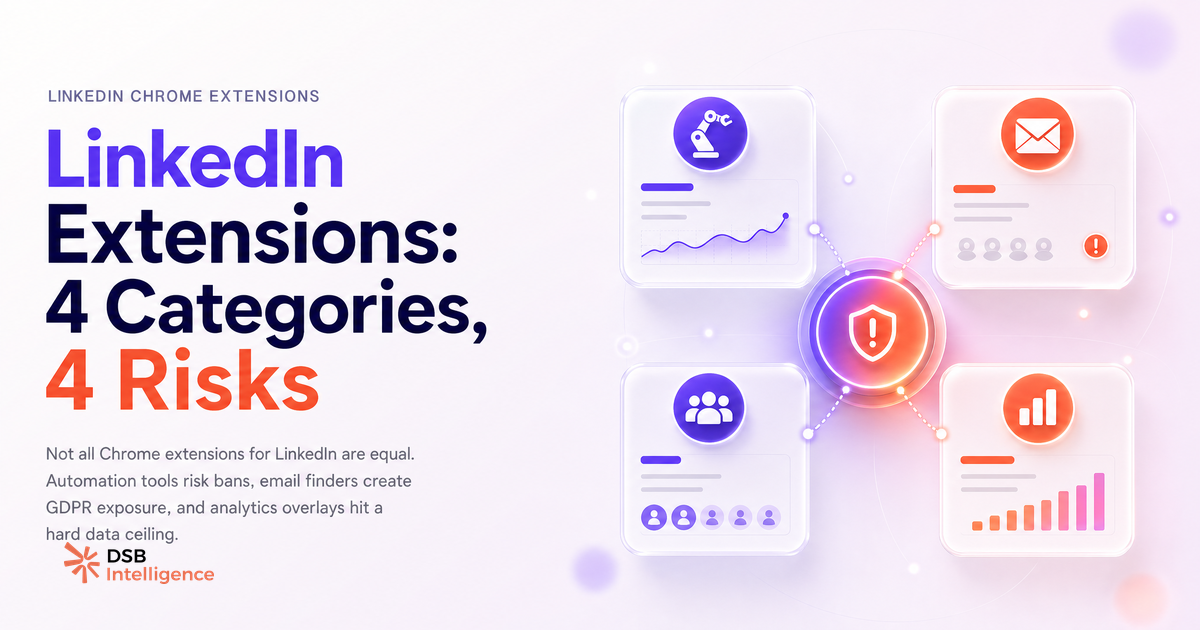
What are the four categories of LinkedIn Chrome extensions (and what does each one risk)?
The market splits cleanly into four buckets. The risk profile of each is not the same.
Automation tools handle connection requests, follow-ups, and message sequences. Tools in this category (Dux-Soup, Phantombuster's browser agent, and similar) work by simulating user clicks inside the browser. LinkedIn's detection looks for exactly that: click cadence, scroll patterns, and session duration that don't match human behavior. Risk level: high. LinkedIn has taken legal action against scraping tools in the past, and automation bots sit in the same enforcement category.
Email finder extensions (Hunter, Kaspr, Lusha, Skrapp, and others) overlay a sidebar on LinkedIn profile pages and attempt to surface a work email. They read what's visible in the DOM and cross-reference against their own databases. Risk to your account: moderate, because the extension itself doesn't automate actions. Risk to your legal posture under GDPR: higher than most users realize (more on this below).
Engagement boosters include LinkedIn pod tools that auto-like and auto-comment on group members' posts. These are the most directly detectable category. LinkedIn's feed algorithm already discounts engagement from coordinated pod behavior, and the behavioral signal of liking 40 posts in 90 seconds is trivially easy to flag. Risk level: high, and the ROI is declining as the algorithm deprioritizes low-quality engagement signals.
Analytics overlays display stats on top of LinkedIn's native UI: follower counts, estimated reach, profile view breakdowns. These are the lowest-risk category because they're mostly read-only and don't interact with LinkedIn's servers beyond what a normal browser session would. The tradeoff is that they're also the most limited in what they can actually show you.
For a deeper look at what analytics tools can and can't surface for B2B teams, LinkedIn Analytics Tools: What B2B Teams Actually Need covers the structural gaps that no overlay can fix.
What do email finder extensions get right, and where do they hit a wall?
Email finder extensions solve a real problem: LinkedIn's native messaging is gated behind connection status, and InMail credits are expensive. If you can find a direct email, you bypass both constraints.
The mechanics are straightforward. When you open a LinkedIn profile, the extension reads the visible DOM, extracts identifiers (name, company, job title, domain), and queries its own database for a matching email. The best tools in this category return a verified email with a confidence score. The worst return a guessed pattern (firstname.lastname@company.com) with no verification.
The wall they hit is structural. LinkedIn deliberately limits what's visible in the page DOM. Emails that users have set to "connections only" or "private" are not in the DOM at all. They're served from LinkedIn's backend and never reach the browser. No extension can extract what isn't rendered.
Match rates vary widely depending on who you're looking up. A senior VP at a Fortune 500 company will have a match rate well above average, with multiple data points already in public databases. A mid-level manager at a 30-person agency may return nothing at all. The Email Finder for LinkedIn: What They Extract and Where They Fail article breaks down the extraction mechanics and the GDPR compliance questions that most sales teams skip.
One compliance point worth stating directly: under GDPR, extracting and storing personal data from LinkedIn profiles requires a lawful basis. "Legitimate interest" is the most commonly claimed basis, but it requires a documented balancing test. Most browser extension vendors do not provide that documentation for you.
What signal does every Chrome extension ignore: post-level performance over time
Here's the structural limitation that no extension in any category addresses.
Chrome extensions read what's in the browser's DOM at the moment you load a page. LinkedIn's native analytics surface some post-level data: impressions, reactions, comments, shares, and a rough demographic breakdown. Extensions can read and reformat that data. A few can export it to a spreadsheet.
What they cannot do is track how a post's reach evolves over 24, 48, and 72 hours. The distribution curve of a LinkedIn post is not a flat line. It's reasonable to assume reach concentrates in the first few hours, then decays, then occasionally spikes again if a post gets picked up by a second wave of engagement. That time-series data is served from LinkedIn's backend and never rendered in the browser DOM. No extension captures it.
This is where DSB Intelligence's Insight Narrator fills the gap: instead of a static snapshot at page-load, it tracks post-level reach and engagement trajectories over time, then surfaces the pattern in plain language so you can act on it rather than guess.
For context on how reach distribution actually works on the platform, LinkedIn Creator Mode: What It Actually Changes covers the distribution signals that matter and which ones extensions can't touch.
The same blind spot applies to LinkedIn Profile Views: What They Actually Signal: a spike in profile views after a post is a buying signal, not a vanity metric, but no overlay extension connects those two data streams automatically.
Now what?
- Audit every extension currently installed on your LinkedIn browser session. If it automates any action (clicks, messages, connection requests), assess whether the productivity gain justifies the ban risk on your primary account.
- For email finders, check your vendor's GDPR documentation before your next outbound campaign. If they can't produce a data processing agreement and a legitimate interest assessment template, that's a gap you own legally.
- For analytics, accept that overlays give you a snapshot, not a trend. Build a separate tracking habit (manual export, dedicated tool) if post-level performance over time is a decision input for your content strategy.
- If you want to see how your LinkedIn content actually distributes over 72 hours without touching the DOM, try DSB Intelligence free and connect your LinkedIn account in under two minutes.