

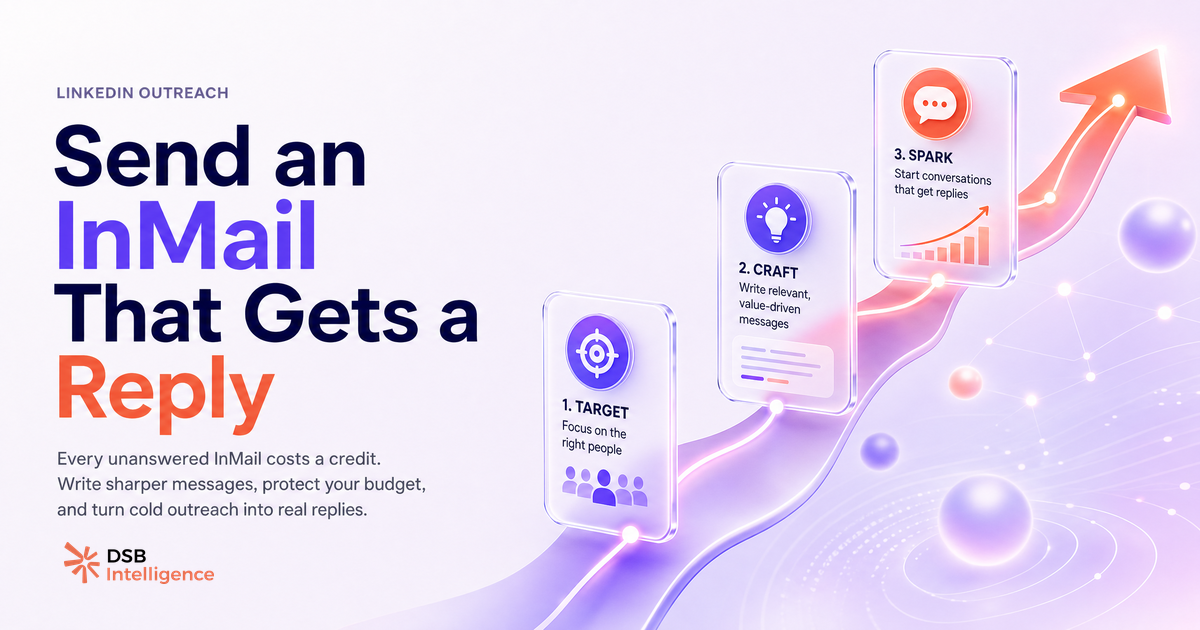
Most InMails fail before the recipient finishes reading the subject line. The send mechanics are not the problem.
InMail vs a regular LinkedIn message: what actually changes?
The core difference is access. A regular LinkedIn message only reaches people already in your first-degree network. InMail bypasses that gate and lands in the inbox of anyone on the platform, connected or not.
That access comes with two constraints. First, it requires a paid plan. Second, it costs a credit per send. Neither of these applies to a standard message, which is free and unlimited within your connections.
The inbox experience also differs. InMail arrives in a separate tab in the recipient's messaging panel, visually distinct from connection-based messages. That separation cuts both ways: it signals "cold outreach" immediately, which raises the bar for your copy.
For a deeper breakdown of the channel mechanics, InMail Meaning on LinkedIn: Cost, Credits & Cold Outreach covers the full picture. And if you're deciding which channel to use for a specific prospect, LinkedIn Message vs InMail: It's a Funnel Decision walks through the decision logic.
The credit system: when do you burn a credit for nothing?
Each InMail sent deducts one credit from your monthly allotment. The allotment resets on your billing date, and unused credits roll over up to a plan-defined cap.
The refund mechanic is where most people miss money. If the recipient replies within 90 days of your send, LinkedIn refunds the credit automatically. No action needed on your end. This means a replied InMail effectively costs zero, and a no-reply InMail costs one credit permanently.
The practical implication: your credit burn rate is a direct proxy for your copy quality. A low reply rate is not just a pipeline problem. It's a budget leak.
Credits are also non-transferable between billing cycles beyond the rollover cap, and they don't stack indefinitely. Sending a batch of low-quality InMails at the end of the month to "use up" credits is a common mistake — it accelerates credit loss and, if enough recipients mark your message as spam, it can trigger platform-level throttling on your account.
Can you send InMail without Premium? What the free tier actually allows
No. InMail is locked behind a paid plan. Free LinkedIn accounts have no access to the feature, regardless of the recipient's settings.
The plans that include InMail credits are Premium Career, Premium Business, Sales Navigator (Core, Advanced, Advanced Plus), and the Recruiter tiers. Credit volumes differ significantly across these plans, so the right plan depends on your outreach volume, not just your budget.
The legitimate free alternative is a connection request with a personalised note. The note field allows up to 300 characters. That's tight, but enough to establish relevance before the recipient decides whether to accept. If they accept, you can then message them for free with no character limit.
Two other free messaging paths exist that most practitioners overlook: LinkedIn Groups (members of the same group can message each other without being connected, on some plan configurations) and event attendees (LinkedIn allows messaging between attendees of the same LinkedIn Event). Both are underused.
For a full overview of what InMail is and isn't, What Is an InMail on LinkedIn? A B2B Practitioner's Guide is the reference.
How to write an InMail that gets a reply: structure, subject line, length
The subject line is the open-rate lever. It renders in the notification and in the inbox preview before the recipient clicks. A generic line ("Quick question", "Opportunity", "Reaching out") signals mass outreach and gets skipped. A specific line that names the recipient's role, a recent post, or a shared context signals that you did the work.
Keep the subject under 60 characters. Anything longer truncates on mobile, and mobile is where most LinkedIn notifications are read first.
The body has one job in the first sentence: make the message about the recipient, not about you. Opening with "I" is the fastest way to lose the read. Opening with an observation about their work, their company's recent move, or a specific problem they likely face keeps them in the message.
A structure that holds up in practice:
- One sentence of specific context (why this person, why now).
- One sentence of relevant value (what you do that connects to their context, stated as an outcome, not a feature).
- One low-friction ask (a yes/no question, a 15-minute call, a reaction to a specific idea).
Total length: 75 to 150 words. Longer messages get skimmed or ignored. The goal is a reply, not a pitch deck in text form.
Avoid attachments in the first InMail. They add friction and trigger caution. If the conversation starts, you can share materials in the follow-up.
How the Recommendations Engine flags InMail patterns that kill reply rates
Tracking InMail performance manually across a sequence of sends is where most practitioners lose signal. You remember the replies; you forget the non-replies.
The DSB Intelligence Recommendations Engine surfaces this pattern early. When it detects a drop in reply rate across your recent outreach sends, it flags the specific structural patterns that correlate with silence: subject lines above a certain character count, body openings that lead with the sender's company name, or sends concentrated in low-engagement time windows. It then proposes a corrective action before the pattern compounds across your full credit budget.
The point is not to automate the copy. It's to catch the drift before you've burned 20 credits on the same broken template.
When is InMail the wrong tool entirely?
InMail is precision outreach. It's expensive relative to free alternatives, and it signals cold contact to the recipient. Use it only when no free path exists.
Skip InMail when:
- You share a mutual first-degree connection who can introduce you. A warm intro converts at a higher rate than any cold InMail.
- You're in the same LinkedIn Group as the prospect. Group membership unlocks free messaging in some configurations.
- You attended the same LinkedIn Event. Event attendee messaging is free and contextually warmer.
- The prospect has open profile status. Open profiles allow free InMail-style messages from any LinkedIn member, no credits required. The button label changes to "Message" instead of "InMail" on these profiles.
- You want to reach multiple people at the same company. A well-crafted LinkedIn Company Page combined with organic content often pulls inbound from the exact personas you'd otherwise cold-InMail.
InMail is also the wrong tool for nurturing. If someone has already engaged with your content, replied to a previous message, or commented on a post, a free message or a connection request is the right next step. Sending an InMail to someone who already knows you wastes a credit and reads as tone-deaf.
Now what?
- Audit your subject lines first. Pull your last 10 InMails. Count how many open with a specific, recipient-relevant hook vs. a generic phrase. Rewrite the generic ones before your next send.
- Check your open profile opportunities. Before spending a credit, visit the prospect's profile. If the button says "Message" rather than "InMail", you can reach them for free.
- Track credit burn vs. reply rate monthly. If your reply rate is low, you're not just losing pipeline — you're paying for silence. Fix the copy before scaling the volume.
- Ready to track your outreach patterns and catch reply-rate drops before they compound? Start your free DSB Intelligence trial and let the Recommendations Engine do the monitoring.