

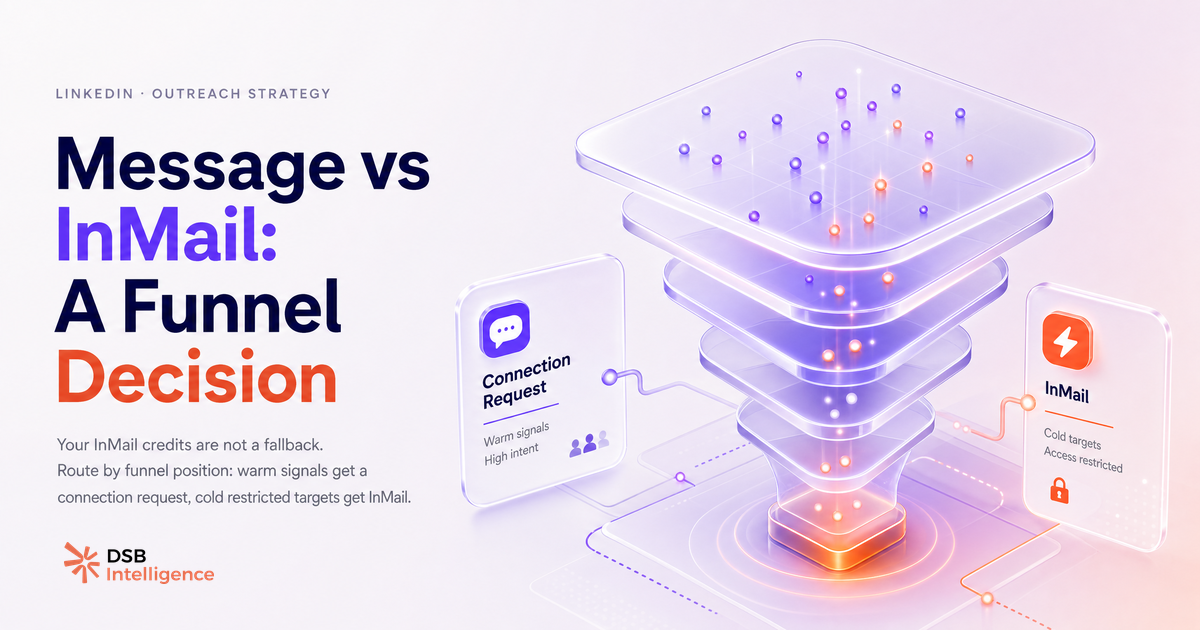
Most B2B teams treat the LinkedIn message vs InMail decision as a logistics problem: "Can I reach this person for free, or do I need a credit?" That framing is backwards. The right question is: "Where is this person in relation to my brand right now?"
The answer to that question determines the channel. Not your credit balance.
Is the real difference about who you can reach, or where they are in the funnel?
The channel difference is about funnel position, not just network access.
Yes, InMail technically unlocks contacts outside your 1st-degree network. But "reachable" and "ready to reply" are not the same thing. A prospect who commented on your last post, follows your company page, or shares a mutual connection is already in a different mental state than someone who has never encountered your brand. Sending them an InMail wastes a credit on a contact you could have reached for free, and it signals that you did not do your homework.
The funnel-position lens changes the decision tree entirely. A cold contact with no prior signal is a candidate for InMail only if the account is genuinely high-priority and no warm path exists. A contact with any engagement signal is a candidate for a direct connection request first. The channel follows the signal, not the other way around.
For a deeper look at how InMail works mechanically, including inbox placement and credit rules, see What Is an InMail on LinkedIn? A B2B Practitioner's Guide.
When does InMail win, and when does it quietly kill your reply rate?
InMail wins in a narrow set of conditions. It loses in most others.
The conditions where InMail earns its credit: the prospect is a genuine cold contact with no engagement history, they are not reachable via a connection request (profile set to restricted), and the account size or deal potential justifies the spend. Senior executives at large enterprise accounts who do not accept unsolicited connection requests are the canonical use case.
The conditions where InMail quietly kills your reply rate: the prospect already follows your page (reachable for free), they have engaged with your content in the last 30 days (warm enough for a request), or you are sending at volume to a list without segmenting by signal. In those scenarios, InMail lands in a separate inbox tab, carries the implicit label of "someone paid to reach me," and gets dismissed faster than a personalised connection note would.
The industry's recurring observation is that message personalisation and timing matter more than the channel itself. A generic InMail to a cold contact performs worse than a specific, well-timed connection request to a warm one. The channel is a multiplier, not a substitute for relevance.
For a full breakdown of how many credits you actually get per plan, How Many InMail Credits Per Month on LinkedIn? covers the numbers without the spin.
How does a recommendations engine flag which channel to use based on engagement signals?
The logic is straightforward: map engagement signals to channel eligibility before any message is sent.
The signals that qualify a contact for direct outreach (connection request or message) are: post engagement in the last 30 days, company page follow, second-degree connection with a shared context, or prior website visit tracked via LinkedIn Insight Tag. Any one of these signals shifts the contact from "cold InMail candidate" to "warm direct candidate."
The signals that keep a contact in the InMail bucket: no engagement history, restricted connection settings, and account tier that justifies the credit spend.
DSB Intelligence's Recommendations Engine does exactly this mapping. It reads the engagement signals on your content and company page, then flags which contacts in your target list have already warmed up, so your team stops spending InMail credits on people who were reachable for free. The output is a prioritised channel recommendation per contact, not a generic "use InMail for cold" rule.
This kind of signal-based routing is what separates systematic B2B prospecting from spray-and-pray outreach. It also protects your InMail credit pool for the contacts where it actually matters. For context on what those credits cost and how they replenish, InMail Credits on LinkedIn: What You Actually Get is worth reading alongside this.
What is the connection-first sequence that outperforms InMail in cold outreach?
The most repeatable cold outreach structure on LinkedIn does not start with a message. It starts with a signal.
Step one: follow the prospect's profile. This creates a passive notification and puts your name in their peripheral awareness without asking for anything.
Step two: engage with one of their recent posts. Not a like. A comment that adds a specific observation or asks a relevant question. This is the signal that separates you from the hundreds of connection requests they ignore each week.
Step three: send a connection request with a short note (under 300 characters) that references the post you commented on. "I commented on your post about [specific topic] last week, would be good to connect." That reference is the proof you are not running a mass sequence.
Step four: once connected, wait. Let them see your content in their feed for a few days before sending the first direct message. The message, when it arrives, lands in a warmed context.
This sequence takes longer than a batch InMail send. It also generates reply rates that InMail to cold contacts rarely matches. The constraint is attention, not channel access. For teams worried about automation boundaries in this kind of sequence, LinkedIn Outreach Automation in 2026: What Works, What Gets You Banned sets the guardrails clearly.
When is InMail the only option worth taking?
There are genuine cases where InMail is the right call, and they are specific.
The prospect has a restricted profile that does not accept unsolicited connection requests. The account is a named, high-priority target (enterprise deal, strategic partner, specific executive) where a cold connection request would look presumptuous without prior context. You have exhausted warm paths: no mutual connections, no engagement history, no shared group.
In those cases, InMail is not a workaround. It is the appropriate tool. The key is writing it as if it were a direct message: short, specific, one clear ask, no attachment, no pitch deck link in the first message. The inbox placement is already working against you. The copy needs to compensate.
One additional case: open profiles. Some LinkedIn members enable open messaging, which allows free InMail-style messages without a credit. Always check this before spending a credit on a contact who has effectively left the door open.
For a full taxonomy of InMail use cases by account type and seniority level, Showcase Pages LinkedIn: The B2B Team System covers how enterprise teams structure their outreach across channels.
Now what?
- Audit your last 20 outreach contacts: for each one, check whether they had any engagement signal before you messaged them. If more than half had a signal and you used InMail anyway, you have a routing problem, not a copy problem.
- Build a two-bucket list for your next outreach sequence: "warm signals" (direct message candidates) and "cold, restricted, high-priority" (InMail candidates). Work the warm bucket first.
- Run the connection-first sequence on your top 10 cold targets before defaulting to InMail. Track reply rates over 30 days and compare.
- If your team is spending InMail credits at scale without signal-based routing, start a free trial of DSB Intelligence to see which contacts in your pipeline have already warmed up and which ones actually need a credit.