

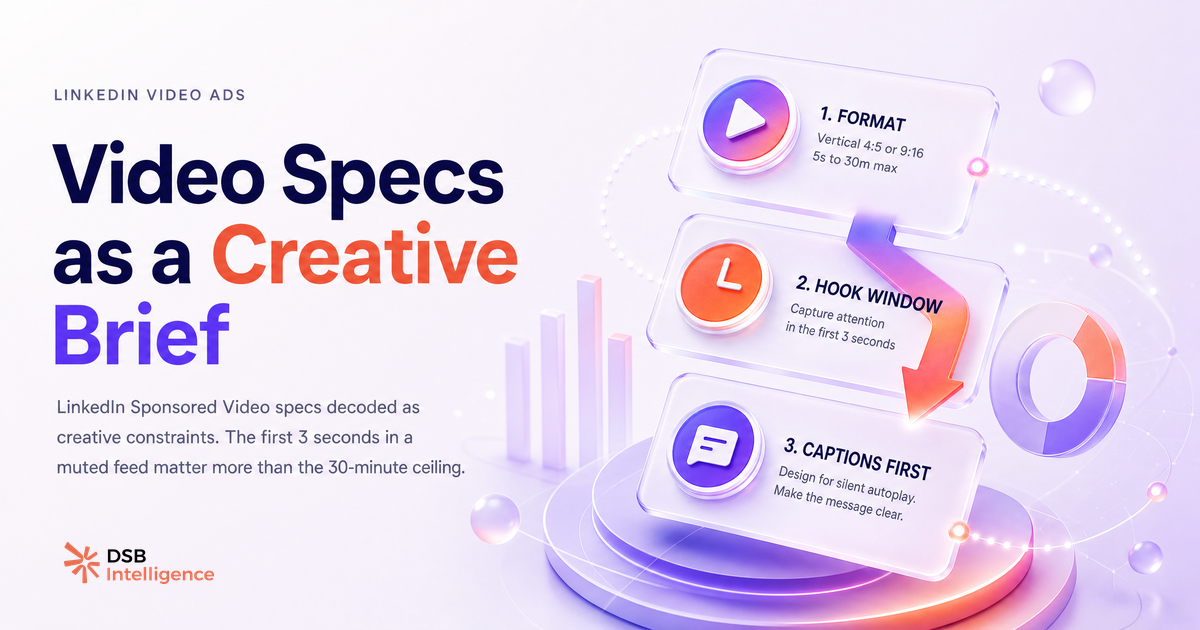
Most advertisers treat the LinkedIn video ad spec sheet as a compliance checklist. File size: check. Format: check. Duration: check. Then they wonder why the video underperforms.
The spec sheet is not a checklist. It is a creative brief written in technical language.
What are the full LinkedIn video ad specs — file size, duration, format, aspect ratio, audio?
Here is the complete picture, without guessing:
| Parameter | Spec | |---|---| | File format | MP4 (recommended), MOV | | File size | 75 KB minimum, 200 MB maximum | | Duration | 3 seconds minimum, 30 minutes maximum | | Aspect ratio | 1:2.4 to 2.4:1 (1:1 and 16:9 most common) | | Resolution | 360p minimum, 1080p recommended | | Frame rate | 10 fps minimum, 60 fps maximum | | Audio | Optional; AAC or MPEG4 recommended | | Captions | Supported via SRT file upload |
These are LinkedIn's current published parameters for Sponsored Video content. They apply to single video ads served in the feed.
A few things stand out when you read this table as a producer rather than a compliance officer. The 200 MB ceiling is generous enough to accommodate a well-compressed 1080p video at almost any reasonable duration. The 75 KB floor exists to block placeholder uploads, not to constrain real creative. The audio field being optional is not a footnote — it is a signal about the environment your ad lives in.
For a deeper look at how format choices affect organic reach alongside paid, LinkedIn Video Size: Specs, Ratios & What Drives Reach covers the overlap between paid and organic video behavior on the platform.
Why is the 30-minute ceiling a trap and the 3-second floor the real constraint?
The 30-minute maximum exists because LinkedIn supports long-form video content, including webinar replays and product demos. It is not an invitation.
The trap is that a generous ceiling creates permission anxiety in reverse: teams spend energy debating whether a 90-second video is "too short" when the actual question is whether the first three seconds justify the next 87. The 3-second minimum is the more honest constraint. It tells you that LinkedIn has defined the shortest possible unit of video communication, and that unit is three seconds. Your opening frame must function as a complete ad.
This is not a theoretical point. In muted autoplay environments — which describes most LinkedIn feed sessions — the visual content of the first frame is doing all the work before a viewer decides to unmute or scroll. A title card with small text, a slow brand reveal, or a black fade-in fails this test. A frame that shows a specific person in a specific context, with a readable text overlay, passes it.
The practical implication: produce your LinkedIn video ad backwards. Write the opening frame last, after you know what the rest of the video contains. Then ask whether the opening frame alone communicates enough to stop a scroll.
Can You Post Video on LinkedIn? Yes, But Format Is Everything goes further into how format decisions interact with feed behavior for both organic and paid placements.
What do high-performing LinkedIn video ad examples actually look like?
The strongest LinkedIn video ad examples share a structural pattern, not an aesthetic one.
They front-load business context. Within the first five seconds, a viewer understands who the ad is for and what problem it addresses. This happens before any product demonstration, before any brand logo animation, and before any testimonial setup. The business context is the hook, not the warm-up.
A concrete pattern that appears repeatedly in well-performing B2B video ads: a text overlay naming the target audience ("For revenue operations teams"), followed immediately by a problem statement in plain language ("Your pipeline data is three days old by the time it reaches the rep"), followed by a visual that makes the problem tangible. The product appears after this setup, not before.
This structure works because LinkedIn's audience is professional and context-sensitive. A viewer who recognizes themselves in the first five seconds will watch longer than a viewer who has to infer relevance from a product demo.
Duration follows from this logic. Most high-performing video ads on LinkedIn run between 15 and 45 seconds for awareness objectives, and between 60 and 90 seconds for consideration objectives where a product walkthrough is necessary. The 30-minute ceiling is irrelevant to almost every campaign goal except direct content distribution.
For a broader look at how video fits into a B2B pipeline strategy, LinkedIn Advertising Video: Beyond the Spec Sheet covers the strategic layer above the technical one.
How do you read LinkedIn video ad metrics as creative signals, not just delivery numbers?
LinkedIn Campaign Manager surfaces quartile completion rates: the percentage of viewers who watched 25%, 50%, 75%, and 100% of your video. Most advertisers read these as delivery metrics. They are creative diagnostics.
A drop at the 25% mark (after the first quarter of the video) points to an opening problem. The hook did not hold. Either the first frame failed, the business context arrived too late, or the visual quality created friction.
A drop at the 50% mark points to a structural problem in the middle of the video. This is often where product demos lose non-buyers, or where a narrative loses its thread.
A drop at the 75% mark points to a closing problem. The viewer was engaged but the CTA or the final sequence did not convert attention into action. This is the most recoverable problem: it means the creative worked, and only the ending needs revision.
A high 100% completion rate on a 15-second video is not the same signal as a high 100% completion rate on a 90-second video. Normalize for duration before drawing conclusions.
DSB Intelligence's Insight Narrator reads these quartile patterns across your active campaigns and surfaces the specific creative hypothesis behind each drop — so you are diagnosing a structural problem, not just observing a number.
The companion piece LinkedIn Video Editor Jobs: A Pipeline Decision connects these creative diagnostics to the production resourcing question that follows.
Why is the caption spec the one LinkedIn video ad requirement most advertisers ignore?
Captions are a supported spec. They are not a nice-to-have.
LinkedIn allows SRT file upload for Sponsored Video ads. An SRT file is a plain-text subtitle file with timestamps. It takes a competent editor under 20 minutes to produce for a 60-second video. Most advertisers skip it.
The reason this matters: the default state of a LinkedIn feed video is muted autoplay. A viewer who has not tapped to unmute is reading your video, not watching it. Without captions, the audio track — which likely carries the core message — is invisible to that viewer.
The practical fix is not to redesign the video around silence. It is to upload an SRT file and treat the caption timing as a second pass of the creative edit. Captions that are timed to land on key phrases, rather than transcribed verbatim at reading speed, perform differently than captions that are an afterthought.
One production note: if your video uses on-screen text overlays as a design element (which many B2B video ads do), verify that the SRT captions do not overlap with those overlays in the lower third. This is a rendering issue that appears only in the live ad, not in the preview.
For teams repurposing existing video content into paid formats, LinkedIn Video Downloaders: What You're Really Solving covers the workflow decisions that come before the caption step.
Now what?
- Pull your current LinkedIn video ad assets and check them against the spec table above — specifically resolution, aspect ratio, and whether an SRT file is attached.
- Watch your top-spending video ad with the sound off. If the message is not clear in the first five seconds, the opening frame needs a revision before the next flight.
- Open Campaign Manager and map your quartile completion rates to the creative structure of each video. Identify which quartile is losing viewers and treat it as a specific editing problem, not a targeting problem.
- For every new video ad in production, write the opening frame last — after the full video is cut — and ask whether it works as a standalone three-second ad.
Ready to turn your video ad metrics into a creative brief automatically? Start your free trial of DSB Intelligence and let the Insight Narrator do the diagnostic work for you.