

Most teams create a Showcase Page because LinkedIn makes it easy. That is the wrong reason.
The platform gives you the button. It does not tell you that the page you just created has zero followers, zero algorithmic momentum, and zero connection to the audience you spent years building on your main Company Page. That gap is where most multi-page strategies quietly fail.
What is a Showcase Page, and what does LinkedIn not tell you about its reach ceiling?
A Showcase Page is a standalone sub-page attached to your Company Page. It has its own URL, its own follower count, its own content feed, and its own admin team. LinkedIn designed it for large organizations that run genuinely separate brands or product lines under one corporate umbrella — think a conglomerate with a B2B software division and a consumer hardware division that share nothing except a parent entity.
What LinkedIn does not surface prominently: the page inherits nothing from the parent. No followers, no algorithmic history, no content distribution boost. When you publish on a Showcase Page, the post competes in the feed exactly like a post from a brand-new Company Page with 12 followers. The parent page's 40,000 followers are irrelevant.
This matters because LinkedIn's organic distribution is heavily weighted toward accounts with established engagement signals. A page with no followers and no engagement history starts in a deep hole. Climbing out requires consistent posting over months, active employee amplification, and often paid support — the same investment you made to build the parent page, repeated from zero.
For context on how LinkedIn distributes organic reach more broadly, Company LinkedIn Page: Setup Is 20 Min, Strategy Is Forever covers the compounding logic behind page authority that applies equally to Showcase Pages.
What are the two scenarios where Showcase Pages create real leverage for a team?
Showcase Pages work in two specific situations, and only those two.
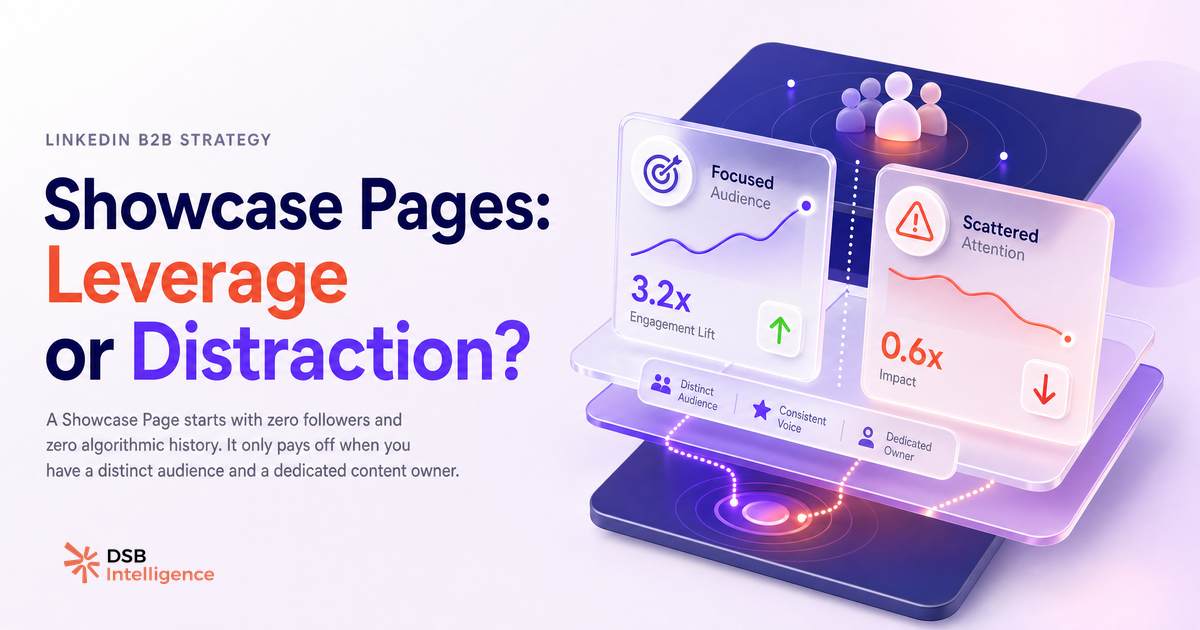
Scenario one: a genuinely distinct audience. If your company sells developer tools to CTOs and separately sells HR software to People Ops directors, those two audiences have almost no content overlap. A CTO following your main page will disengage if half the posts are about HR workflows. A Showcase Page lets you serve each audience a clean, relevant feed without forcing a compromise on the parent page. The key test: would a member of audience B actively not want to see content meant for audience A? If yes, separation adds value.
Scenario two: a dedicated content owner. A Showcase Page needs someone whose primary job includes running it. Not a shared responsibility, not a "when we have time" task. LinkedIn's algorithm rewards consistent cadence. A page that posts three times a week for six months builds compounding reach. A page that posts sporadically because the team is stretched across two properties builds nothing. The moment you split one content team across two pages, both pages underperform.
Outside these two conditions, a Showcase Page is a liability, not an asset.
Are LinkedIn Showcase Pages worth it? The honest answer depends on one variable.
The one variable is editorial bandwidth, not audience size.
Teams often justify a Showcase Page by pointing to audience segmentation needs. That logic is sound in theory. But audience segmentation can be achieved on a single Company Page through content pillars, post targeting by job function, and a disciplined editorial calendar. You do not need a second page to serve two segments — you need a clear content strategy.
What you cannot replicate without a second page is a fully separate follower base with its own engagement history. If your business unit needs to build an independent brand identity — one that could eventually stand alone, be sold, or be spun out — then a Showcase Page makes structural sense. If the goal is simply "we want to talk about product X more," that is a content calendar problem, not a page architecture problem.
A useful parallel: LinkedIn Newsletter: When It Generates, When It Doesn't applies the same logic to newsletters. The distribution mechanism only works if the audience intent matches the content. The same principle holds for Showcase Pages.
The honest default for most B2B companies with fewer than three distinct product lines: stay on the main Company Page. Segment by content type, not by page structure. Reserve the Showcase Page for the moment you have a second team and a second audience that cannot coexist on the same feed.
How does the Recommendations Engine flag when a Showcase Page is pulling weight versus sitting idle?
The signal that a Showcase Page is working is not follower count. It is the ratio of engagement rate to posting frequency, tracked independently from the parent page.
A Showcase Page that posts consistently and maintains an engagement rate comparable to the parent page is finding its audience. A page that posts at the same cadence but shows declining engagement per post, flat follower growth, and low click-through on links is not. It is posting into a void.
The DSB Intelligence Recommendations Engine is built to catch this pattern early. When a tracked page shows a sustained divergence between posting effort and engagement return, it flags the page as a candidate for consolidation — before the team has spent another quarter feeding a property that is not compounding. The flag is qualitative: "this page is not building momentum relative to its cadence." That is the signal most teams miss because they are looking at absolute follower numbers, not growth rate and engagement trajectory together.
The practical implication: set a review threshold before you launch a Showcase Page. Define what "working" looks like at 90 days — a specific follower growth rate, a minimum engagement rate, a number of inbound leads attributable to the page. If the page does not hit those markers, consolidate. Do not let sunk-cost logic keep a dead page alive.
How do you set up and run a Showcase Page without splitting your team's attention?
Setup takes under ten minutes. Sustainability takes a system.
From your Company Page, go to "Admin tools" and select "Create a Showcase Page." Assign a name that is searchable and distinct from the parent brand. Write a description optimized for the specific audience, not a copy-paste of the parent page's about section. Upload a logo that signals the sub-brand clearly. Add at least two admins so the page does not go dark when one person is out.
The operational rules that keep a Showcase Page from becoming a drain:
- Assign one named content owner with Showcase Page as a primary, not secondary, responsibility. If that person does not exist, do not launch the page.
- Build a separate content calendar for the Showcase Page before publishing the first post. Launching without a 30-day backlog of planned content is how pages go dormant in week three.
- Do not cross-post from the parent page. If the content is identical, there is no reason for the Showcase Page to exist. Each page needs original content tailored to its audience.
- Use employee advocacy deliberately. Employees who work in the business unit the Showcase Page represents should be the primary amplifiers. Asking the whole company to share every Showcase post dilutes the signal and confuses the algorithm about who the audience is.
For teams experimenting with video as a content format on either page, Posting Video to LinkedIn: What Actually Drives Reach and How to Upload Video to LinkedIn: What Happens After cover the distribution mechanics that apply regardless of which page you post from.
One last structural note: LinkedIn allows up to 25 Showcase Pages per Company Page. The cap is not the constraint. The constraint is always editorial bandwidth. Treat each Showcase Page as a separate media property that needs its own strategy, its own metrics, and its own owner. If you cannot staff it that way, the main Company Page is the right answer.
Now what?
- Audit your current page architecture. If you have a Showcase Page with no dedicated content owner and no distinct audience, archive it and consolidate the content back to the main Company Page.
- If you are considering a new Showcase Page, write down the two conditions first: who is the distinct audience, and who is the full-time content owner? If you cannot name both, wait.
- Set a 90-day performance review for any active Showcase Page. Define the engagement rate and follower growth rate thresholds that signal the page is building momentum. Review at day 90 without sentiment — only the numbers.
- Track your Showcase Page and your main Company Page as separate entities in your analytics stack. Aggregating them hides which property is actually driving pipeline.
Ready to track both pages without the manual work? Start a free trial of DSB Intelligence and let the Recommendations Engine tell you which of your LinkedIn properties is pulling weight.