

Most teams spend more time debating the banner image than thinking about who owns the page long-term. That is the wrong order of priorities.
The setup form is trivial. What comes after is not.
The 5-minute setup: what does LinkedIn actually ask you?
Creating a LinkedIn Company Page starts at linkedin.com. Click the grid icon in the top-right navigation, then select "Create a Company Page" at the bottom of the dropdown.
LinkedIn then asks you to choose a page type: Company, Showcase Page (a sub-brand of an existing page), or Educational Institution. For most B2B teams, "Company" is the right choice.
From there, the form asks for:
- Company name (as it appears legally or commercially)
- LinkedIn public URL (your handle — choose carefully, it is hard to change later)
- Website URL
- Industry
- Company size
- Logo (minimum 300x300px, PNG or JPG)
The page goes live the moment you click "Create Page". No review, no delay.
Two things to do in the first ten minutes after creation: write your tagline (120 characters, shown in search results) and fill the About section (up to 2,000 characters, indexed by LinkedIn search). These two fields do more for discoverability than any other element on the page.
Your custom URL is worth a separate mention. LinkedIn assigns a default handle based on your company name. If it is already taken, you will get a numeric suffix. Claim a clean, memorable handle immediately — it appears in every link you share and in your employees' profiles when they list their current employer.
Free vs paid: what do you actually get, and what do you not?
The free tier covers everything a content-focused team needs: unlimited posts, native video, documents (carousels), polls, events, and basic page analytics (impressions, clicks, follower growth, demographics).
What sits behind a paywall:
- LinkedIn Career Pages: a dedicated Jobs tab, custom employer branding modules, and candidate-facing CTAs. Relevant if recruiting is a primary use case.
- LinkedIn Analytics for Pages (premium tier): deeper competitor benchmarking and extended historical data windows.
- Sponsored Content / Campaign Manager: paid distribution. Separate from the page itself, billed per campaign.
For organic growth and lead generation, the free tier is sufficient. The teams that upgrade to Career Pages early are typically those where the page is primarily an employer brand asset, not a content marketing channel.
One thing the free tier does not give you: post scheduling natively. You either post manually or use a third-party tool. On the topic of third-party tools and what compliance actually looks like in 2026, LinkedIn Automation Tools in 2026: What the SERP Won't Tell You covers the tradeoffs in detail.
Why your Company Page needs a personal account behind it — and how to structure admin access for teams
LinkedIn does not allow a Company Page to exist without a personal account as Super Admin. The person who creates the page holds that role by default. This is not a technicality — it has real operational consequences.
If the founding Super Admin leaves the company and their personal account is deactivated, recovering admin access requires a support ticket and proof of company ownership. It is a slow, frustrating process. Avoid it by assigning at least two Super Admins from day one.
The four admin roles and what they cover:
- Super Admin: full control — can edit the page, manage all admin roles, access billing, and delete the page.
- Content Admin: can create and manage posts, respond to comments, and access content analytics.
- Analyst: read-only access to page analytics. Useful for agency partners or data teams who need reporting access without publishing rights.
- Curator: can suggest content to be shared on the page. Limited role, rarely used in practice.
Assign roles from Admin Tools > Manage Admins. You need the person's personal LinkedIn profile URL or email to add them.
A practical structure for a small B2B team: two Super Admins (typically the founder and a marketing lead), one Content Admin per active content contributor, and Analyst access for any external reporting partner.
Note that admin roles on a Company Page are entirely separate from personal profile privacy settings. If your team is thinking about visibility tradeoffs at the personal profile level, Désactiver les vues de profil LinkedIn : un vrai arbitrage addresses that question directly.
How our Recommendations Engine flags the setup gaps that kill early page reach
A page can be technically "live" and still be invisible. The most common setup gaps are not about content — they are structural.
The Recommendations Engine in DSB Intelligence flags these patterns early: a page with no banner image, an empty About section, or a handle that does not match the company's domain tends to underperform on first-impression metrics before a single post goes out. The engine surfaces these as correctable gaps, not abstract scores, so the fix is clear.
Beyond the profile completeness checklist, the structural gap that matters most is the disconnect between the Company Page and the personal profiles of the people who work there.
LinkedIn's feed algorithm gives Company Pages structurally lower organic reach than personal profiles. A post from a page reaches a fraction of the audience that the same post from an active personal profile would reach. This is not a bug — it reflects how LinkedIn monetizes reach (pages pay for distribution via Sponsored Content).
The practical implication: your page's early growth depends heavily on employees listing the company as their current employer (which creates a link between their profile and the page) and on individuals sharing or resharing page content from their personal accounts.
A page with ten engaged employees amplifying its content will outperform a page with a thousand followers and no internal advocacy. Every time.
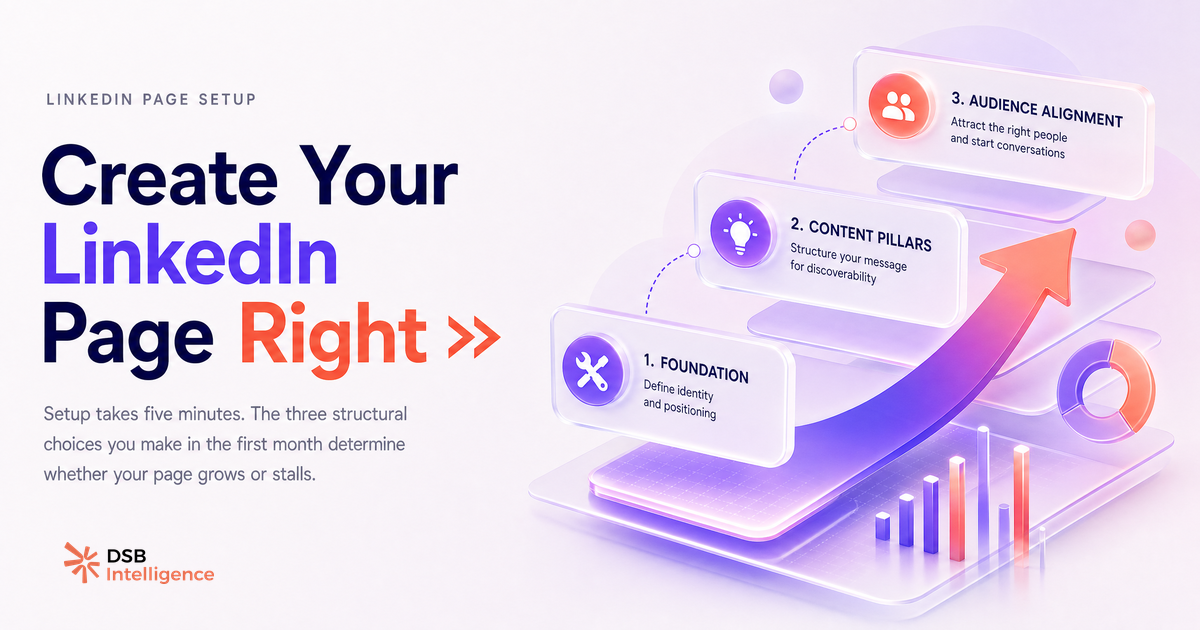
The three decisions that separate pages that grow from pages that stall
Most pages stall not because of bad content but because of three unresolved decisions made (or avoided) at setup.
Decision 1: Who owns the content calendar?
A Company Page without a named content owner goes quiet within six weeks. Someone needs to hold the cadence. A consistent rhythm of three to five posts per week is a widely cited practice among page managers — but the specific number matters less than the commitment to not going dark. A page that posts daily for two weeks then disappears for a month signals abandonment to both visitors and the algorithm.
Decision 2: What is the page actually for?
Employer brand, lead generation, and thought leadership are three different content strategies. They share some formats (articles, videos) but diverge on tone, CTA, and audience targeting. Trying to do all three simultaneously with a small team produces a page that feels unfocused. Pick one primary goal for the first six months.
On the format question: video is increasingly central to page content strategy. Uploader une vidéo LinkedIn : ce qui se passe après covers what happens to video reach after upload, and LinkedIn Video Aspect Ratio 2026 : quel format est vraiment regardé ? breaks down which dimensions actually get watched.
Decision 3: How will you measure progress?
Follower count is a vanity metric for a new page. The metrics that matter in the first three months are impressions per post (is the content reaching anyone?), engagement rate (is it resonating?), and profile visits driven by the page (is it generating interest in the people behind the brand?). On the hashtag question — whether they still contribute to discoverability in 2026 — Hashtags LinkedIn 2026 : est-ce que ça sert encore à quelque chose ? gives a direct answer.
Set a baseline in week one. Review it at week four. Adjust before the cadence becomes a habit that is hard to change.
Et maintenant ?
- Create your page today using the five-step form above. Spend the first ten minutes on the tagline, About section, and custom URL — not the banner image.
- Assign at least two Super Admins immediately. Do not leave a single point of failure on access.
- Define your primary goal for the first six months (employer brand, lead gen, or thought leadership) and name the person who owns the content calendar.
- Track impressions and engagement rate from week one — not follower count. Essaie DSB Intelligence gratuitement pour suivre ces métriques sans jongler entre trois onglets d'analytics.