

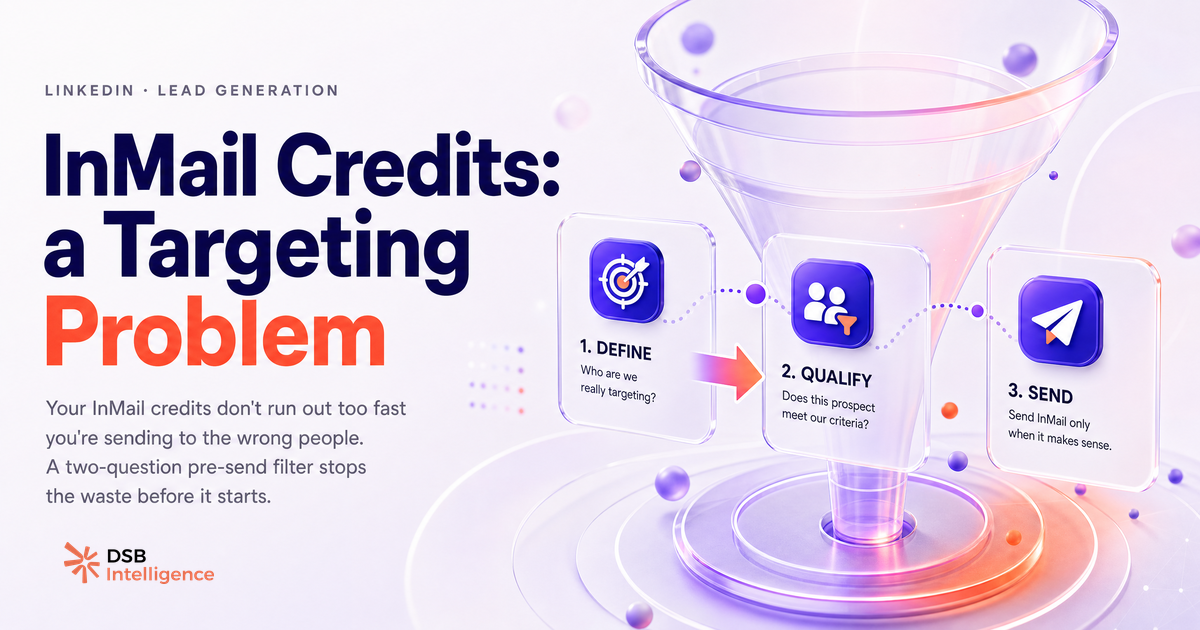
Most LinkedIn users treat InMail credits like a budget they need to spend. They send until the credits are gone, then wait for the monthly reset. That mental model is exactly why their response rate stays flat.
The credit cap is not the constraint. Your targeting is.
What are InMail credits actually — and what cap do most people hit too late?
An InMail is a direct message on LinkedIn sent to someone outside your network. Unlike a connection request, it lands directly in the recipient's inbox without requiring prior approval.
Credits are the currency. LinkedIn Premium Business and Career plans include a modest monthly allowance. Sales Navigator Core gives you 50 per month. Advanced tiers go higher. The number sounds comfortable — until you realize the refund mechanics.
LinkedIn refunds a credit only when the recipient replies. No reply, no refund. A cold blast to 50 low-fit prospects is 50 credits gone, permanently.
The cap most people hit too late is not the monthly limit. It is the realization, around day 15, that they have burned through their allocation with a reply rate that does not justify the spend.
Understanding how LinkedIn automation tools handle credit consumption is useful context here: tools that automate InMail sends at volume accelerate the burn without improving the targeting.
Why running out of credits is a symptom, not the problem
A Sales Navigator user with 50 credits and a 40% response rate effectively has 20 net conversations started per month. A user with 50 credits and a 10% response rate has 5. Same cap, radically different output.
The math is simple. The behavior change is not.
Most outreach teams optimize for send volume because it is the metric they control. Response rate is harder to move, so it gets ignored. The result: credits become the scapegoat for a targeting problem.
The fix is not to lobby LinkedIn for more credits. It is to treat each credit as a finite budget line and ask, before every send: what is the probability this person replies?
That question reframes the entire workflow. You stop thinking about InMail as a broadcast channel and start treating it as a precision instrument.
What signals predict whether an InMail will get a reply before you send it?
Predicting reply probability is not guesswork. Several observable signals correlate with receptivity.
Open profile status is the clearest one. A prospect who has enabled open profile on LinkedIn is explicitly signaling they welcome messages from outside their network. InMails to open profiles are also free on most plans — a double incentive to prioritize them.
Recent platform activity matters. A prospect who posted, commented, or reacted in the last two weeks is demonstrably active. An inactive profile — no posts, no engagement, last activity unknown — is a low-probability target regardless of how well they fit your ICP.
Buying moment signals sharpen the odds further. A company that recently raised a round, posted a cluster of job openings in a relevant function, or launched a new product line is in motion. Prospects at companies in motion have a reason to take your call.
ICP fit tightness is the baseline. Seniority, function, company size, and industry are table stakes. But fit alone does not predict timing — it just filters out the obvious misses.
Combine these four signals and you have a rough probability score before you write a single word of copy. The Can You See Who Views Your LinkedIn Profile? article covers another warm signal worth layering in: profile view activity as an intent indicator.
How does a recommendations engine flag low-probability targets before you burn a credit?
Manually cross-referencing open profile status, activity recency, buying signals, and ICP fit for every prospect in a list is possible. It is also slow enough that most reps skip it.
This is the exact workflow the DSB Intelligence Recommendations Engine is built for. It surfaces which prospects in your pipeline carry the behavioral signals that predict engagement, and flags the low-probability targets before you act. The job is to stop the credit burn at the source — not to report on it after the fact.
The output is a prioritized list, not a raw export. You work the top of the list first. Credits go to prospects where the signal is strong. The rest wait for a warmer moment or a different channel.
When should you use InMail — and when should you use a connection request instead?
The default assumption is that InMail is the premium move and connection requests are the fallback. That hierarchy is wrong.
A connection request with a short, specific note costs zero credits. For a prospect who has already viewed your profile, engaged with one of your posts, or shares a mutual connection, a connection request is often the higher-converting option. The warm signal does most of the work.
Use InMail when:
- The prospect is cold and high-value, with no warm signal available.
- They have an open profile (the InMail is free and lands with higher visibility).
- The message requires more than the 300-character connection note limit.
- You have a time-sensitive, highly specific reason to reach out.
Use a connection request when:
- You have any warm signal (profile view, content engagement, mutual connection).
- The prospect is mid-funnel and already aware of your brand.
- You want to open a relationship before pitching.
The InMail vs. connection request decision is also a sequencing question. Many high-performing outreach sequences start with a connection request, move to a LinkedIn message once connected, and reserve InMail for the re-engagement of prospects who went cold.
For prospects you want to reach outside LinkedIn entirely, Email Finder from LinkedIn: Match Rate & Verification Ranked covers how to extract verified emails from profiles — a useful parallel channel when InMail is not the right fit.
What do you do when your credits are gone mid-month?
First: do not pause prospecting. The channel changes, the cadence does not.
Here is a practical sequence when credits run out:
- Shift to connection requests. Work through your list and identify everyone with a warm signal. Send a short, specific note. No credits required.
- Pivot to email. Use a LinkedIn email finder to match profiles to verified addresses, then continue the sequence off-platform. The Email Finder from LinkedIn: Match Rate & Verification Ranked guide ranks the tools by match rate and verification accuracy.
- Audit the month's sends. Before the reset, look at which InMails got replies and which did not. The pattern tells you where your targeting broke down. Adjust the criteria for next month.
- Protect next month's credits. Set a daily send limit — not because LinkedIn forces you to, but because pacing forces you to be selective. Scarcity is a useful constraint.
The LinkedIn CTR : la mauvaise métrique à optimiser article makes a parallel argument about vanity metrics on the content side: optimizing the wrong number produces the wrong behavior. InMail volume is the CTR equivalent in outreach — it feels like progress, it rarely is.
One more lever worth knowing: Chrome Extensions LinkedIn: What Works in 2026 covers the browser-side tools that surface open profile status and activity signals directly in the LinkedIn interface, without a full platform switch.
Et maintenant ?
- Audit your last 30 InMail sends. Sort by replied / not replied. Identify the profile characteristics of the replies. That is your actual ICP signal, not your assumed one.
- Add open profile and recent activity as mandatory filters before any InMail goes out. If neither condition is met, route the prospect to a connection request or email sequence instead.
- Set a daily InMail cap — even if your plan allows more. Artificial scarcity forces better targeting decisions.
- Ready to stop guessing which prospects are worth a credit? Try DSB Intelligence free and let the Recommendations Engine do the pre-qualification before you send.