

Most LinkedIn Chrome extensions promise to save you hours. A few deliver. Some quietly put your account at risk.
The difference is not about brand or price. It's about what the extension actually does inside your LinkedIn session.
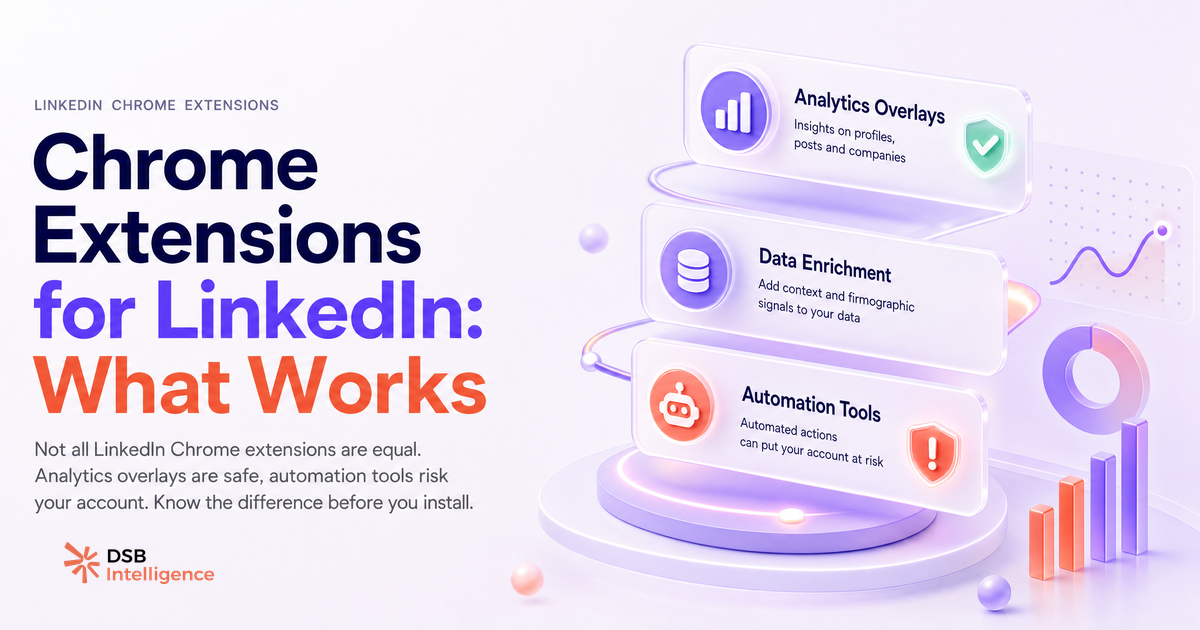
Most LinkedIn Chrome extensions do one of three things, and only one category is safe long-term
Every chrome extension for linkedin fits into one of three functional buckets.
Analytics overlays read data already visible in your LinkedIn session: post impressions, follower demographics, engagement rates. They surface that data in a cleaner interface or export it to a spreadsheet. They do not interact with the platform on your behalf.
Data enrichment tools (email finders, profile exporters) extract structured information from profiles you visit and attempt to match it against external databases. They read LinkedIn's front-end HTML, which puts them in a contractual grey zone with LinkedIn's User Agreement, even if they feel passive.
Automation extensions simulate human actions: sending connection requests, liking posts, running message sequences. They operate on your behalf without your manual input for each action.
Only the first category is structurally safe over time. Analytics overlays do not trigger behavioral anomalies because they do not act. The other two categories require deliberate risk management, not blind trust in the tool's marketing copy.
If you want to understand what data you can legitimately pull before adding any extension to your stack, Export LinkedIn Data: What You Get and What's Missing is a useful starting point.
What LinkedIn actually detects when an extension runs on your profile
LinkedIn does not maintain a public blocklist of Chrome extensions. What it monitors is behavioral output, not the tool generating it.
The signals that trigger automated review include: request volume per session, scroll speed and cadence, click patterns that deviate from human norms, and the ratio of profile views to connection requests sent. When these signals cluster in ways that look non-human, LinkedIn's systems flag the account for review. The outcome ranges from a temporary action block to a permanent restriction.
Automation extensions are the primary culprit. A tool that sends 80 connection requests in 40 minutes produces a request cadence no human replicates manually. Even if the extension spaces requests with randomized delays, the volume-to-session-time ratio remains anomalous.
Data scraping extensions produce a different signal: an unusually high number of profile page loads in a short window, often with no corresponding social actions (no likes, no comments, no messages). LinkedIn can reasonably infer that a session loading 300 profiles in 20 minutes is not a human browsing their feed.
Analytics overlays, by contrast, read data from pages you are already visiting. The session looks like a normal LinkedIn session because it is one.
Does LinkedIn allow Chrome extensions? The honest answer is: it depends on what the extension does
LinkedIn's User Agreement prohibits scraping, automated data collection, and the use of bots or automated tools to interact with the platform. It does not name specific extensions.
This creates a practical reality: extensions that read your own data (your post analytics, your follower growth) sit in a defensible position. Extensions that extract other users' data at scale, or that perform actions on your behalf, sit in direct conflict with the agreement.
The legal layer adds complexity for enrichment tools. Retrieving a professional email address from a LinkedIn profile and storing it in your CRM involves processing personal data. Under GDPR, you need a lawful basis for that processing. The extension provider's privacy policy does not grant you that basis automatically. You own the compliance obligation.
For a grounded look at how email finder tools perform and what to actually evaluate before choosing one, Email Finder from LinkedIn: Match Rate Is All That Matters covers the criteria that matter.
How DSB Intelligence's Recommendations Engine flags extension-driven behavior patterns before they become a problem
One pattern that surfaces repeatedly in LinkedIn analytics is a sudden spike in profile views followed by a plateau in engagement. It looks like reach, but it produces no pipeline signal.
This is often the footprint of an automation extension running a bulk connection or profile-view campaign. The views happen, the connections do not convert, and the account's engagement rate drops relative to its growing network size.
DSB Intelligence's Recommendations Engine flags this type of structural disconnect early: when your network grows faster than your content engagement, or when profile view spikes do not correlate with inbound activity, it surfaces the pattern and prompts a review of what's driving the volume. That's the kind of signal that's easy to miss when you're watching a dashboard that only shows raw numbers.
Catching it early matters. A declining engagement-to-network ratio is a leading indicator of an account that's optimizing for vanity metrics, not pipeline.
The 3 categories worth keeping in 2026, with trade-offs for each
Analytics overlays are the default keep. Tools that surface your own LinkedIn data in a cleaner format add genuine value without adding risk. The trade-off: they only show you what LinkedIn already shows you, reorganized. They do not give you competitor data or prospect intelligence.
Email finder extensions are worth keeping with strict criteria. Evaluate match rate first (what percentage of profiles return a verified email, not just a guessed pattern), then check the provider's data processing agreement for GDPR coverage. Use them manually, on profiles you have a legitimate reason to contact. Do not run them in bulk scraping mode. The trade-off: match rates vary significantly between providers, and the compliance burden stays with you regardless of which tool you use.
Export tools for your own data (your connections, your post history) are low-risk when used manually and sparingly. LinkedIn's native data export covers most of what you need. Third-party export extensions add convenience but also add a dependency on a tool that LinkedIn could block at any update cycle.
Automation extensions do not appear in this list. The risk-to-reward ratio does not hold in 2026. LinkedIn's detection has matured, account restrictions are increasingly difficult to appeal, and the pipeline outcomes from bulk automation are structurally weaker than those from signal-led outreach. If you want to understand what a signal-led approach looks like in practice, LinkedIn ABM Without the Bloat: Signal-Led Account Plays is a useful frame.
When no extension is the right answer
The strongest LinkedIn prospecting workflows in 2026 do not depend on extensions. They depend on knowing which accounts are already showing buying signals, and reaching out with a message that reflects that knowledge.
Extensions are amplifiers. They make an existing workflow faster or more visible. They do not fix a workflow that lacks a clear targeting logic or a content strategy that generates inbound signals. If your current approach relies on volume (send more connection requests, view more profiles, scrape more emails), an extension will not improve your conversion rate. It will just increase your exposure to account restrictions.
The question worth asking before adding any chrome extension for linkedin to your browser is: what is this replacing, and what would happen if LinkedIn blocked it tomorrow? If the answer is "my entire prospecting process stops," the extension is a dependency, not a tool.
For context on how LinkedIn's organic reach mechanics interact with your content strategy, LinkedIn Hashtags in 2026: Do They Still Move the Needle? and LinkedIn Video Ads Examples That Actually Build Pipeline cover the signal side of the equation.
Now what?
- Audit your current extension stack. For each extension, identify which of the three categories it belongs to. Remove any automation extension immediately.
- For email finder extensions you keep, pull the provider's data processing agreement and confirm your lawful basis under GDPR before your next campaign.
- Set a behavioral baseline for your LinkedIn account: normal weekly connection requests sent, profile views generated, message reply rate. If an extension changes these numbers significantly, you now have a reference point to detect anomalies before LinkedIn does.
- Build your prospecting logic around signals, not volume. Extensions should accelerate a workflow that already works, not substitute for one.
Ready to track what's actually driving results on LinkedIn without the account risk? Start a free trial of DSB Intelligence and let the Recommendations Engine surface the patterns worth acting on.