

Most LinkedIn ABM programs are just expensive list marketing. You upload a CSV of 500 target accounts, set up a Sponsored Content campaign, and call it ABM. The accounts see your ad. Nothing happens. You blame the list.
The list is not the problem. The timing is.
Most LinkedIn ABM programs target accounts. The ones that convert target moments.
Account-based marketing on LinkedIn fails for a predictable reason: teams treat the account list as the activation trigger. It isn't. The list is the perimeter. The signal is the trigger.
A "target account" is a static label. A "warm account" is a dynamic state: one or more stakeholders from that company have recently done something that indicates category awareness or buying motion. Those two things look identical on a spreadsheet. They behave completely differently in a pipeline.
The practical implication is that your outreach calendar should not be set on January 1st. It should be set by what accounts are doing right now. A CFO at a target account who comments on a post about procurement software this week is a different conversation than the same CFO who hasn't touched LinkedIn in 90 days. Same account. Opposite moment.
This is not a new concept in ABM theory. It is, however, almost universally ignored in execution, because most teams don't have a system to detect the moment. They have a list and a media budget.
What are the three signal layers that separate a warm account from a cold logo?
A warm account shows activity across at least two of three signal layers. One signal is noise. Two or more is a pattern worth acting on.
Layer 1: Organic content engagement. A stakeholder from a target account likes, comments on, or shares your organic posts. A single like from a junior employee is weak. A comment from a VP, or two separate employees from the same account engaging in the same week, is a meaningful cluster. The key metric here is not the engagement count; it's the account-level concentration of that engagement over a short window.
Layer 2: Paid impression frequency without click. If you're running account-list-targeted ads (via a matched audience or a Sales Navigator segment), watch the frequency-to-click ratio by account. An account accumulating high impressions with zero clicks is not ignoring you. It is building passive familiarity. That's a pre-warm state: the brand is registering, but the message hasn't landed yet. This is the moment to change the creative or add a Thought Leadership Ad from a named executive rather than a brand page. For a deeper look at how that organic-to-paid bridge works, see LinkedIn Thought Leadership Ads: the Organic-to-Paid Bridge.
Layer 3: Profile-level activity from decision-makers. This is where Sales Navigator earns its place. Alerts on job changes, new hires in relevant roles, or a decision-maker updating their profile are weak signals on their own. Combined with Layer 1 or Layer 2 activity, they become a strong composite signal. A new VP of Operations at a target account who has already seen your content three times is a first-touch outreach candidate. The same new VP who has never encountered your brand is a content-first candidate. For a full breakdown of what Sales Navigator actually gives you in a B2B context, LinkedIn Sales Navigator vs Premium: B2B Verdict is worth reading before you commit to the seat cost.
How does the DSB Recommendations Engine surface account-level engagement shifts before your CRM does?
Your CRM knows what your reps log. It doesn't know what your target accounts are doing on LinkedIn before anyone picks up the phone.
The gap between "account engaged with our content" and "rep creates an opportunity in CRM" is where most ABM programs leak. The signal fires. Nobody sees it. The window closes. Three weeks later, the rep sends a cold InMail to someone who had already shown interest and moved on.
The DSB Intelligence Recommendations Engine is built to close that gap. It monitors engagement patterns at the account level across your organic content, flags when a cluster of activity from a target account crosses a threshold worth acting on, and surfaces the recommended next action to the right person before the moment expires. The rep doesn't have to audit LinkedIn analytics manually. The signal comes to them, with context.
This matters most for teams running ABM across 50 to 200 accounts simultaneously. At that scale, manual monitoring is not a workflow. It's a full-time job that nobody actually does.
How do you build the play: from account signal to outreach sequence in four steps?
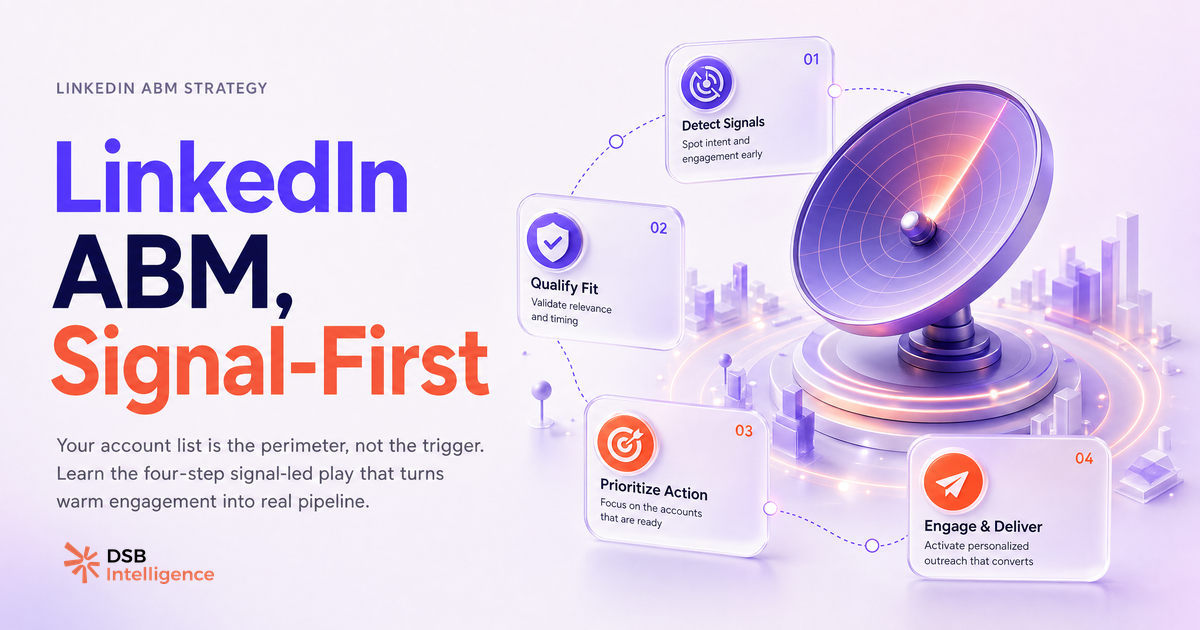
The sequence is four steps. The signal starts the clock.
Step 1: Detect the signal. Define in advance what constitutes a warm signal for your specific account list. "Two or more stakeholders from the same account engage with organic content within a 14-day window" is a concrete, monitorable definition. Vague definitions produce inconsistent execution.
Step 2: Validate account-level breadth. Before triggering outreach, confirm that the engagement is not coming from a single junior contact. One person liking a post is not an account signal. Two people from different functions, or one senior decision-maker with a direct comment, qualifies. This step prevents your reps from burning goodwill on accounts that aren't actually in motion.
Step 3: Activate a Thought Leadership Ad to the account segment. Once the signal is confirmed, push a Thought Leadership Ad from a named executive (not the brand page) to the matched audience segment that includes that account. The goal is to reinforce the message with a human face before the rep reaches out. This step typically runs for five to ten days. It is not a long campaign. It's a warm-up layer.
Step 4: Trigger personalized outreach from the relevant rep. The InMail or LinkedIn connection request goes out after the Thought Leadership Ad has had time to register. The message references the category problem, not the product. It does not say "I noticed you liked our post." It says something that demonstrates you understand the problem the account is facing right now. The signal told you the timing. The content tells you the angle.
For teams tracking which content formats drive the most account-level engagement, Marketing Agency Tools in 2026: Track These 4 Signals covers the reporting layer that makes this sequence measurable.
When does LinkedIn ABM break down, and what should you do instead?
LinkedIn ABM breaks down in three specific situations. Each has a different fix.
Situation 1: The content layer is weak. If your organic posts generate no engagement from target accounts, the signal layer is empty. No targeting precision compensates for content that says nothing worth reading. The fix is not more budget. It's a content audit: what does your target account's VP of Operations actually care about this quarter? Build posts that answer that question, not posts that describe your product. LinkedIn Rockwell Automation: What Industrial B2B Can Learn is a useful case study in content that earns attention from a technically demanding B2B audience.
Situation 2: The account list is too broad. A list of 500 accounts with a modest media budget produces impression frequency too low to matter at any individual account. The math doesn't work. Cut the list to the accounts where you have the highest win probability, concentrate the budget, and run the sequence properly on 50 accounts before scaling. Depth beats breadth in ABM.
Situation 3: The outreach fires without a signal. This is the most common failure mode. A rep sees an account on the list, decides it's "time to reach out," and sends a generic InMail. The account hasn't engaged with anything. The message lands cold. The rep concludes that LinkedIn ABM doesn't work. The conclusion is wrong. The execution was wrong. Signal-first is not optional. It's the mechanism.
One edge case worth naming: some target accounts have decision-makers who are not active on LinkedIn at all. For those accounts, LinkedIn ABM is not the right primary channel. Redirect budget to direct email, events, or partner introductions. Forcing LinkedIn on a non-LinkedIn audience is a budget problem, not a strategy problem. For a look at what happens when teams over-rely on LinkedIn tools without a clear signal strategy, Taplio LinkedIn Video Downloader: What B2B Teams Miss surfaces some of the gaps.
Now what?
- Audit your current ABM account list. If it's over 100 accounts and your monthly LinkedIn budget is under $5,000, cut the list in half before you change anything else.
- Define your warm-account signal in writing: which combination of engagement events, from which seniority levels, within which time window, qualifies an account for outreach. Share that definition with both marketing and sales before the next campaign launches.
- Map your content calendar to your account list's known pain points for the next quarter. If the content doesn't speak to what those accounts are dealing with right now, the signal layer will stay empty regardless of targeting.
- Run the four-step sequence on your top 20 accounts for 60 days before scaling. Measure reply rate and meeting rate by account, not by impression volume.
Ready to stop guessing which accounts are warm? Start a free trial of DSB Intelligence and let the Recommendations Engine surface the signal before your competitors do.