

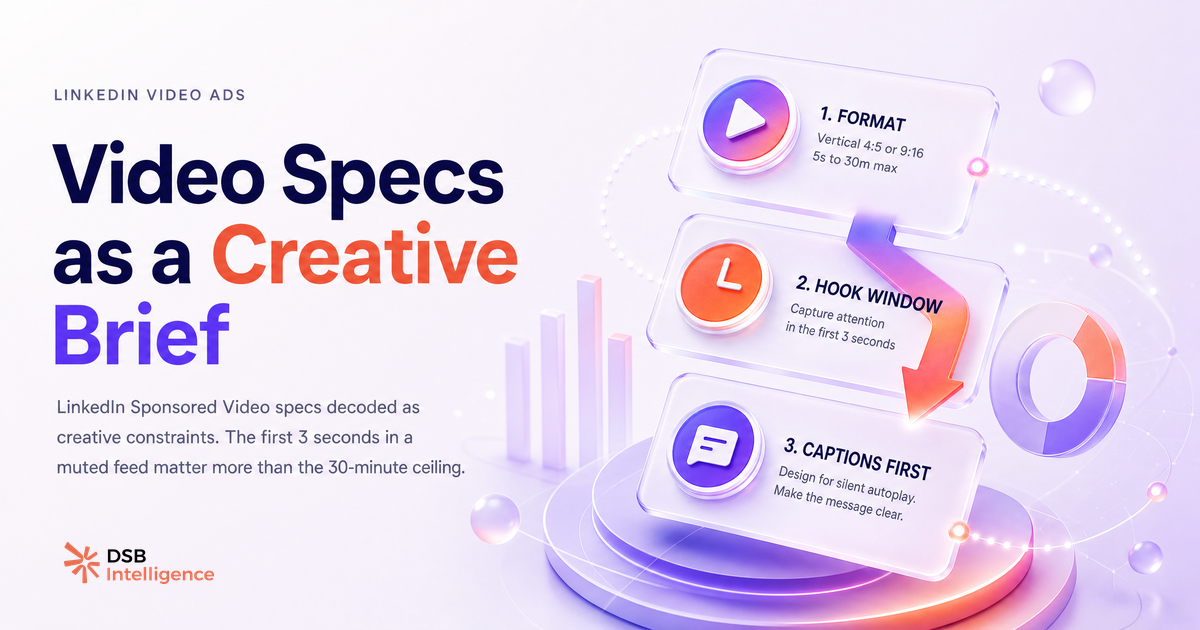
Most advertisers treat LinkedIn video ad specs as a compliance checklist. They confirm the file is MP4, check the size, and move on. That's exactly why most LinkedIn video ads are forgettable.
The specs are a creative brief in disguise. Every limit encodes a behavioral reality about how people consume video in a professional feed.
What are the full LinkedIn video ad specs — no guessing?
LinkedIn Sponsored Content video runs on a tight technical envelope. Here it is, complete:
| Parameter | Requirement | |---|---| | Format | MP4 | | File size | 75 KB – 200 MB | | Duration | 3 seconds – 30 minutes | | Aspect ratio | 1:2.4 to 2.4:1 | | Min. resolution | 360p | | Max. resolution | 1080p | | Audio | Optional (stereo AAC, 16-bit) | | Captions | SRT file, uploaded separately |
These are the current specs for Sponsored Content video placements. They apply whether you're running awareness, consideration, or conversion objectives.
A few details worth flagging. The 200 MB ceiling is low enough to force compression discipline — a raw 4K export will blow past it instantly. The 1080p maximum means 4K production adds zero delivery value on LinkedIn. And the SRT requirement for captions is a separate upload step, not an automatic toggle. Many advertisers miss it entirely.
For a deeper look at how these specs interact with organic video reach, the article LinkedIn Video Size: Specs + What Actually Drives Reach covers the overlap between paid and organic placement logic.
Why is the 30-minute ceiling a trap and the 3-second floor the real constraint?
The 30-minute maximum exists for webinar replays and long-form thought leadership. It is almost never the right choice for a cold-audience ad.
The 3-second floor is where the real creative pressure lives. LinkedIn counts a view at two seconds for most placements. That means the first three seconds are not an intro — they are the entire first impression. If your video opens with a logo animation, a music swell, or a talking head saying "Hi, I'm..." you have already lost the majority of your audience.
The behavioral logic is simple: the feed is a scroll. Motion stops the thumb. Text on screen in the first frame buys one more second. A concrete claim or a visual problem statement buys two more. Everything after that is earned, not given.
This is why the 3-second floor is a creative constraint, not a technical one. It forces a discipline that most brand video production processes are not built for.
The article Poster une vidéo sur LinkedIn : le format décide tout explores how format decisions cascade into reach — the same logic applies to paid placements.
What do high-performing LinkedIn video ad examples actually look like?
There is no single template, but there are consistent structural patterns across video ad on LinkedIn campaigns that generate pipeline.
The first pattern is front-loaded proof. The value proposition appears in the first three seconds, either as on-screen text or as a spoken claim with no preamble. The rest of the video is evidence: a customer result, a product demo, a before/after scenario.
The second pattern is format-to-placement matching. Square (1:1) and vertical (9:16) formats dominate mobile feed inventory, which is where the bulk of LinkedIn impressions are delivered. Landscape (16:9) still performs for desktop-heavy audiences — typically enterprise buyers consuming content during work hours. Choosing the wrong aspect ratio means your ad renders smaller than competing content in the feed.
The third pattern is motion without audio dependency. High-performing ads are designed to communicate without sound. Text overlays carry the narrative. Captions reinforce it. Audio becomes an enhancement for viewers who opt in, not a requirement for comprehension.
For context on how creative decisions connect to pipeline outcomes, LinkedIn Advertising Video : au-delà des specs maps the full strategic layer above the technical one.
How do you read LinkedIn video ad metrics as creative signals?
Delivery numbers tell you reach. Creative signals tell you why.
The key ratios to track are completion rate, view-through rate, and click-to-view ratio. Each one diagnoses a different layer of the creative.
A low completion rate on a short video (under 30 seconds) means the hook failed. The audience stopped before the offer. The fix is in the first three seconds, not the CTA.
A high view-through rate with a low click-to-view ratio means the content held attention but the offer or CTA did not convert. The creative works; the message or landing page does not.
A high click-to-view ratio on a long video (over 90 seconds) is a strong signal of audience-message fit. The viewer watched enough to understand the offer and acted on it.
This is where reading metrics as creative feedback changes the iteration cycle. Instead of reshooting the entire video, you identify which layer broke down and fix that layer specifically.
DSB Intelligence's Insight Narrator is built for exactly this diagnostic: it reads the pattern across your video ad metrics and surfaces which creative variable is driving the gap, so you're not guessing which version to test next.
The article LinkedIn Video Editor Jobs: A Pipeline Decision covers how to structure the creative production loop around this kind of metric-driven iteration.
Why is the captions spec the one most advertisers ignore?
Captions are not a nice-to-have on LinkedIn. They are a retention mechanism.
The majority of video on LinkedIn is consumed without audio — in open offices, on public transit, during meetings. A video that relies on spoken content to carry its message loses those viewers at the first frame.
LinkedIn does not auto-generate captions for video ads. The SRT file must be prepared and uploaded manually as a separate step in Campaign Manager. This is a friction point that many advertisers skip, especially when working under production deadlines.
The consequence is measurable. Videos with captions consistently show higher completion rates than uncaptioned equivalents in the same placement, because the viewer can follow the narrative without committing to audio. The spec is not a formality — it is a direct lever on retention.
A well-formatted SRT file also gives you a second creative asset: the transcript, which can be repurposed for organic posts, ad copy, or landing page content. The article LinkedIn Video Downloader : ce que Taplio ne te dit pas covers how to build a repurposing workflow around video content.
Et maintenant ?
- Audit your current video ad assets against the full spec table above. Flag any that use landscape format for mobile-first placements, or that are missing an SRT caption file.
- Recut your best-performing video to front-load the value proposition in the first three seconds. Test it against the original with identical targeting.
- Pull your completion rate and click-to-view ratio for the last 30 days. Identify which creative layer is breaking down — hook, offer, or CTA — before you brief the next production.
- If you want a faster read on what your video ad metrics are actually telling you, start a free trial of DSB Intelligence and let the Insight Narrator do the diagnostic.