

Most guides on how to create a company page in LinkedIn spend 800 words on form fields. You don't need that. What you need is clarity on the decisions that come right after — because those are the ones that determine whether your page becomes an asset or a neglected placeholder.
What does the 5-minute setup actually involve, and what decisions follow?
The mechanics are straightforward. Log into your personal LinkedIn account, navigate to the page creation flow (linkedin.com/company/setup/new), and fill in six fields: company name, public URL, website, industry, company size, and type. Upload a logo at minimum 300x300px. Write a short tagline. Publish.
That's it. Your page is live.
What LinkedIn does not walk you through is everything that happens next. The first decision is your public URL. It defaults to your company name, but you can customize it once. Choose carefully: this URL appears in every link you share, every email signature, every ad. Changing it later breaks existing links and resets any SEO equity the page has accumulated.
The second decision is your "About" section. LinkedIn indexes this text. It is also the first thing a prospect reads when they land on your page from a search result. Write it for a cold reader who has never heard of you, not for someone who already knows your product. Lead with what you do and who you do it for, not with founding year or team size.
The third decision is your cover image. Most companies upload a generic banner and move on. The cover image is prime real estate: it renders above the fold on both desktop and mobile, and it is the first visual signal a visitor gets about whether your brand is active and intentional.
Free vs. paid: what do you actually get, and what are you missing?
The free LinkedIn Company Page tier covers everything an early-stage company needs. You get unlimited posts, follower analytics, basic page analytics, employee advocacy tools, and the ability to run paid campaigns (ad spend is separate from the page tier).
Paid add-ons exist but are rarely the right first investment. Career Pages (part of LinkedIn Talent Solutions) add a dedicated "Life" tab and enhanced job posting features. Lead Gen Forms attached to ads require ad budget, not a page upgrade. Neither adds organic reach.
The honest answer: if your page is not generating meaningful organic engagement yet, paying for page features will not fix that. The bottleneck is almost never the tier. It is content consistency and admin structure.
One area where the free tier does limit you is analytics depth. The native dashboard shows follower growth, post impressions, and basic demographic breakdowns. It does not show you which content formats are compounding reach over time, or where your page sits relative to comparable companies in your space. That gap is where tools like DSB Intelligence add signal: the Recommendations Engine flags which content patterns are underperforming relative to your page's own baseline, so you can correct early rather than after three months of drift.
Why does your Company Page need a personal account behind it, and how should you structure admin access for teams?
LinkedIn requires a personal account in good standing to create and administer a Company Page. The creator becomes the default Super Admin. This is not optional and it is not a workaround: it is the architecture.
This creates a real operational risk for companies that assign page ownership to a single employee. If that person leaves and their personal account is the only Super Admin, regaining control of the page requires a support ticket and proof of company ownership. It can take weeks.
The fix is simple: assign at least two Super Admins from day one. Use personal accounts belonging to founders or senior operators who are unlikely to churn. Then assign narrower roles to everyone else.
LinkedIn's role structure is worth understanding before you hand out access. Super Admin has full control including billing and admin management. Content Admin can post and manage content but cannot touch admin settings. Curator can suggest content for the page feed. Analyst gets read-only access to analytics. Sponsored Content Poster can create and manage ads only.
The principle: assign the minimum role that covers the job. A social media manager does not need Super Admin. A freelance designer contributing assets does not need Content Admin. Scope creep in admin roles is a security and continuity risk, not just a hygiene issue.
For context on how personal account settings interact with your page's visibility, How to Turn Off Profile Views on LinkedIn covers the profile-level signals that affect how your team's activity propagates — relevant if your admins are also active personal posters.
What are the three decisions that separate pages that grow from pages that stall?
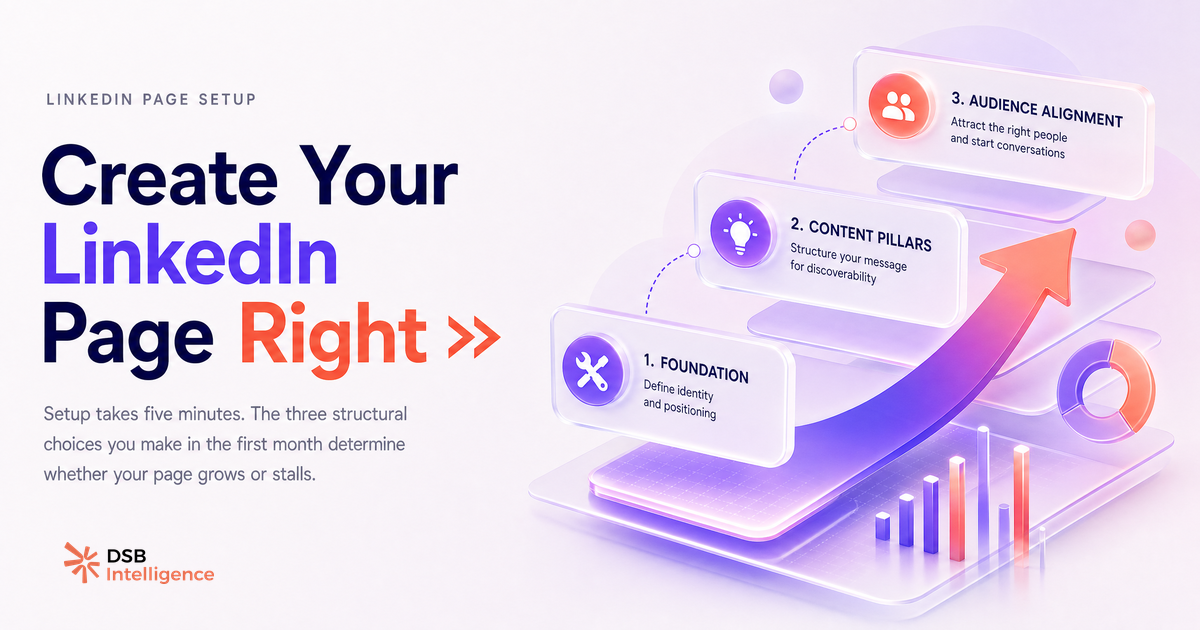
Most pages stall not because of a bad setup, but because of three structural choices made (or avoided) in the first month.
Content ownership is the first. Pages with a single accountable content owner consistently outperform pages managed by committee. This does not mean one person writes everything. It means one person holds the editorial line, approves what goes out, and is responsible for the cadence. Without that, posting becomes reactive and inconsistent, which is the fastest way to lose algorithmic momentum.
Format intentionality is the second. LinkedIn's feed does not treat all content equally. Video, documents (PDFs rendered as carousels), and text posts each behave differently in distribution. Video in particular has format-specific behavior: LinkedIn Video Aspect Ratio in 2026: What Gets Watched breaks down what actually gets watched versus what gets scrolled past. Choosing your primary format before you start posting gives you comparable data over time. Switching formats every week makes it impossible to learn what is working.
Employee amplification is the third. Company Pages have structurally lower organic reach than personal profiles on LinkedIn. The distribution mechanism that compensates for this is employee engagement: when employees like, comment on, or share a Company Page post in the first hour after publication, the post gets a meaningful reach multiplier. This is not a trick. It is how the feed works. Building a lightweight internal process to notify two or three engaged employees when a post goes live is more valuable than any paid promotion at the early stage.
On the content side, two additional signals are worth getting right early. Hashtag strategy on Company Page posts affects discoverability in topic feeds: LinkedIn Hashtags in 2026: Do They Still Work? gives a current read on what still moves the needle. And if video is part of your format mix, How to Upload Video to LinkedIn: What Happens After covers the distribution behavior that follows upload, which is not obvious from the interface.
One thing worth flagging: some teams, eager to accelerate page growth, look at automation tools for follower acquisition or engagement. The compliance picture here is more complicated than most vendors admit. LinkedIn Automation Tools in 2026: What the SERP Won't Tell You is worth reading before you commit to any tool in that category.
Now what?
- Set up your page today using the six-field flow at linkedin.com/company/setup/new. Customize your public URL before you share the page anywhere.
- Assign a second Super Admin immediately. Do not leave page control tied to a single personal account.
- Define one content owner and one primary format before your first post. Consistency over the first 90 days compounds. Variety without a baseline does not.
- Activate your team for the first three posts. Notify two or three employees directly and ask for a comment or reaction within the first hour. Build that habit before you need it.
Ready to move beyond setup and into measurable page growth? Start your free trial of DSB Intelligence and let the Recommendations Engine show you where your page's early signals are strong and where they need work.