

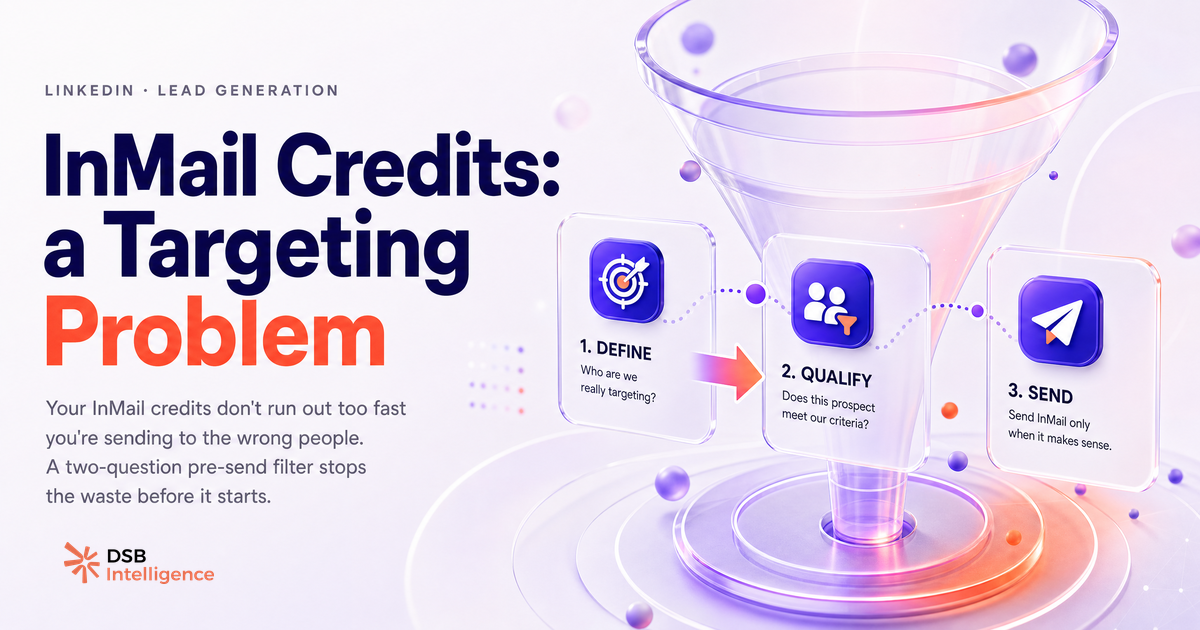
Most LinkedIn outreach teams treat their InMail credit balance the way a driver treats a fuel gauge: they only think about it when it hits empty. By then, the damage is done.
The shortage is not the problem. It is the receipt.
What are InMail credits on LinkedIn, and what cap do most people hit too late?
InMail credits are LinkedIn's per-message currency for reaching people you are not connected to. Each plan ships with a fixed monthly allocation: roughly 5 for Premium Career, 15 for Premium Business, 50 for Sales Navigator Core, and up to 50 for Recruiter Lite. Credits you do not spend roll over, but only for three months and only up to three times your monthly allowance.
That rollover mechanic is where most teams first go wrong. A bank of 150 credits feels like a buffer. It encourages volume over precision. Teams send more, not better, and the bank drains faster than expected.
The second cap most people discover too late: LinkedIn refunds a credit only when the recipient does not reply within 90 days. That is a 90-day wait for a refund on a message that failed. It is not a safety net. It is a delayed invoice.
Understanding the credit structure is table stakes. The real question is what you do with the information before you hit send.
Why running out of credits is a symptom, not the problem
Credit exhaustion is a lagging indicator. The targeting decision that caused it happened days or weeks earlier, when someone added a prospect to a sequence without checking whether that prospect was worth a credit.
The pattern is consistent across B2B outreach teams: a rep runs a Sales Navigator search, bulk-selects 40 profiles that match a job title filter, and fires InMails. Fifteen of those profiles have not posted in six months. Ten have no recent activity on the platform at all. Those 25 credits are gone before the week is out, and the reply rate on the batch is low enough that the refund cycle barely helps.
The credit is not the scarce resource. Attention is. A prospect who is not active on LinkedIn will not see your InMail in time for it to matter, regardless of how well you wrote it.
Reframing the question from "how do I get more credits?" to "how do I send fewer, better InMails?" is the shift that changes the math.
What signals predict whether an InMail will get a reply before you send it?
The strongest pre-send predictor is recent platform activity. A prospect who has posted, commented, or reacted in the past two to three weeks is demonstrably on the platform. They will see your message. A prospect whose last post is from eight months ago is a coin flip at best.
Three signals worth checking before spending a credit:
Recent content activity. A post or comment in the last 30 days is a green light. It tells you the person opens the app, which means they open their inbox.
Profile view overlap. If a prospect has viewed your profile (visible in "Who viewed your profile" under Premium), they already know you exist. An InMail to someone who looked at you first is not cold outreach. It is a follow-up.
Shared connections or group membership. A common connection or shared LinkedIn group gives you a natural opener and signals that the prospect is embedded in a community that overlaps with yours. That context lifts reply rates.
None of these signals require a third-party tool to check manually. But at scale, checking them one by one is the bottleneck. This is where the DSB Intelligence Recommendations Engine earns its place: it surfaces these activity and overlap signals across your target list and flags low-probability profiles before you assign a credit, so the decision happens at the list-building stage, not after the send.
For a broader look at how profile visibility data feeds into outreach decisions, Can You See Who Views Your LinkedIn Profile? covers what the platform actually exposes and what it does not.
When should you use InMail, and when should you use a connection request instead?
The default assumption in most sales teams is that InMail is the premium option and therefore the better one. That is backwards.
A connection request is free. It also forces a reply decision: accept or ignore. When a prospect accepts, you get a direct message channel at zero marginal cost for every future message. That is a better long-term asset than a one-shot InMail.
Use a connection request when:
- The prospect's profile is open or semi-open (the "Open to" badge, or a second-degree connection with mutual contacts).
- You have a warm signal: a comment on a shared post, a mutual connection who can introduce you, or a recent content interaction.
- The outreach is part of a longer sequence where a relationship matters more than speed.
Use InMail when:
- The profile is fully closed and a connection request would disappear into a queue with no visibility.
- You have a specific, time-sensitive reason to reach out that justifies the spend.
- The prospect has already signaled interest (viewed your profile, engaged with your company page) and you want to respond quickly.
The decision tree is not complicated. The problem is that most teams never build one. They default to InMail because it feels more "direct," and they pay for that assumption in credits.
For teams running higher-volume outreach, Best LinkedIn Automation Tools: Safety, Use Case, Risk covers where automation fits and where it creates compliance exposure. And if you are supplementing InMail with email outreach, Email Finder from LinkedIn: Match Rate Is All That Matters explains why match rate is the only metric worth optimizing.
It is also worth noting that InMail performance does not exist in isolation. LinkedIn Click-Through Rate Is the Wrong Metric makes the case for why downstream engagement signals matter more than surface-level open or click counts, a logic that applies directly to how you evaluate InMail campaigns.
What to do when your credits are gone mid-month
First: do not buy more credits as a reflex. That solves the symptom and reinforces the behavior that caused it.
The mid-month shortage is data. It tells you that your targeting criteria are too loose or your send volume is too high relative to your reply rate. Both are fixable without spending more.
Practical steps when you hit zero:
Audit the last 30 sends. How many went to profiles with no recent activity? How many were to open profiles that could have received a connection request instead? That number is your waste rate.
Shift to connection requests for the rest of the month. Open profiles, second-degree connections with mutual contacts, and anyone who has engaged with your content in the last 60 days are all reachable without InMail. The reply rate on a warm connection request often matches or exceeds a cold InMail.
Use the downtime to rebuild your signal checklist. Before the next credit cycle resets, define the minimum activity threshold a profile must meet before it qualifies for an InMail. Recent post, profile view, or shared group: pick at least one. Make it a hard filter, not a guideline.
Review your message quality separately. Credits and copy are two different levers. A well-targeted InMail with a weak message still underperforms. Chrome Extensions for LinkedIn: What Works in 2026 covers tooling that can help with both prospecting and message personalization at scale.
The teams that never run out of InMail credits mid-month are not the ones with bigger plans. They are the ones who treat each credit as a deliberate decision, not a default action.
Now what?
- Pull your last 30 InMail sends and tag each one: active profile or inactive, open or closed, warm signal or cold. Calculate your waste rate. That number is your baseline.
- Build a two-question pre-send filter: has this person been active on LinkedIn in the last 30 days, and is their profile open to a free connection request? If yes to the second, do not spend a credit.
- Set a monthly credit budget per rep that is lower than the full allocation. Force prioritization before the month starts, not after the credits are gone.
- If you want a system that flags low-probability targets before the send decision, start a free trial of DSB Intelligence and let the Recommendations Engine do the pre-screening for you.