

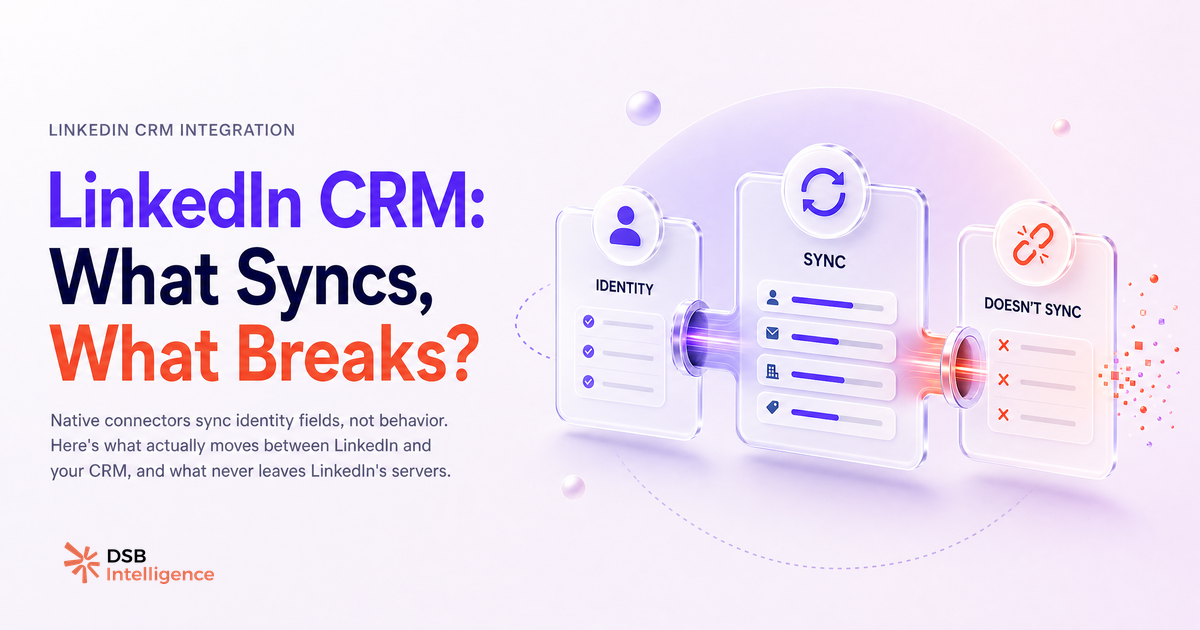
Your CRM vendor's LinkedIn integration slide shows a clean two-way sync. What it doesn't show is the list of fields that never leave LinkedIn's servers.
Do most LinkedIn-CRM integrations actually sync intent signals?
No. The overwhelming majority sync contact identity, not contact behavior.
A standard LinkedIn-CRM connector writes a handful of fields: full name, job title, company name, LinkedIn profile URL, and sometimes a connection status flag. If you're on Sales Navigator Advanced Plus, you also get CRM writeback for InMail messages and notes logged inside Navigator. That's the ceiling for most teams.
What doesn't move: who viewed your profile, who engaged with your posts, who watched your video content, who clicked your articles. These behavioral signals — the ones that actually indicate buying intent — live inside LinkedIn's engagement layer, and LinkedIn does not expose them through any standard CRM connector.
This gap matters more than most sales teams realize. A prospect who liked three of your posts in the past two weeks is warmer than one who accepted a connection request six months ago. Your CRM, in most setups, knows about the connection. It knows nothing about the posts.
For a detailed breakdown of what data LinkedIn actually lets you extract, see Export LinkedIn Data: What You Get and What's Missing.
What are the three data layers LinkedIn actually exposes?
LinkedIn's API surface breaks into three distinct layers, and only two of them are accessible without a premium contract.
Layer 1: Basic profile and identity data. This is what every connector uses. Name, headline, current position, company, location, profile URL. Available via the standard LinkedIn API for first-degree connections. Reliable, but shallow.
Layer 2: Ad and campaign performance data. Available to LinkedIn Marketing Solutions customers via the Campaign Manager API. Impression counts, click-through rates, lead gen form fills. Useful for paid campaigns, irrelevant for organic sales workflows.
Layer 3: Sales Navigator activity data. Locked behind a Sales Navigator Advanced or Advanced Plus subscription. This layer includes InMail sends and replies, saved leads and accounts, and CRM sync for activity logging. It's the richest layer LinkedIn officially offers for sales teams — and it still doesn't include organic post engagement.
Two layers that don't exist in any official API: organic post engagement by specific users, and profile view identity beyond the limited "who viewed your profile" feature (which LinkedIn deliberately obscures for free and most paid tiers).
If you're evaluating whether Sales Navigator's additional cost is justified for your team's CRM workflow, LinkedIn Sales Navigator vs Premium: B2B Verdict walks through the trade-offs.
How do you read LinkedIn engagement signals before they hit your CRM?
The honest answer: you need a layer that sits between LinkedIn and your CRM, capturing signals that the native sync ignores.
This is where the architecture gets interesting. LinkedIn's platform records every engagement event on your content — reactions, comments, shares, dwell time on posts. None of that flows into a CRM connector automatically. But it's visible inside LinkedIn's own interface, and it can be monitored systematically if you build the right observation layer.
The practical approach is to track which accounts are engaging with your content on a rolling basis, then cross-reference those accounts against your CRM pipeline. A prospect company that has three employees engaging with your posts over a two-week window is showing a signal worth acting on. That signal doesn't require a Sales Navigator seat to observe — it requires a consistent process for capturing it.
DSB Intelligence's Insight Narrator is built for exactly this job: it reads the engagement pattern on your LinkedIn content, identifies which accounts are surfacing repeatedly, and surfaces that context before you decide whether to push a record into your CRM or trigger an outreach sequence.
For the specific case of HubSpot, LinkedIn and HubSpot Integration: What Actually Syncs covers the field-level detail of what the native connector writes and where the gaps appear.
What's the integration playbook that actually works?
Split your workflow into two buckets: what to automate, and what to keep manual. The mistake most teams make is automating the wrong bucket.
Automate contact creation and enrichment. When a prospect accepts a connection or responds to an InMail, let the connector write the contact record. Let it populate job title, company, and LinkedIn URL. This is low-risk, saves time, and the data quality is acceptable.
Automate activity logging for Sales Navigator interactions. If you're on a Navigator Advanced Plus plan, the CRM writeback for InMail and notes is worth enabling. It removes a manual step that reps consistently skip.
Keep manual: outreach sequencing triggered by engagement signals. Don't automate a follow-up sequence the moment someone likes a post. The signal is weak in isolation. What you want is a pattern: repeated engagement across multiple pieces of content, from the same account, over a compressed timeframe. That pattern requires human judgment to interpret, and a signal-capture layer to surface.
Keep manual: contact deduplication after enrichment. LinkedIn data enrichment creates duplicates at a rate that will damage your CRM hygiene if you don't build a review step. Job title changes, company rebrands, and LinkedIn profile merges all generate noise that automated deduplication handles poorly.
The teams that get this right treat their LinkedIn-CRM integration as a contact identity layer, not a behavioral intelligence layer. The behavioral intelligence lives upstream, in how they monitor and interpret LinkedIn activity before it ever touches the CRM.
When is a native LinkedIn-CRM integration the wrong call?
When your pipeline is content-driven rather than outreach-driven.
If your B2B pipeline depends primarily on inbound interest generated by organic LinkedIn content — posts, articles, newsletters, video — then a native CRM connector gives you almost nothing useful. The connector is built for Sales Navigator outreach workflows: you send InMails, you log calls, you track responses. It assumes the conversation starts in Navigator.
Content-driven pipelines work differently. The prospect engages with your content for weeks before they ever accept a connection request or fill out a form. The intent signal is in the engagement pattern, not in the InMail thread. A native connector captures none of that.
In this scenario, investing heavily in a native integration is the wrong priority. The right priority is building visibility into who is engaging with your content and at what frequency, then using that intelligence to decide when and how to initiate contact.
Industrial B2B teams running long sales cycles are a clear example of this dynamic. LinkedIn Rockwell Automation: What Industrial B2B Can Learn illustrates how content engagement precedes pipeline entry by weeks or months in complex sales environments.
One more edge case worth naming: if your team is using third-party LinkedIn tools for content scheduling or analytics, check whether those tools' data exports are compatible with your CRM's import format before assuming the integration is seamless. Taplio LinkedIn Video Downloader: What B2B Teams Miss covers a specific example of where tool-to-CRM data flows break down in practice.
Now what?
- Audit your current LinkedIn-CRM connector: list every field it writes to your CRM today, then list every LinkedIn signal you actually use to prioritize outreach. The gap between those two lists is your integration problem.
- If you're on Sales Navigator, enable CRM writeback for InMail and notes — it's the one automation that consistently saves time without introducing data quality risk.
- Build a manual or semi-automated process for tracking account-level engagement on your LinkedIn content. Even a weekly export reviewed by one person beats zero visibility.
- If your pipeline is content-driven, evaluate a signal-capture layer before spending more on native connector upgrades.
Ready to see which accounts are engaging with your LinkedIn content before they hit your CRM? Start your free trial with DSB Intelligence and connect your LinkedIn presence to your pipeline intelligence in minutes.