

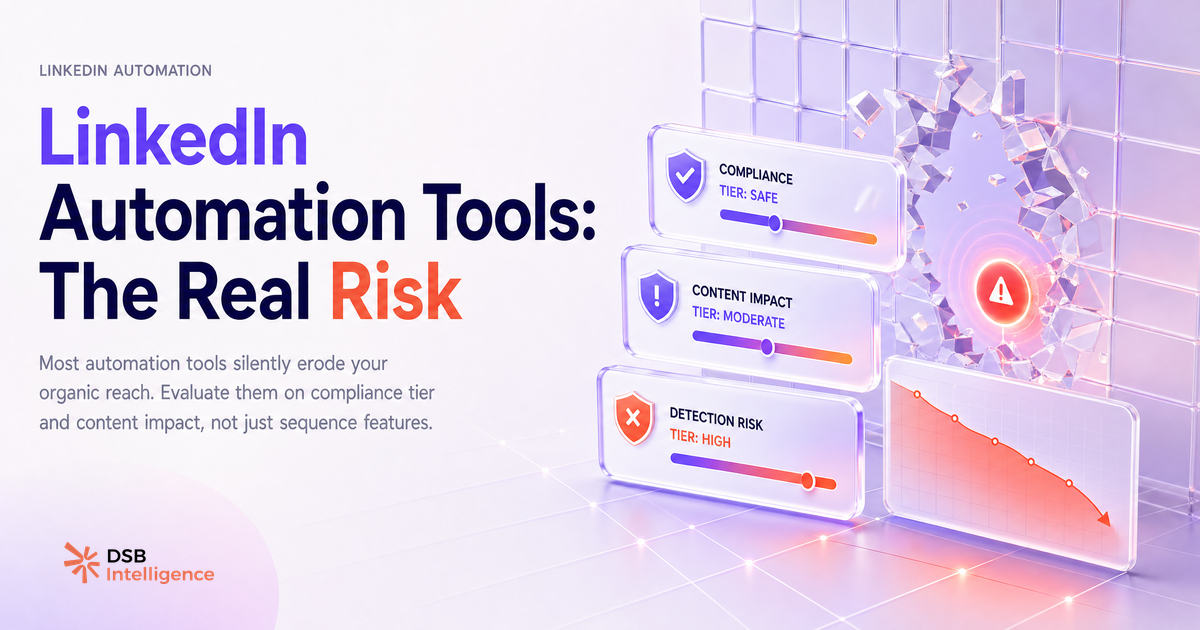
Every linkedin automation tool review you'll find on the first page of Google ranks tools on the same five criteria: features, pricing, ease of use, integrations, and customer support. Not one of them ranks on restriction rate.
That omission is not accidental.
Most LinkedIn automation tools optimize for volume — LinkedIn's systems optimize against it
LinkedIn's business model depends on the feed feeling human. Automated behavior at scale degrades that experience, and LinkedIn has been progressively tightening its detection logic for several years.
The systems in place don't only flag obvious API abuse. They appear to analyze behavioral patterns: how many connection requests are sent per day, how regular the timing intervals are, whether message sequences follow suspiciously uniform structures. None of this is officially documented in detail — but the behavioral evidence from practitioners is consistent enough to treat it as a working model.
The practical consequence is asymmetric. A tool vendor loses a customer when an account gets restricted. The account owner loses their network, their pipeline, and potentially their employer's LinkedIn Page association. The incentive to disclose restriction risk is entirely on the wrong side of the table.
This is the first thing the SERP won't tell you: the tool and the account holder do not share the same downside.
What are the three categories of automation risk — and where do most tools land?
Not all automation carries the same risk profile. A useful way to think about it is three categories, ordered by restriction likelihood.
Browser-extension tools sit at the highest risk end. They operate directly inside your browser session, simulating clicks and keystrokes. LinkedIn can detect these through browser fingerprinting and session behavior analysis. Tools in this category include some of the most widely marketed linkedin outreach automation products. Their popularity does not correlate with their safety.
Cloud-based tools run from remote servers and connect to LinkedIn through your credentials or OAuth flows. The risk is lower than browser extensions, but not zero. LinkedIn can still flag accounts based on action volume, timing patterns, and the geographic inconsistency between your usual login location and the server's IP. Cloud-based linkedin automation is often marketed as "safe" — a claim that deserves scrutiny, not acceptance.
Analytics-only tools — those that read data without performing actions on your behalf — carry no automation risk in the compliance sense. They don't send messages, trigger connection requests, or post content. The risk profile is categorically different.
Most tool comparison articles treat these three categories as variations of the same thing. They are not.
What do the best-ranked tools in this space not disclose about account restrictions?
The short answer: almost everything that matters.
Restriction rates are not published. Recovery timelines after a flag are not disclosed. The specific volume thresholds that have historically triggered restrictions are not documented — and even if they were, LinkedIn updates its detection logic regularly, which means any published threshold is already stale.
What vendors do publish is carefully worded. Phrases like "LinkedIn-safe," "compliant automation," or "within LinkedIn's guidelines" appear frequently. LinkedIn's actual Terms of Service prohibit scraping and automated interactions that aren't explicitly authorized. The gap between vendor marketing language and the ToS text is wide.
One pattern worth noting: when LinkedIn updates its detection systems, the accounts that get caught first are typically those running the highest volumes. The tools themselves survive — they update their approach and move on. The users absorb the restriction.
This is not a reason to never use a linkedin lead generation tool. It is a reason to go in with accurate information rather than vendor-curated reassurance.
How does DSB Intelligence's Recommendations Engine flag automation-driven engagement decay before it compounds?
Introducing any automation tool into your LinkedIn workflow creates a before/after inflection point in your engagement metrics. The problem is that most practitioners don't have a clean baseline to compare against — so when reach drops, they attribute it to content quality, algorithm changes, or posting time rather than the automation layer they added three weeks earlier.
The Recommendations Engine in DSB Intelligence is built to catch this pattern early. When engagement metrics start drifting in a direction inconsistent with your content cadence and historical baseline, it flags the signal and surfaces the likely contributing factors — including behavioral changes in your posting or outreach pattern. It doesn't wait for the drop to become a trend. It flags it when it's still a signal.
That early detection window is the difference between a correctable course adjustment and a compounding restriction that takes months to recover from.
What is a practical framework for choosing a tool — the four questions that actually matter?
Ignore the feature comparison tables. Ask these four questions instead.
1. What specific action does this tool automate? Connection requests, messages, profile visits, post likes, and content scheduling each carry different risk profiles. The more the action resembles human social behavior at scale, the more likely it is to trigger detection. Know exactly what the tool does, not just what category it's marketed in.
2. At what daily volume does it operate — and is that volume configurable? A tool that defaults to sending 80 connection requests per day is a different risk than one that defaults to 20. If the vendor doesn't publish default volumes, that's a signal. If the tool doesn't let you configure them conservatively, that's a red flag.
3. How does it authenticate with LinkedIn? Credential-based login (username + password) is a different risk profile than OAuth or LinkedIn's official Marketing API. Ask the vendor directly. If they can't answer clearly, the answer is probably "credential-based."
4. What is the vendor's track record when LinkedIn updates its detection logic? LinkedIn has made several significant changes to its automation detection in recent years. Ask the vendor how they communicated those changes to users, and how quickly they updated their tool. A vendor with no public history of responding to LinkedIn changes is a vendor who hasn't been tested yet — or one who doesn't disclose when their users get caught.
These four questions will filter out more bad choices than any feature matrix.
For context on how LinkedIn's own content signals interact with your organic reach, the article Hashtags LinkedIn 2026 : est-ce que ça sert encore à quelque chose ? covers how the platform's ranking logic has shifted — relevant background if you're trying to understand what LinkedIn's systems are actually optimizing for.
And if your automation goals include content distribution rather than outreach, the format decisions matter as much as the tool: LinkedIn Video Aspect Ratio 2026 : quel format est vraiment regardé ? and Poster une vidéo sur LinkedIn : le format décide tout are worth reading before you build any sequence around video content.
When is automation the wrong answer entirely?
When your ICP is small enough that volume is irrelevant.
If you're targeting a list of 60 CFOs at Series B SaaS companies in the DACH region, a linkedin sequence tool running 40 automated touchpoints a week is not going to outperform a manually crafted, genuinely personalized sequence of 8. The math doesn't work, and the compliance risk is entirely unnecessary.
Automation compounds the advantages of scale. If you don't have a scale problem — if your problem is conversion rate on a narrow, high-value list — automation is solving the wrong equation.
The same logic applies to linkedin outreach automation used to compensate for weak positioning. A tool that sends more messages faster will not fix a value proposition that isn't resonating. It will generate more noise, more ignored requests, and a faster path to restriction.
The Désactiver les vues de profil LinkedIn : un vrai arbitrage article is a useful adjacent read here: it covers the trade-offs of visibility signals on LinkedIn, which matter when you're deciding how much of your outreach to automate versus keep manual and traceable.
For paid distribution decisions that interact with your organic automation strategy, LinkedIn Video Ad Specs: Read Them as a Creative Brief gives a useful frame for thinking about LinkedIn's content infrastructure more broadly.
Et maintenant ?
- Audit the automation tools currently connected to your LinkedIn account. Categorize each one: browser-extension, cloud-based, or analytics-only. Remove anything in the first category if your account is commercially critical.
- Establish a clean engagement baseline before making any tool changes. You cannot detect automation-driven decay without a reference point.
- Run the four-question framework against any tool you're evaluating before signing up. If a vendor can't answer questions 3 and 4 clearly, move on.
- If your ICP list is under 200 accounts, seriously evaluate whether a linkedin automation tool is the right investment at all — or whether that budget is better spent on content quality and manual personalization.
If you want visibility into how your LinkedIn engagement metrics move after any workflow change, essaie DSB Intelligence gratuitement — the Recommendations Engine gives you the early-warning layer that vendor reviews don't.