

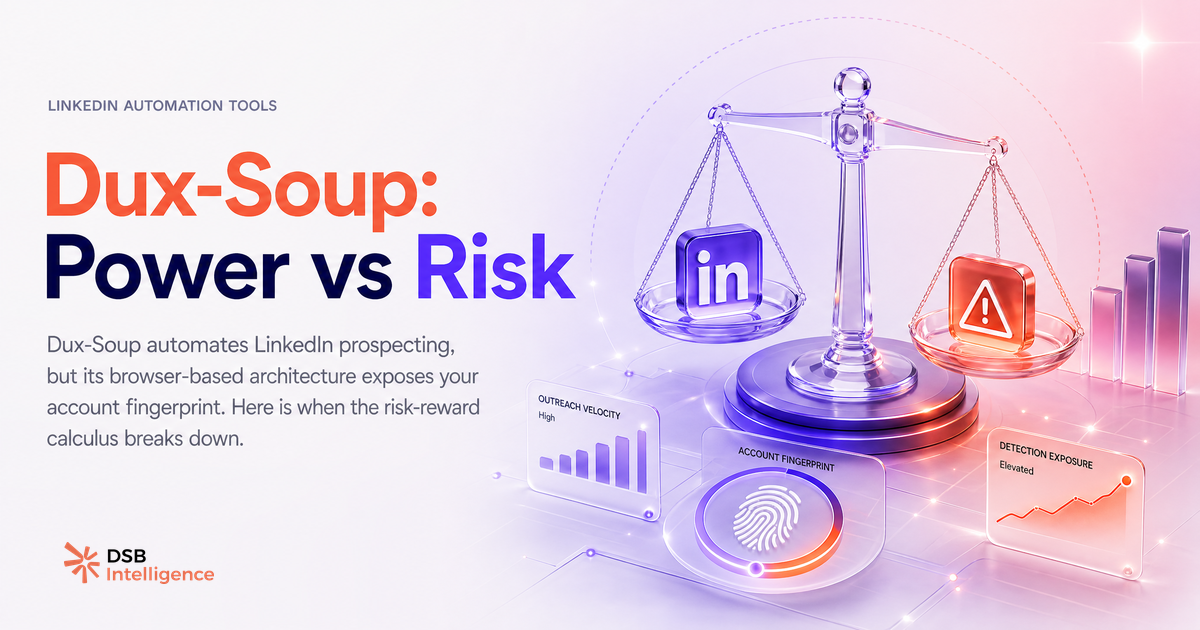
La plupart des reviews de Dux-Soup se ressemblent : une liste de features, un tableau de pricing, et une conclusion tiède. Ce guide fait autre chose. Il regarde ce que l'outil fait vraiment au niveau technique, pourquoi l'architecture browser-based crée un profil de risque spécifique, et dans quels cas tu devrais choisir autre chose.
What Dux-Soup actually does — and what most reviews skip
Dux-Soup est une extension Chrome. Elle s'installe en quelques secondes et agit directement dans ton onglet LinkedIn ouvert.
Concrètement : l'extension visite des profils, envoie des demandes de connexion avec ou sans note, déclenche des séquences de messages, et peut taguer des leads dans un CRM via webhook. Tout ça depuis ta session navigateur active.
C'est là que la plupart des reviews s'arrêtent. Ce qu'elles ne disent pas : Dux-Soup ne crée pas de session séparée. Il agit en tant que toi, dans ton navigateur, avec ton cookie de session LinkedIn. Chaque visite de profil, chaque clic simulé, chaque message envoyé est attribué à ton compte réel.
L'avantage est réel : zéro configuration serveur, zéro proxy à gérer, démarrage en cinq minutes. Pour un freelance ou un fondateur qui teste l'outreach sur son propre compte, c'est suffisant.
Le problème apparaît quand le volume monte.
Pour aller plus loin sur le panorama des outils disponibles, le guide Best LinkedIn Automation Tools: a Framework to Compare pose les critères d'évaluation sans sponsoring.
The account restriction risk: why browser-based automation draws LinkedIn's attention
LinkedIn n'a pas publié la mécanique exacte de sa détection. Mais le comportement observé par les praticiens du secteur est cohérent : la plateforme repère les patterns anormaux, pas uniquement les extensions.
Qu'est-ce qu'un pattern anormal ? Visiter 80 profils en 40 minutes à intervalles réguliers. Envoyer 20 demandes de connexion entre 2h et 4h du matin. Avoir un taux de message identique sur 200 contacts en 48 heures. Ces comportements ne ressemblent pas à un humain qui prospecte.
La restriction peut prendre plusieurs formes : un avertissement sur le compte, un plafonnement des invitations hebdomadaires, ou une suspension temporaire. Dans les cas les plus sévères, un compte Sales Navigator peut être suspendu, ce qui coupe l'accès à une base de données de leads construite sur des mois.
Le calcul que peu de gens font avant l'incident : un abonnement Sales Navigator coûte plusieurs centaines d'euros par mois. Une restriction de deux semaines, c'est un coût d'opportunité qui dépasse souvent le prix annuel de l'outil d'automatisation.
Pour comprendre ce qui déclenche réellement une restriction et ce qui reste dans les limites acceptables, l'article Automatisation LinkedIn : ce qui marche, ce qui restreint détaille les zones grises.
How DSB Intelligence reads automation risk signals before your account gets flagged
Surveiller son compte LinkedIn après une restriction, c'est réagir trop tard. Les signaux précurseurs existent et se lisent dans les métriques avant que la plateforme n'intervienne.
Un taux d'acceptation des demandes de connexion qui chute progressivement sur deux semaines. Un reach organique sur les posts qui ralentit sans changement de contenu. Un volume de vues de profil qui stagne alors que l'activité d'outreach augmente. Ces patterns indiquent que LinkedIn commence à réduire la visibilité du compte, souvent avant toute notification explicite.
C'est précisément ce que le Recommendations Engine de DSB Intelligence est conçu à faire : repérer ces décrochages tôt dans les métriques de compte et proposer une correction avant que la restriction ne s'installe. Pas un score propriétaire, pas un seuil magique — une lecture des tendances sur tes propres données, avec une action suggérée.
La différence entre réagir et anticiper, c'est souvent deux semaines de visibilité préservée.
The honest comparison: Dux-Soup vs cloud-based tools for B2B outreach teams
La distinction fondamentale entre Dux-Soup et les outils cloud-based n'est pas le prix ni le nombre de features. C'est l'architecture d'exécution.
Dux-Soup agit depuis ton navigateur. L'outil cloud-based agit depuis un serveur externe, avec une IP dédiée (souvent résidentielle), dans une session séparée de ta session LinkedIn principale. Ton compte est moins directement exposé à chaque action automatisée.
Ce n'est pas une garantie d'immunité. Un outil cloud mal configuré, avec des volumes excessifs ou des messages génériques en masse, peut tout autant déclencher une restriction. La séparation de session réduit la surface de détection, elle ne l'élimine pas.
Pour une équipe de plusieurs SDR, la comparaison devient plus nette sur d'autres axes :
- Coordination multi-comptes : Dux-Soup nécessite que chaque commercial ait son navigateur actif avec l'extension configurée. Un outil cloud centralise la gestion depuis une interface unique.
- Continuité : si le commercial ferme son ordinateur, Dux-Soup s'arrête. Un outil cloud continue.
- Reporting : Dux-Soup exporte des CSV. Les outils cloud offrent généralement des dashboards de performance par séquence et par compte.
Le choix n'est pas "Dux-Soup est mauvais". C'est "Dux-Soup est dimensionné pour un usage individuel, pas pour une équipe qui scale".
Sur la question des canaux complémentaires à l'outreach direct, LinkedIn Newsletter : pipeline, pas emailing et InMail Credits LinkedIn : ce que personne ne t'explique donnent des perspectives utiles sur ce que l'automatisation ne remplace pas.
When Dux-Soup is fine — and when it isn't
Dux-Soup est le bon choix dans un périmètre précis.
Tu es seul, tu prospectes sur ton propre compte LinkedIn, tu envoies moins de 15 à 20 demandes de connexion par jour, et le compte n'est pas critique pour ton activité. Dans ce cas, l'outil fait le travail sans surcoût de configuration.
Ce n'est plus le bon choix dès que l'un de ces paramètres change. Un compte Sales Navigator à forte valeur. Une équipe de plusieurs personnes. Un objectif de volume qui pousse les limites comportementales. Une activité LinkedIn organique importante (posts, newsletter, visibilité) que tu ne veux pas risquer.
La question à se poser n'est pas "est-ce que Dux-Soup fonctionne ?" — il fonctionne. C'est "quel est le coût d'une restriction sur ce compte spécifique, et est-ce que l'architecture browser-based est le bon pari pour ce niveau de risque ?"
Sur la question de la visibilité de compte et ce que LinkedIn expose réellement comme données, Can You See Who Views Your LinkedIn Profile? éclaire un angle souvent mal compris des utilisateurs d'outils d'automatisation.
Et maintenant ?
- Audite ton usage actuel : volume quotidien de connexions, horaires d'envoi, taux d'acceptation sur les 30 derniers jours. Si le taux chute, ralentis avant que LinkedIn n'intervienne.
- Évalue la criticité de ton compte : un compte Sales Navigator avec deux ans d'historique de leads n'a pas le même profil de risque qu'un compte de test.
- Si tu gères plusieurs SDR ou si tu scales au-delà de 20 actions par jour, compare sérieusement les architectures cloud — le surcoût mensuel est généralement inférieur au coût d'une restriction.
- Teste DSB Intelligence pour lire les signaux de ton compte avant qu'ils ne deviennent un problème. Démarre gratuitement et vois ce que tes métriques disent déjà.