

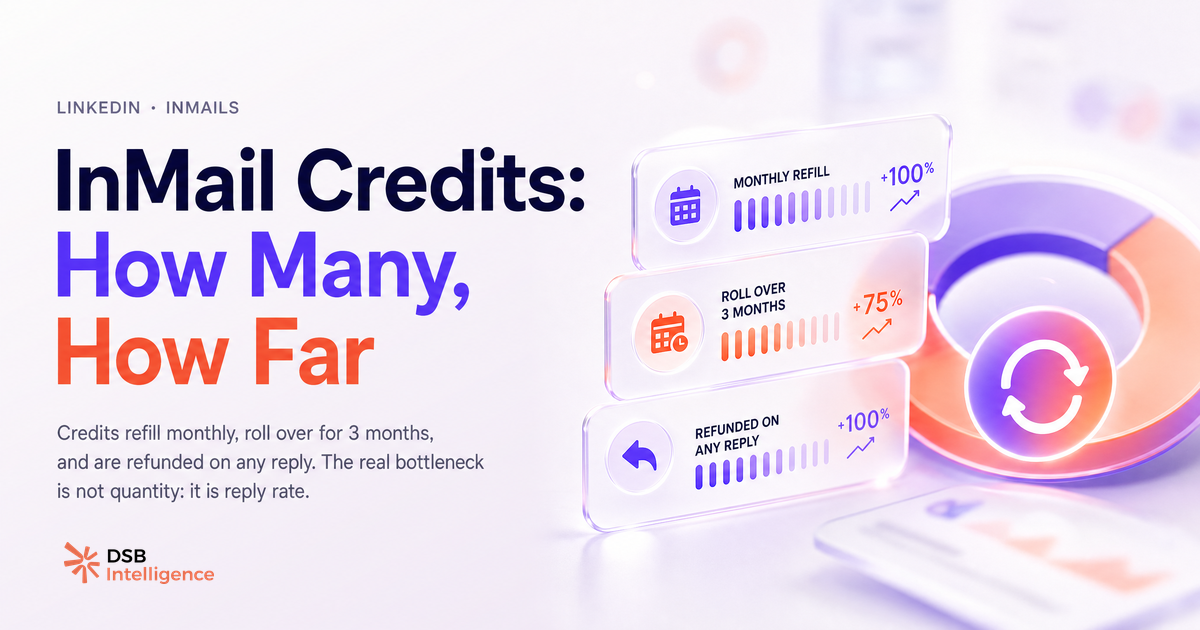
Most people Google "how many InMail credits per month LinkedIn" because they've run out and want to know when they refill. That's the wrong question. The right question is why they ran out without generating pipeline.
What is the exact InMail credit count per LinkedIn plan — and what rollover rule do most people miss?
LinkedIn distributes InMail credits monthly, and the amount depends entirely on your subscription tier. Here is the breakdown as of 2025:
| Plan | Monthly InMail credits | |---|---| | Premium Career | 5 | | Premium Business | 15 | | Sales Navigator Core | 50 | | Sales Navigator Advanced | 50 | | Recruiter Lite | 30 |
The rollover rule is where most users leave credits on the table. Unused credits accumulate for up to three months. A Sales Navigator user who sends zero InMails in January and February enters March with 150 credits available. After the three-month window, expired credits disappear permanently — they do not convert to anything.
One more mechanic worth knowing: if a recipient replies to your InMail (any reply, including "not interested"), LinkedIn refunds the credit. This means a well-targeted campaign is partially self-funding. A 30% reply rate on 50 InMails effectively gives you 15 credits back.
Why is 50 credits a month not 50 shots at pipeline?
Because most InMails never get read, let alone replied to.
The gap between "sent" and "replied" is where the credit math breaks down. An InMail to a cold, poorly targeted prospect is not a 1-in-50 chance at a deal — it is closer to a 1-in-500 chance, depending on your message, your profile credibility, and the recipient's context at the moment of delivery.
LinkedIn's own positioning frames InMail as a premium channel with higher response rates than cold email. That is true in aggregate. But aggregate benchmarks hide the distribution: a small share of well-crafted, well-timed InMails drive most of the replies, while the bulk of generic outreach drags the average down.
The practical implication is simple. Fifty credits used thoughtfully over three weeks outperform 150 credits blasted in a single campaign. Volume is not the variable. Precision is.
For a deeper look at how credit spend maps to actual open and response outcomes, InMail Credits Are Not Your Bottleneck walks through the mechanics in detail.
What actually drives InMail response rates — and how do you read those signals before burning credits?
Response rate is a function of three things: relevance, timing, and profile trust.
Relevance means the recipient can immediately see why this message is for them specifically. A subject line that references their recent job change, a post they published, or a shared connection converts at a higher rate than a generic "I'd love to connect." This is not a copywriting tip — it is a signal-reading problem. You need to know what the prospect has been doing before you write a word.
Timing matters more than most outreach guides admit. A prospect who just posted about a pain point your product solves is in a different mental state than the same person on a random Tuesday. Monitoring content activity and engagement patterns before sending is the difference between a warm InMail and a cold one, even if the message text is identical.
Profile trust is the silent filter. Before a prospect reads your InMail, they click your name. If your profile looks thin — no recent posts, no clear positioning, a generic headline — the message loses credibility before it is read. LinkedIn Articles vs Posts: What Actually Builds Authority covers how consistent content signals expertise and makes your outreach land differently.
This is where reading signals before sending pays off. DSB Intelligence's Recommendations Engine flags engagement patterns on a prospect's profile — recent activity, content themes, interaction signals — so you can time and personalize InMails based on actual behavior rather than guesswork.
Can you buy extra InMail credits, and should you?
Yes, LinkedIn allows you to purchase additional InMail credits beyond your monthly plan allocation. The option is available directly in your account settings under the billing section.
Whether you should is a different question.
Buying credits makes sense in one narrow scenario: you have a proven message, a validated target list, and you've exhausted your monthly allocation before the refill. In that case, purchasing a top-up extends a working campaign.
It does not make sense when your existing credits are generating low reply rates. Buying more credits with a broken message and a poorly defined audience just accelerates the burn. The economics are straightforward: if your current InMails are not generating replies, adding credits multiplies the waste.
Before purchasing, run a quick audit. What is your reply rate on the last 20 InMails sent? If it is below 15%, the problem is not credit volume. Fix the targeting or the message first.
Also worth checking: are the prospects you're InMailing actually reachable via a free connection request? First-degree connections and open profiles can be contacted without spending a credit. Email Finder from LinkedIn: Match Rate Is All That Matters covers an adjacent channel that often costs less per qualified reply than InMail at scale.
How do you stretch your InMail credits further without gaming the system?
The goal is not to send more InMails. It is to send fewer, better ones.
A few practices that consistently improve credit efficiency:
-
Prioritize open profiles. LinkedIn members who have enabled open messaging can receive InMails for free. Filter for open profiles in Sales Navigator before spending a credit on a standard send.
-
Use connection requests first for warm prospects. A personalized connection request costs nothing. If the prospect is second-degree and has mutual connections or has engaged with content in your network, a connection request with a short note often outperforms a cold InMail. Reserve InMail for contacts where a connection request is unlikely to be accepted.
-
Write subject lines that earn the open. The subject line is the only thing visible before the recipient decides to open or ignore. A specific, relevant subject ("Your Q1 post on outbound sequencing") outperforms a generic one ("Quick question") every time.
-
Send on the right days. Engagement on LinkedIn skews toward Tuesday through Thursday, with lower activity on Fridays and weekends. This is a well-documented pattern in B2B social behavior, not a guarantee — but it is a reasonable prior when timing is flexible. For more on how posting cadence affects visibility, How Often to Post on LinkedIn: Daily Is Backfiring covers the underlying mechanics.
-
Track your refund rate. If you are getting credits back from replies, your targeting is working. If you are not, that is the signal to adjust before the next batch.
A consistent company presence also changes the dynamic. When a prospect receives your InMail and then visits your company page, a well-maintained page reinforces the outreach. Company LinkedIn Page: Setup Is 20 Min, Strategy Is Forever covers what that looks like in practice.
Now what?
- Check your current credit balance and rollover status in your LinkedIn account settings — most users have more credits available than they think.
- Before your next InMail batch, filter for open profiles and remove anyone reachable via a free connection request.
- Pull your reply rate on your last 20 InMails. If it is below 15%, pause and revise the message before sending more.
- If you want to track engagement signals and time your outreach to actual prospect behavior rather than guesswork, start a free trial of DSB Intelligence and see what the Recommendations Engine surfaces on your target list.